19
Basic Features
PVR Settings
File
Manager
5.Press the [
▲/Move Up
] button to move item.
6.Press the [
▼/Move Down
] button to move item.
7.Press [
OK/Select
] button to play the selected file.
8.Press the [
Menu/Return
] button to return to the previous menu.
9.Press the [
Exit
] button to exit.
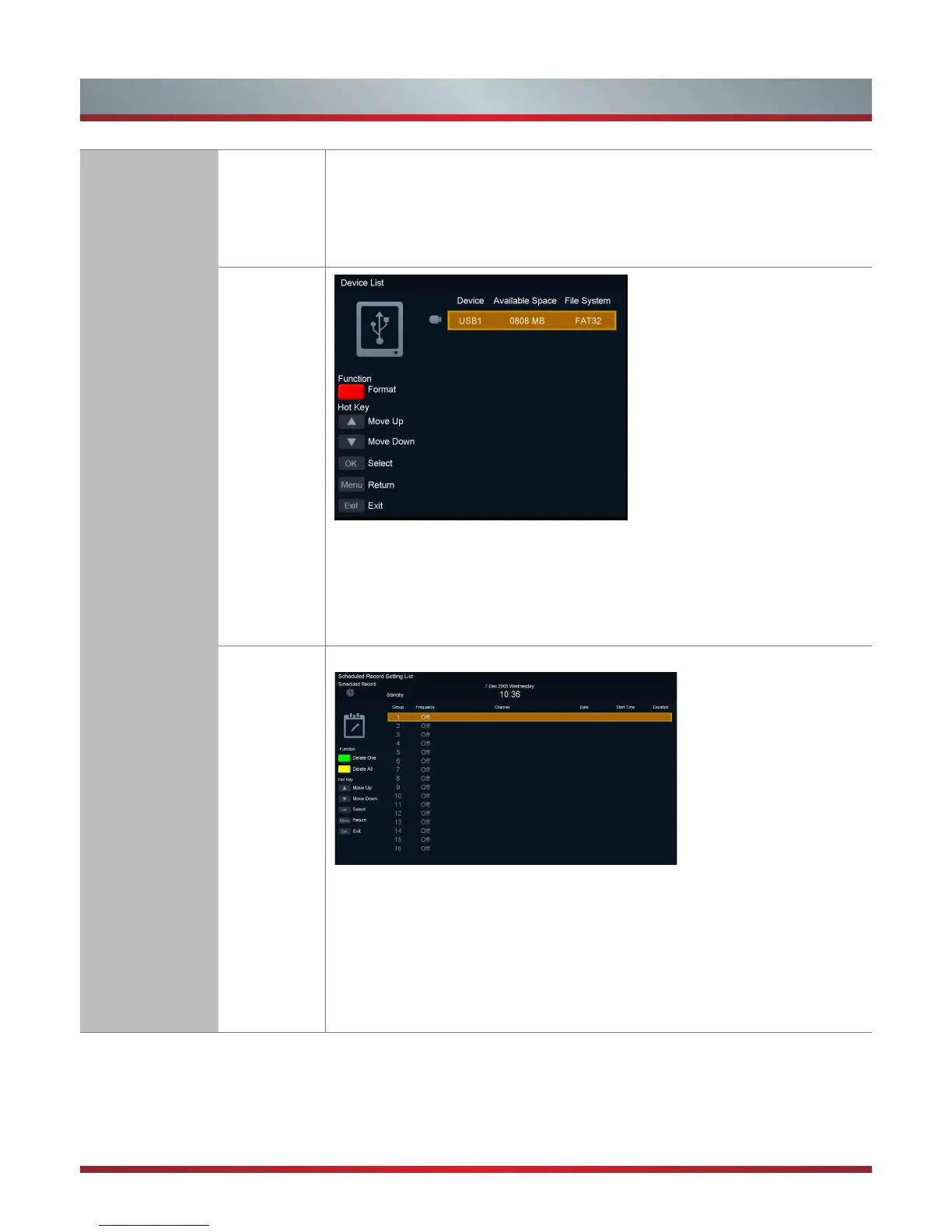
Device List
1.Press the [
RED/Format
] button to format the selected USB.
2.Press the [
▲/Move Up
] and [
▼/Move Down
] buttons to move item.
3.Press the [
OK/Select
] button to play the selected file.
4.Press the [
Menu/Return
] button to return to the previous menu.
5.Press the [
Exit
] button to exit.
Scheduled
Record
Scheduled Record Setting List
1.Press the [
Green/Delete One
] button to delete the selected item.
2.Press the [
YELLOW/Delete All
] button to delete all items.
3.Press the [
▲/Move Up
] and [
▼/Move Down
] buttons to move item.
4.Press the [
OK/Select
] button will open the menu “Scheduled Record -Group”, to
add new record item.
5.Press the [
Menu/Return
] button to return to the previous menu.
6.Press the [
Exit
] button to exit.



 To Next Page