Need help?
Do you have a question about the Hisense 32A4G and is the answer not in the manual?
Agreement to the terms and conditions of the Television, including warranty and disclaimer.
Details regarding third-party content and services accessed through the television.
Explanation of safety symbols like voltage, electric shock, and operating instructions.
Guidelines for the proper recycling and disposal of electrical and electronic equipment.
Precautions to prevent serious injury or death from television tip-over, especially concerning children.
Important safeguards for TV use, including cleaning, wall mount, water, setting, ventilation, and power source.
Guidance on power cord routing, lightning protection, power lines, overloading, and object/liquid entry.
Instructions on servicing, replacement parts, heat, fire, and off-gassing precautions.
Step-by-step instructions for attaching the TV base stand using screws.
Guidelines and cautions for mounting the TV to a wall using a bracket.
Overview of front panel components like remote sensor, power indicator, and standby/source button.
Identification of various ports and connectors on the rear of the TV.
Instructions for connecting the TV to a network using a LAN cable.
Guide to connecting the TV wirelessly to a network using a wireless router.
How to connect an outdoor VHF/UHF antenna or cable to the TV's ANT port.
Steps for connecting external AV equipment via HDMI or AV cables.
Connecting headphones and external digital audio systems via headphone and digital audio out jacks.
Using HDMI ARC for audio output to an audio receiver.
Connecting USB devices like hard drives, sticks, and cameras for media playback.
Detailed explanation of each button and function on the remote control.
Instructions for inserting batteries and important notes on battery handling and disposal.
Information on the optimal distance and angle for remote control operation.
Step-by-step guide for initial TV setup, including language, mode, network, country, and account.
Detailed technical specifications for 32-inch and 40-inch TV models.
Detailed technical specifications for the 43-inch TV model.
Explanation of the Freeview Plus service, its features, and how it works.
Details on trademarks such as HDMI, Dolby Audio, and DTS.
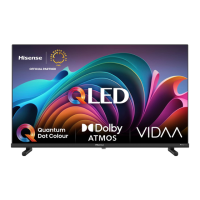
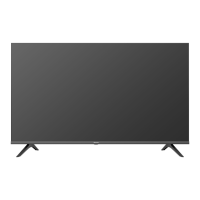
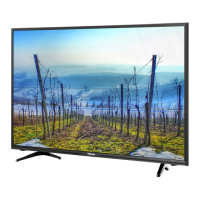
This document serves as a Quick Setup Guide for Hisense televisions, specifically models 32A4G, 40A4G, and 43A4G. It provides essential information for setting up and using the TV, along with important safety precautions, a warranty and disclaimer, and details on various connections and the remote control.
This Hisense television is designed to provide a comprehensive entertainment experience, offering access to various input sources, digital and analog broadcasting, and smart features. It functions as a display for video content from external devices like set-top boxes, gaming consoles, and media players, as well as a platform for accessing online content and services when connected to the internet. The TV is equipped with a built-in Wireless LAN Adapter for wireless network connectivity and supports multiple HDMI and USB inputs for versatile device integration. It also features audio output options for headphones and external digital audio systems, including ARC functionality for simplified audio setup with compatible receivers. The integrated Electronic Program Guide (EPG) in DTV mode enhances the viewing experience by providing program information.
The television offers a user-friendly interface for initial setup and daily operation. Upon first use, an Installation Guide assists users in configuring basic settings such as language, TV mode (Home or Store), internet connection, country, and timezone. The TV supports both wired (LAN) and wireless network connections, with recommendations for DHCP-enabled modems or routers for easier setup. For optimal performance, it is advised to use an IEEE 802.11n router for wireless connections and to maintain a distance of less than 10 meters between the router and the TV.
Connecting external devices is straightforward, with clearly labeled ports on the TV's rear. HDMI inputs are available for high-definition video and audio, while AV inputs cater to older analog devices. USB ports allow for browsing photos, listening to music, and watching movies from hard drives, USB sticks, and digital cameras. Users are cautioned to ensure external hard drives or USB hubs have their own power supply if the connected USB device requires more than 500mA or 5V, as exceeding the maximum supported current can lead to damage or data loss.
The remote control provides intuitive navigation and control over the TV's functions. It includes dedicated buttons for power, input source selection, channel navigation, volume adjustment, and quick access to the Electronic Program Guide (GUIDE) and program information (INFO). Special function buttons and media content control buttons enhance the multimedia experience. The remote also features quick access buttons for various applications, allowing users to easily switch between different content types. The remote control has an effective operating range of up to 8 meters in front of the TV, with specific horizontal and vertical angle tolerances for reliable signal reception.
Smart features, including access to Third Party Content and Services, are integral to the TV's functionality. Users are required to accept the End User License Agreement to enable these features and can manage privacy settings by choosing to turn on/off specific smart features. A VIDAA account provides access to additional features and ensures the TV's software remains up to date. The TV also supports Freeview Plus in Australia, offering an advanced EPG and seamless access to catch-up TV services via broadband by pressing the 'Green' button on the remote.
Proper maintenance is crucial for the longevity and safe operation of the television. The guide emphasizes several key aspects:
Adherence to these guidelines ensures the safe and efficient operation of the Hisense television and helps extend its lifespan.
 General
| Screen shape | Flat |
|---|---|
| Response time | 35 ms |
| Display diagonal | 32 \ |
| Display brightness | - cd/m² |
| Display resolution | 1366 x 768 pixels |
| Display technology | LED |
| Native aspect ratio | - |
| Native refresh rate | 60 Hz |
| Tuner type | Digital |
| Video apps | Amazon Prime Video, Freeview Play, Netflix, YouTube |
| Operating system version | U5 |
| Operating system installed | VIDAA |
| Audio decoders | DTS, Dolby Audio |
| RMS rated power | 6 W |
| Number of speakers | 2 |
| Bluetooth | No |
| Wi-Fi standards | 802.11b, 802.11g, Wi-Fi 4 (802.11n) |
| Browser supported | Vewd |
| Product color | Black |
| Panel mounting interface | 100 x 200 mm |
| Processor cores | 4 |
| AC input voltage | 100 - 240 V |
| AC input frequency | 50/60 Hz |
| Power consumption (standby) | 0.5 W |
| Power consumption (typical) | - W |
| USB 2.0 ports quantity | 1 |


 To Next Page