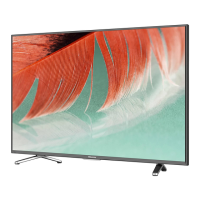
This document is a Quick Setup Guide for Hisense XClass TVs, specifically supporting models 43A6GX and 50A6GX. It provides essential information for setting up and using the television, along with technical specifications, troubleshooting tips, and compliance details.
Function Description:
The Hisense XClass TV is a smart television designed to provide instant entertainment and access to streaming applications. It features a personalized launchpad for a tailored user experience and includes voice control capabilities for easy navigation and content search. The TV can connect to external devices via various ports, including HDMI, AV, and a digital audio output, and supports both wired (Ethernet) and wireless (Wi-Fi) internet connectivity. It also incorporates accessibility features such as Voice Guidance and Audio Description (AD) to assist users with visual or hearing impairments.
Important Technical Specifications:
- Models Supported: 43A6GX, 50A6GX
- Screen Resolution: 3840 x 2160 (4K UHD)
- Audio Power:
- 43A6GX: 7 W + 7 W
- 50A6GX: 8 W + 8 W
- Power Consumption: 100 W (both models)
- Power Supply: 120 V ~ 60 Hz
- Connectivity:
- Built-in Wireless feature (2x2 dual band)
- 3 HDMI ports (HDMI 2 supports eARC)
- 1 LAN port for Ethernet
- 1 Digital Audio Output
- 1 RF Input (Antenna)
- 1 Headphone Audio Output
- 1 RCA Composite Video Input (1 left/right Audio Input for Composite)
- Receiving Channels: VHF: 2 - 13, UHF: 14 - 69 (Digital Terrestrial Broadcast (8VSB): 2 - 69)
- Tuner Type: Frequency synthesized
- Receiving System: ATSC
- Operating Temperature: 41°F - 95°F (5°C - 35°C)
- Operating Humidity: 20% to 80% non-condensing
- Storage Temperature: 5°F to 113°F (-15°C to 45°C)
- Storage Humidity: 10% to 70% non-condensing
Dimensions (W × H × D):
- 43A6GX:
- Without Stand: 37.9 x 22.0 × 2.9 in (963 × 560 × 74 mm)
- With Stand: 37.9 x 24.2 × 7.7 in (963 × 614 × 196 mm)
- 50A6GX:
- Without Stand: 44.0 x 25.4 × 2.9 in (1117 × 646 × 74 mm)
- With Stand: 44.0 × 27.9 × 8.9 in (1117 × 709 × 225 mm)
Weight:
- 43A6GX:
- Without Stand: 15.0 lbs (6.8 kg)
- With Stand: 15.2 lbs (6.9 kg)
- 50A6GX:
- Without Stand: 21.6 lbs (9.8 kg)
- With Stand: 22.0 lbs (10.0 kg)
TV Stand Width (W × D):
- 43A6GX: 32.9 x 7.7 in (835 × 196 mm)
- 50A6GX: 38.0 x 8.9 in (964 × 225 mm)
Active Screen Size (Diagonal):
- 43A6GX: 42.5 in (107.9 cm)
- 50A6GX: 49.5 in (125.7 cm)
Wall Mount Hole Pattern (mm): 200 × 300
Wall Mount Screw Size: M6
Usage Features:
- Quick Setup: The guide provides a step-by-step process for initial TV setup, including attaching the stand or wall mount, connecting external devices, preparing the remote, powering on, and completing the on-screen setup.
- Remote Control: The included remote control features dedicated buttons for power, input, mute, volume, settings, navigation, and app shortcuts. It also supports voice control, allowing users to search for content or control the TV by speaking commands like "Live TV," "Free Movies," "Cooking on YouTube," or "Netflix."
- Remote Pairing: The remote automatically pairs with the TV upon initial setup if done within 15 minutes of plugging in the TV. Instructions are provided for pairing to an existing TV or a sound system if automatic pairing fails or if the remote needs to be re-paired.
- External Device Connectivity: The TV offers a variety of ports to connect external equipment such as VHF/UHF antennas, DVD players/recorders, set-top boxes, satellite receivers, audio amplifiers, and headphones. It supports HDMI for high-definition multimedia, AV IN for composite video and audio, and Digital Audio Out for external digital audio systems.
- Internet Access: The TV supports both wired (LAN) and wireless (Wi-Fi) internet connections, enabling access to streaming services and online content.
- Accessibility: Voice Guidance reads on-screen text aloud, and Audio Description (AD) narrates visual elements of compatible programs, enhancing usability for individuals with visual impairments. These features can be enabled through the TV's settings menu.
- Personalized Launchpad: The XClass TV offers a personalized launchpad, allowing users to quickly access their favorite apps and streaming content.
Maintenance Features:
- Troubleshooting Guide: The manual includes a troubleshooting section to address common issues such as no sound/picture, external source connectivity problems, picture/sound distortions, and remote control malfunctions. Solutions range from checking connections and settings to power cycling the TV.
- Battery Replacement: Instructions for replacing the remote control batteries are provided, along with cautions regarding proper disposal and handling of batteries to prevent leakage and ensure safety.
- Environmental Protection: The document emphasizes responsible disposal of the product, indicating that it should not be discarded with domestic garbage. It encourages recycling through available return systems and provides a link (www.mrmrecylcing.com) for more information on recycling programs in certain states.
- Customer Support: Contact information for Hisense USA Corporation (phone and email) and Comcast Corporation is provided for support, inquiries, and service needs. The model and serial number of the TV, located on the back or side, are recommended to be recorded for future service.
- Firmware Updates: While not explicitly detailed as a user-controlled feature, the nature of smart TVs implies that the device may receive software or firmware updates to improve reliability, function, and design.
- Safety Information: The guide includes cautions regarding the installation of the TV stand or wall mount, emphasizing the fragility of the LED display and the importance of secure installation to prevent damage or injury. It also advises disconnecting the AC power cord before installation.



 To Next Page
 General