Need help?
Do you have a question about the Hisense 32H3B Series and is the answer not in the manual?
Lists necessary tools and devices for TV setup, including screwdriver and cables.
Instructions on how to attach the left and right legs to the TV stand using screws.
Guidance for attaching a wall mount bracket, including screw and spacer specifications.
Details on the optimal operating distance and angle for the TV remote control.
Instructions for programming a universal cable or satellite remote to control the Hisense TV.
Information regarding FCC compliance for the digital device and potential radio interference.
Details on the TV's ENERGY STAR qualification and energy-saving features.
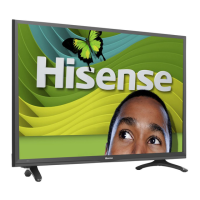
This document serves as a Quick Start Guide for the Hisense H3B Series TV, available in 32H3B* and 40H3B* models (where '*' is a placeholder for an Arabian number, English letter, or blank). It aims to help users set up their new television quickly and efficiently, while also encouraging environmental responsibility by reducing paper waste. For more detailed instructions and feature descriptions, users are directed to access the full User Manual online.
The Hisense H3B Series TV offers a range of features designed for an enhanced viewing experience. As an LED TV, it utilizes LED backlighting to provide better brightness and contrast, contributing to a vibrant picture. The design also emphasizes energy efficiency, helping to reduce utility bills. For media playback, the TV includes a HiMedia Digital Media Player, allowing users to play back digital content directly from a USB drive. It supports 720p resolution for the 32-inch models and 1080p resolution for the 40-inch models. Additionally, the TV features Mobile High-Definition Link (MHL) connectivity, enabling users to connect mobile phones, tablets, and other portable devices for content sharing.
In terms of picture and sound quality, the H3B Series TV delivers vibrant contrast and brightness to display images accurately. It also provides crisp sound through its powerful TV speaker output. The 1080p full high definition (FHD) resolution for the 40-inch models ensures a sharp and detailed picture.
Multiple connection methods are available to integrate the TV into a home entertainment system. These include one Digital Audio Out port, one USB Connector, three HDMI Connectors, one RF Antenna connector, one VGA connector, component ports, and composite ports. This variety allows for connection to a wide range of external devices such as DVD players, game consoles, sound systems, and computers.
Setting up the TV is made easy with a simple setup menu and straightforward design. It offers short and easy-to-follow first-time setup menus and a simple user interface (UI) design to navigate the TV screens. Descriptive features are included to help users make their selections during the setup process.
The packaged contents of the TV box include the TV unit itself, a left and right leg for the TV stand, an Important Safety Information and Warranty Card leaflet, a Remote Control, two AAA batteries, this Quick Start Guide, four screws (ST4X12 for 32" models or ST4X14 for 40" models) for securing the stand, and a Stop Page. Users are advised to check all foam in the carton box to ensure no items are accidentally discarded.
For installation, a Phillips screwdriver (not included) is required to secure the TV stand. HDMI and other types of cables (not included) are needed to connect external devices. If wall mounting is preferred, a wall mount bracket (not included) will be necessary.
The TV features various buttons and ports for user interaction and connectivity. On the back, there is a power input. On the bottom, ports include AUDIO OUT, DIGITAL AUDIO OUT, AV IN (with R, L, VIDEO), COMPONENT IN (with Y, PB, PR, R, L), HDMI 1/DVI. The side view reveals HDMI 2/MHL, HDMI 3/ARC, VGA, PC/DVI AUDIO IN, ANT CABLE IN, and a USB port (DC 5V 0.5A MAX).
Attaching the TV stand involves carefully placing the TV face down on a soft, flat surface to prevent damage. The two legs are then inserted into the bottom slots of the TV and secured tightly with the provided screws. For wall mounting, the TV stand must first be removed. Spacers (not included) are placed in the corresponding bracket holes. It is crucial to use fixing screws (not provided) that are 9.5 - 11.5 mm in length to prevent internal damage and ensure secure mounting. The wall mount hole pattern (VESA) is 200 x 100 mm for 32H3B* models and 200 x 200 mm for 40H3B* models, with a wall mount screw size of M6. Users are advised to follow the instructions provided with their wall mount bracket and ensure spacers are used between the TV and the bracket.
Connecting devices to the TV requires selecting the correct cables for the ports and ensuring secure connections to maintain picture image and color quality. The guide provides a table detailing various TV labels, ports, cables, external equipment, and brief descriptions for connecting devices such as outdoor VHF/UHF antennas, HDMI devices, component video devices (DVD players/recorders, set-top boxes), composite video devices, PCs (for use as a monitor), digital audio systems, headphones, analog audio systems, and USB devices for photos, music, and movies. The USB port only recognizes USB Memory Sticks.
The remote control for the H3B Series TV includes buttons for power on/off, input selection, mute, direct channel selection, dash button for digital sub-channels, audio selection (Mono/Stereo/SAP), volume control, channel navigation, display information banner, D-pad for menu navigation, OK button for confirmation, exit, menu, auto adjust, aspect ratio, sleep timer, pause, favorite program control, media player control, picture mode, sound mode, and source selection (TV, AV, VGA, USB).
To begin using the remote, users need to open the battery compartment, insert two AAA batteries, and then replace the cover. Important information regarding battery maintenance is provided, including instructions to discard batteries in a designated disposal area, remove old batteries immediately to prevent leaking, avoid using the remote for extended periods, clean the battery compartment if chemicals leak, and not mix old and new or standard (carbon-zinc) and rechargeable (NiCd, NiMH, etc.) batteries. If the remote continues to not work, users are directed to contact Hisense Support.
The manual also provides information on universal cable or satellite remote control programming. Hisense offers a list of codes for common Cable and Satellite providers. Users can refer to the User's Manual supplied by their Cable or Satellite provider or contact their provider for applicable codes.
Powering on the TV involves plugging the power cord into a power outlet. Pressing the Power button on the remote or on the TV will display the Hisense logo, followed by the First-Time Setup Menu, prompting users to choose their Language, Country, and Time Zone.
Completing the first-time setup menu involves navigating through options such as Menu Language (English, Español, or Français), Use Mode (Home Mode or Retail Mode), Time Zone setting (local time zone, Daylight Saving), and Channel Search (Tuner Mode: Air or Cable, then scan channels).
Selecting the input source is done by pressing the INPUT button on the remote or on the TV. The INPUT menu will open, and users can press the A/V button to highlight the desired input source and then press OK.
The document concludes with a Quick Problem-Solving Tips section, offering solutions for common issues such as no sound or picture, external device connection problems, picture delays, incorrect picture settings, sound but no picture, distorted or wavy picture, blurry or cut-out picture, horizontal or vertical stripes, "clicking" type sound, and remote control not working. It also includes Certification and Compliance information, including FCC Notice and ENERGY STAR qualification, and details about HDMI. Hisense trademarks and copyrights are also noted.
 General
| Screen Size | 32 inches |
|---|---|
| Display Technology | LED |
| Refresh Rate | 60 Hz |
| HDMI Ports | 2 |
| USB Ports | 1 |
| Smart TV | Yes |
| Built-in Wi-Fi | Yes |
| Resolution | 1366 x 768 |
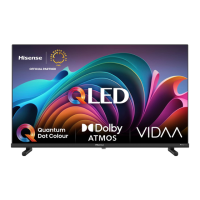
| Operating System | VIDAA |


 To Next Page