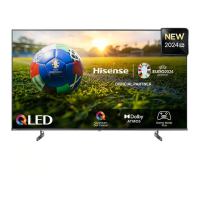
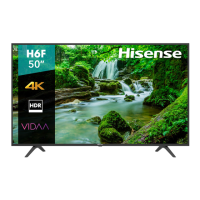
This document is a user manual for a Hisense television, providing essential information for its safe and optimal use, technical specifications, and maintenance guidelines.
Function Description
The Hisense TV is designed for rendering video and audio signals in a home or office environment, suitable for tabletop or wall-mounted installation. It supports various input sources, including antenna, satellite, HDMI, and AV connections, allowing users to watch broadcast television, connect external media devices like DVD/Blu-Ray players, and access smart TV features. The TV incorporates a built-in wireless LAN for network connectivity, enabling access to online content and services. It also features a remote control for convenient operation, including channel selection, volume adjustment, input source switching, and navigation through on-screen menus.
Important Technical Specifications
The manual covers two models: a 32-inch and a 40-inch TV, with specific dimensions and weights:
32-inch Model:
- Dimensions (W × H × D):
- Without Stand: 28.2 x 16.9 x 3.4 inches (717 x 428 x 86 mm)
- With Stand: 28.2 x 18.5 x 6.3 inches (717 x 469 x 160 mm)
- Weight:
- Without Stand: 7.9 lbs (3.6 kg)
- With Stand: 8.2 lbs (3.7 kg)
- Active Screen Size (Diagonal): 80 cm
- Screen Resolution: 1366 x 768
- Operating Mode Power Density: 0.02 Watts/cm²
- Power Consumption: 55W (operating), < 0.5W (turned off), 0.5W (standby)
- Audio Power: 6W + 6W
40-inch Model:
- Dimensions (W × H × D):
- Without Stand: 35.2 x 20.2 x 3.4 inches (893 x 513 x 86 mm)
- With Stand: 35.2 x 22.0 x 7.2 inches (893 x 559 x 182 mm)
- Weight:
- Without Stand: 11.9 lbs (5.4 kg)
- With Stand: 12.1 lbs (5.5 kg)
- Active Screen Size (Diagonal): 100 cm
- Screen Resolution: 1920 x 1080
- Operating Mode Power Density: 0.017 Watts/cm²
- Power Consumption: 70W (operating), < 0.5W (turned off), 0.5W (standby)
- Audio Power: 7W + 7W
Common Specifications:
- Power Supply: AC 100-240V ~ 50/60Hz
- Receiving Systems:
- Analog: PAL-D/K, B/G, I, SECAM-D/K, B/G
- Digital: DVB-T/T2, DVB-C, DVB-S/S2
- Wireless LAN Module: WF-M603-USB1
- Wireless LAN Frequency Range: 2.4~2.4835GHz
- Wireless LAN Output Power (Max.): 17dBm
- Environmental Conditions:
- Temperature: 41°F - 95°F (5°C - 35°C)
- Humidity: 20% - 80% RH
- Atmospheric Pressure: 86 kPa - 106 kPa
- HDMI Input Support:
- RGB / 60 Hz (640x480, 800x600, 1024x768)
- YUV / 60 Hz (480 I, 480 P, 720 P, 1080 I, 1080 P)
- YUV / 50Hz (576 I, 576P, 720 P, 1080 I, 1080 P)
The TV includes multiple ports: ANT 1 (DVB-T/T2/C), ANT 2 (DVB-S/S2), HDMI (ARC), HDMI, DIGITAL AUDIO OUT, AV IN, HEADPHONE, LAN, USB 1, USB 2, and COMMON INTERFACE (CARD FACE FRONT). The ANT2 jack supports power supply for satellite antennas (13/18V, 0.5A max.). USB ports provide 5V DC power, with a maximum current consumption of 500mA for USB1.1 and USB2.0 devices.
Usage Features
- Installation: The TV can be installed on a stand or wall-mounted. The manual provides detailed instructions for attaching the base stand, emphasizing careful handling of the fragile screen and ensuring the TV is steady after installation. For wall mounting, it specifies a hole pattern of 100 x 200 mm and M6 screw size, advising users to follow the wall mount bracket's instructions.
- Connectivity:
- Wired LAN: Connects to a network via an Ethernet/Cat 5 cable to an external modem or router, preferably one supporting DHCP for automatic IP address configuration.
- Wireless LAN: Utilizes a built-in Wireless LAN Adapter supporting IEEE 802.11a/b/g/n/ac protocols. An IEEE 802.11n router is recommended for optimal performance. Security systems like WPA, WEP, and WPA2 are supported. The recommended distance between the router and TV is less than 10 meters for smooth network operation.
- External Devices: Supports connections for audio amplifiers/speakers, DVD/Blu-Ray/AV receivers, set-top boxes, VCR/DVD players, satellite receivers, and video cameras via HDMI, DIGITAL AUDIO OUT, and AV IN ports.
- CI+ Module: For accessing encrypted channels, a CI+ module and SmartCard from a service provider can be inserted into the COMMON INTERFACE slot.
- First-Time Setup: Upon initial power-on, the TV guides the user through an Installation Guide to select language, location, time zone, review the End User License Agreement, and configure network connections.
- Remote Control: The remote control includes standard buttons for power, input selection, number input, Electronic Program Guide (GUIDE), subtitle activation/deactivation, quick setup menu, teletext, navigation (∧/∨/< />), OK, BACK, EXIT, CH.List, volume (VOL +/-), channel switching (CH +/-), mute, media content control, and quick access buttons for apps and media mode.
- Safety Features: Includes warnings against exposing the TV to moisture, high humidity, dust, direct air-conditioning, and naked flames. It advises against touching the TV with wet hands and recommends immediate power plug removal if anything unusual is noticed. The manual also provides guidelines for fire safety, suggesting CO2 gas or powder fire extinguishers.
- Child Safety: Emphasizes never placing the TV in an unstable location and taking precautions to prevent it from falling, especially around children. It also warns against unsupervised play near the TV.
- Hearing Protection: Advises against extreme volume, especially with headphones, to prevent irreversible hearing damage.
Maintenance Features
- Cleaning: The TV, screen, and remote control should be cleaned with a soft, moist, clean, and color-natural cloth. Harsh chemicals, insect repellents, solvents, thinners, or other volatile substances should not be used as they may degrade the surface quality. Direct spraying of water or liquids onto the TV is prohibited. The display panel is delicate and should not be scratched with fingernails or hard objects. The power plug should be wiped with a dry cloth regularly.
- Service/Repair: Users are explicitly warned not to remove the cover/back of the TV as there are no user-serviceable parts inside. All service and repair should be referred to qualified service personnel.
- Battery Handling: Instructions for installing AAA batteries in the remote control are provided, along with warnings against incorrect installation, mixing old and new batteries, using different battery types, or using rechargeable batteries. Batteries should be disposed of correctly, not as domestic waste, and should not be exposed to excessive heat.
- Packaging Disposal: Anti-moisture materials and plastic bags from packaging should be kept out of reach of children due to suffocation and harmful ingestion risks.
- Recycling/Disposal: The manual provides information on the WEEE (Waste Electronic Electric Equipment) European Directive 2012/19/EU and the ROHS (Restriction of Hazardous Substance) European Directive 2011/65/EU, indicating that the product and its batteries should be disposed of at designated collection points for recycling, not with household waste.
- Ventilation: Proper ventilation is crucial for the TV's longevity. A minimum of 10 cm free space on the sides and 20 cm above the unit is required for air circulation. Ventilation openings should not be blocked, and foreign objects should not be inserted into the vents.
- Power Cable Care: Users are advised not to place heavy objects on the power cable, kink it, lay it over sharp edges, walk on it, or expose it to chemicals. The power plug should be pulled directly, not the cable, when disconnecting. Damaged power cables or socket outlets should not be used.
- Standby Power: The TV consumes power in standby mode as long as it is connected to a live socket outlet. For long periods of absence, the power plug and all connected antenna cables should be disconnected.
- Image Burn Prevention: To prevent "image burn" on the LED screen, users should avoid displaying still images for long periods. Image burn caused by displaying a 4:3 aspect ratio for extended periods (resulting in black areas) is not covered by the warranty.
- Off-gassing: A slight smell may be noticed within a couple of hours after the first use due to components heating up, but this will diminish over time as the materials used meet environmental requirements.

 Need help?
 General

 To Next Page