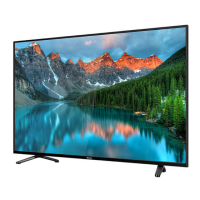
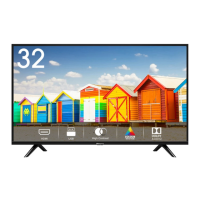
This document is a user manual for a Hisense television, providing comprehensive instructions and safety guidelines for its operation, installation, and maintenance. It covers various aspects of the TV, from initial setup to advanced features and troubleshooting.
The primary function of this device is to render video and audio signals, suitable for use in a home or office environment, either on a tabletop or wall-mounted. It is designed to provide an immersive viewing experience with smart features and connectivity options.
Usage Features:
- Installation: The manual details how to install the TV stand or a wall mount bracket. For stand installation, users are instructed to carefully place the TV face-down on a soft, flat surface to prevent damage, insert the stands into the bottom slots, and secure them with screws. Specific screw sizes are provided for different TV sizes (43", 50", 58"). For wall mounting, users must first remove the TV stand if attached and ensure the wall mount bracket supports the TV's weight. Spacers should be placed between the TV and the bracket, and standard dimensions for wall mount hole patterns (200 × 300 mm) and screw sizes (M6) are provided. It is crucial to follow the wall mount bracket instructions to prevent property damage or personal injury. The TV should not be hung on a slanted wall and must remain parallel to the wall without leaning forward.
- Front Panel Controls: The TV features a remote sensor, power indicator, and a single button for standby/source control. The remote sensor receives signals from the remote control, and nothing should obstruct it to ensure proper function. The power indicator glows red in standby mode. The single button allows users to turn the TV on from standby, call up the menu, and select input signal sources. To put the TV into standby mode from the menu, users need to focus on "Power Off" and wait for 3 seconds.
- Rear Panel Connections: The manual illustrates various connection ports on the TV's rear. These include:
- AC INPUT: For connecting the power cord.
- AV IN: For connecting audio/video devices using yellow (video), white (left audio), and red (right audio) cables.
- HDMI (ARC): For connecting HDMI devices, with ARC (Audio Return Channel) support for simplified audio connections.
- HDMI: Additional HDMI ports for connecting various devices like DVD/Blu-Ray players, AV receivers, or set-top boxes.
- DIGITAL AUDIO OUT: For connecting to an audio amplifier or speaker using a digital audio cable.
- ANT 1 (DVB-T/T2/C): For connecting a VHF/UHF antenna or cable.
- ANT 2 (DVB-S/S2): For connecting a satellite antenna. For 43" models, this jack supports power supply for satellite antennas (13/18V, 420mA max.), while for 50"/58" models, it supports (13/18V, 0.5A max.).
- USB×2: For connecting USB devices. When connecting hard disks or USB hubs, an external power supply is recommended to prevent damage from excessive current consumption. The USB ports support a voltage of 5V.
- COMMON INTERFACE (CARD FACE FRONT): For inserting a CI+ module and SmartCard, which are obtained from the service provider for watching specific channels. The TV must be switched off before inserting or removing the CI+ module.
- HEADPHONE: For connecting headphones.
- LAN: For wired network connection to an external modem or router. DHCP-enabled modems/routers are recommended for automatic IP address configuration.
- SERVICE: A jack reserved for factory testing purposes, not for external device connection.
- Network Connectivity: The TV supports both wired (LAN) and wireless (Wi-Fi) network connections. For wired setup, an Ethernet/Cat 5 cable connects the TV's LAN port to a modem or router. For wireless setup, the built-in Wireless LAN Adapter supports IEEE 802.11a/b/g/n/ac protocols, with IEEE 802.11n routers recommended for optimal performance. The TV supports WPA, WEP, and WPA2 security systems. For smooth network operation, the distance between the router and TV should be less than 10 meters.
- Remote Control: The manual provides a detailed diagram and description of the remote control buttons. Key functions include:
- POWER: Switches the TV on or into standby mode.
- INPUT: Selects input sources.
- Number buttons (0-9): Direct channel selection or number input.
- GUIDE: Displays the Electronic Programme Guide (DTV mode).
- CH.LIST: Displays the Channel List.
- Special function buttons: Including media content control (play, pause, fast forward, rewind).
- Navigation buttons (∧/v/< />): For navigating on-screen menus and adjusting system settings.
- OK: Confirms selections.
- BACK: Returns to the previous menu.
- EXIT: Exits the menu.
- HOME: Enters the Home screen.
- VOL +/-: Adjusts volume.
- CH ∧/v: Switches channels.
- MIC: Activates the microphone.
- SUBTITLE: Activates or deactivates subtitle mode.
- INFO: Displays program information.
- TEXT: Turns on/off teletext function.
- MUTE: Mutes or restores TV sound.
- APP buttons: Quick access buttons for apps, media mode, all apps, and browser.
- Bluetooth Remote Control Pairing: For Bluetooth-enabled remotes, users must pair the remote to the TV after powering it on by pressing any button (except power and mic) while keeping the remote within 3 meters of the TV.
- First-Time Setup: After connecting the power cable, the TV will automatically enter the Installation Guide. Users can navigate the menu using the ∧/v/< /> buttons and confirm selections with the OK button. Setup steps include selecting language, connecting to the internet (wired or wireless), selecting country, reviewing Terms & Conditions and Privacy Policy, enabling Enhanced Viewing, signing into a VIDAA Account, naming the TV, and selecting a Voice Assistant.
- Safety Precautions: The manual emphasizes several safety instructions, including warnings about high humidity and dust, avoiding exposure to rain or liquids, not touching the TV with wet hands, and keeping it away from direct air-conditioning or open flames. It also advises immediate power plug removal if anything unusual is noticed. In case of fire, CO2 gas or powder fire extinguishers are recommended.
- Children Safety: Specific warnings are provided to prevent injuries to children from falling TV sets. These include using recommended cabinets or stands, ensuring the TV does not overhang furniture edges, educating children about climbing dangers, routing cords safely, and never placing the TV in an unstable location or on tall furniture without anchoring.
Maintenance Features:
- Cleaning and Care: Before cleaning, the power cord must be unplugged. The TV, screen, and remote control should be cleaned with a soft, moist, clean, and color-natural cloth only. Chemical cleaners, insect repellents, solvents, thinners, or other volatile substances should not be used as they can degrade the surface quality. Water or other liquids should not be sprayed directly on the TV to prevent product failure. The display panel is delicate and should not be scratched with fingernails or hard objects. The power plug should be wiped with a dry cloth regularly.
- Service/Repair: Users are explicitly warned not to remove the TV cover or back, as there are no user-serviceable parts inside. All servicing should be referred to qualified service personnel. Unauthorized modifications can void the warranty, cause electric shock, and lead to fires.
- Battery Handling: Instructions for installing and handling remote control batteries are provided. Users should insert two AAA batteries, matching the (+) and (-) ends correctly. Incorrect battery use can cause corrosion, leakage, or explosion. Only the specified battery type should be used, and old and new batteries or different types should not be mixed. Rechargeable batteries should not be used. Batteries should not be burned or broken up and must be disposed of correctly, not as domestic waste. Batteries should not be exposed to excessive heat.
- Packaging Disposal: Anti-moisture materials and plastic bags should be kept out of reach of children due to suffocation risk and the harmful nature of anti-moisture material if swallowed.
- Recycling/Licenses: The manual includes information on recycling the TV and batteries in accordance with European Directives (WEEE 2012/19/EU and Battery Directive). This ensures proper disposal to conserve natural resources and protect human health and the environment. The TV's components comply with the RoHS (Restriction of Hazardous Substance) directive.
- Off-gassing Warning: New furniture, carpet, paint, building materials, and electronics can release chemicals through evaporation. A slight smell may be noticed when the TV is first turned on, which is normal as components heat up for the first time. The materials used meet environmental requirements, and the fumes will diminish over time.
- Image Burn Prevention: To prevent "image burn" on the LED screen, users should avoid displaying still images for long periods. If the aspect ratio is set to 4:3 for an extended time, image burn may occur in the black areas, and this is not covered by the warranty. Strong force or impact on the display panel should be avoided, as well as touching the LED screen for long periods, which can cause temporary distortion effects.
- Power Supply Management: The power plug must be easily accessible for disconnection. The TV consumes power even in standby mode if connected to a live socket. During long periods of absence, the power plug and all connected antenna cables should be disconnected. After powering off, the TV should not be turned on again within 5 seconds to prevent abnormal operation due to frequent power switching.
- Volume Control: Users are advised to avoid extreme volume, especially over long periods or when using headphones, to prevent irreversible hearing damage. If drumming noises are heard in the ears, the volume should be reduced, or headphone use should be temporarily stopped.
- Thunderstorms: During a thunderstorm, the power plug and all connected antenna cables should be pulled out to prevent damage from overvoltage caused by lightning strikes.

 Need help?
 General
 Weight and Dimensions

 To Next Page