6
Getting Started
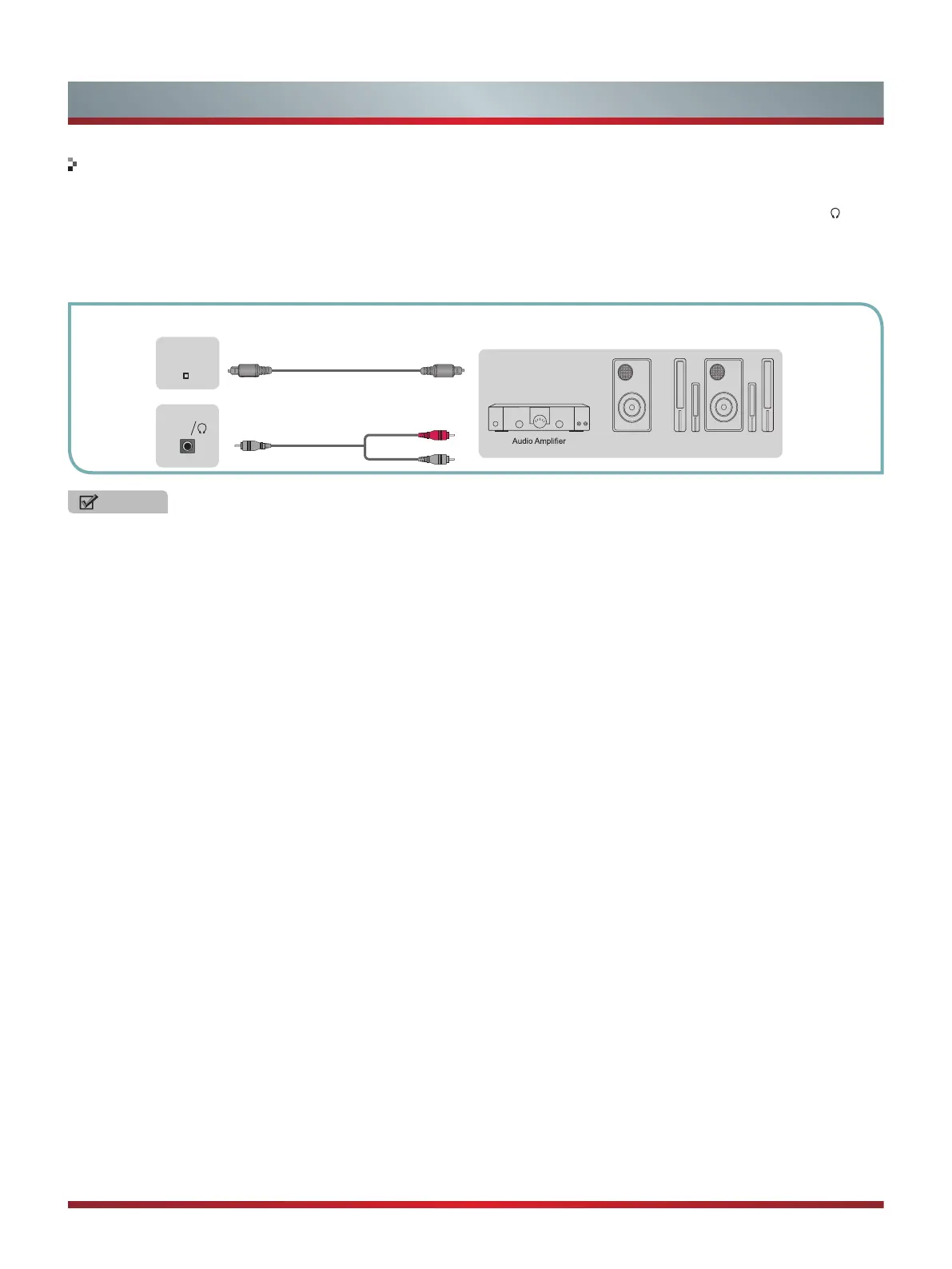
Connecting an Audio Receiver with Audio cable
1. Use an audio Optical cable to connect the A/V device’s digital audio in jack to the TV’s DIGITAL AUDIO OUT jack. Or use an
RCA Y-cable (1/8”-stereo mini to L/R phono - not provided) to connect analog sound system to the TV’s AUDIO OUT/
jack.
2. Plug the connected devices into the mains socket before switching on the TV.
3. Select the corresponding source from the TV.
NOTES
•
When a digital audio system is connected to the DIGITAL AUDIO OUT jack, decrease the volume of both the TV and the
system.
•
5.1 CH (channel) audio is available when the TV is connected to an external device supporting 5.1 CH.
•
When the receiver (home theater) is set to on, you can hear sound output from the TV’s digital audio out jack. When the TV
is receiving a DTV signal, the TV will send 5.1 CH sound to the home theater receiver. When the source is connected to the
TV via HDMI, only 2 CH audio will be heard from the home theater receiver. If you want to hear 5.1 CH audio, connect the
digital audio out jack from your DVD/Blu-ray player/cable box/STB satellite receiver directly to an amplifier or home theater.
TV JACKS
EXTERNAL DEVICES
Powerless
Bass Speaker
Speaker
White(L)
Red(R)
Audio Cable
(not included)
Audio Cable
(not included)
DIGITAL
AUDIO OUT
AUDIO
OUT



 To Next Page