EasyManua.ls Logo

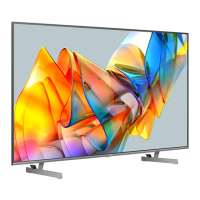
Hisense 75U68KM - User Manual

Hisense 75U68KM
16 pages
Print Icon
To Next Page IconTo Next Page
Loading...
ES-A23031M-1
English
Before using the TV, please read this guide thoroughly and
retain it for future reference.

Questions and Answers

Summary

Quick Setup Guide Overview

Customer Support and Contact Information

Customer Care Center Details

Contact phone numbers, operating hours, service emails, and physical addresses for US, Canada, and Mexico.

Attaching the TV Stand

Safety Precautions for Installation

Warnings about disconnecting power, handling the fragile display, and ensuring stability during setup.

Attaching TV Stand Legs (55-inch)

Step-by-step guide for attaching the TV stand legs to the 55-inch model.

TV Stand Attachment for Larger Sizes

Attaching TV Stand Legs (65;75-inch)

Instructions for attaching stands using different screw holes for 65 and 75-inch models.

Attaching the Wall Mount Bracket

Preparation for Wall Mounting

Steps before attaching a third-party mount, including removing the stand and using spacers.

Connecting Devices to Your TV

Getting to Know TV Controls

Using the Google Assistant

Instructions on how to activate and use the Google Assistant via the TV's control button and voice commands.

Remote Control Overview

Remote Control Button Descriptions

A detailed table explaining the function of each button on the TV remote control.

Remote Control Setup and Use

Inserting Remote Batteries

Step-by-step instructions for opening the battery compartment and inserting AA or AAA batteries.

Remote Control Range and Pairing

Information on the remote's working distance and angle, plus instructions for pairing it with the TV.

Powering On and Network Setup

Powering On the TV

Instructions for connecting the power cord to the TV and plugging it into a wall outlet.

Accessibility Features

Troubleshooting Common Issues

Troubleshooting Table

A table listing common problems like no sound/picture, distorted image, or remote issues with possible solutions.

Summary

Quick Setup Guide Overview

Customer Support and Contact Information

Customer Care Center Details

Contact phone numbers, operating hours, service emails, and physical addresses for US, Canada, and Mexico.

Attaching the TV Stand

Safety Precautions for Installation

Warnings about disconnecting power, handling the fragile display, and ensuring stability during setup.

Attaching TV Stand Legs (55-inch)

Step-by-step guide for attaching the TV stand legs to the 55-inch model.

TV Stand Attachment for Larger Sizes

Attaching TV Stand Legs (65;75-inch)

Instructions for attaching stands using different screw holes for 65 and 75-inch models.

Attaching the Wall Mount Bracket

Preparation for Wall Mounting

Steps before attaching a third-party mount, including removing the stand and using spacers.

Connecting Devices to Your TV

Getting to Know TV Controls

Using the Google Assistant

Instructions on how to activate and use the Google Assistant via the TV's control button and voice commands.

Remote Control Overview

Remote Control Button Descriptions

A detailed table explaining the function of each button on the TV remote control.

Remote Control Setup and Use

Inserting Remote Batteries

Step-by-step instructions for opening the battery compartment and inserting AA or AAA batteries.

Remote Control Range and Pairing

Information on the remote's working distance and angle, plus instructions for pairing it with the TV.

Powering On and Network Setup

Powering On the TV

Instructions for connecting the power cord to the TV and plugging it into a wall outlet.

Accessibility Features

Troubleshooting Common Issues

Troubleshooting Table

A table listing common problems like no sound/picture, distorted image, or remote issues with possible solutions.

Hisense 75U68KM Specifications

General IconGeneral
BrandHisense
Model75U68KM
CategoryLED TV
LanguageEnglish

Related product manuals