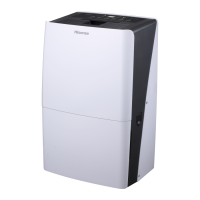
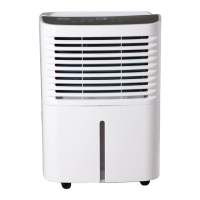
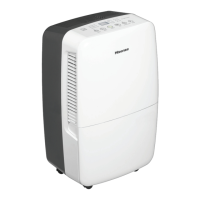
This document is a user and care guide for a Hisense dehumidifier, model DH5019K1G. It provides comprehensive information on the product's overview, safety instructions, installation requirements, usage, care, and troubleshooting.
Function Description:
The Hisense DH5019K1G is a dehumidifier designed to remove excess moisture from indoor air, thereby improving air quality and preventing issues related to high humidity such as mold, mildew, and bacteria growth. It operates by drawing in moist air, passing it over a cooling coil to condense the moisture, and then releasing drier air back into the room. The collected water is stored in a removable bucket or can be continuously drained via a garden hose. The device is intended for indoor, residential use only and is not recommended for commercial applications or for preserving precision instruments, tableware, or artwork. It does not have a cooling/heating function; instead, heat is generated during operation, which may increase the room temperature by about 6°F (3°C) depending on usage conditions.
Important Technical Specifications:
- Model/Modelo: DH5019K1G
- Electrical Requirements:
- Voltage: 115V (103.5 min. to 126.5 max.)
- Circuit Protection: 15A time-delay fuse or circuit breaker
- Operating Temperature Range: 38°F to 90°F (3.2°C to 32.2°C).
- Humidity Display Range: 30% Relative Humidity to 90% Relative Humidity.
- Adjustable Humidity Range: 30% Relative Humidity to 80% Relative Humidity.
- Power Cord: Equipped with a three-prong grounding plug.
- Garden Hose Connection (for continuous draining): 3/4" diameter straight (non-tapered) thread with a pitch of 11.5 threads per inch (male part has an outer diameter of 1 1/16 inches (26.99mm)), designed for North American garden hoses only.
Usage Features:
The dehumidifier features a control panel with various settings:
- Power Button: Turns the dehumidifier on or off.
- Fan Speed: Allows selection of LOW, HIGH, or AUTO fan speeds.
- LOW: Reaches desired humidity with lower sound.
- HIGH: More quickly reaches desired humidity.
- AUTO: Achieves set humidity at normal speed.
- Mode Button: Selects operating mode:
- AUTO DRY: Operates in dry mode only, with fan speed set automatically and desired humidity automatically set to 50%.
- CONTINUOUS: Operates continuously, fan speed can be adjusted, but humidity cannot be adjusted.
- MANUAL SET: Operates at the selected fan speed and set humidity level. The compressor turns on if room humidity is higher than the set level and turns off if lower.
- Plus/Minus Buttons: Used to set the desired humidity level in Manual Set mode and to adjust delay time for the timer function.
- Timer Function: Allows setting a 30-minute to 24-hour delay for the dehumidifier to turn off (when the unit is on) or turn on (when the unit is off).
- Clean Filter Button: Resets the filter monitor after cleaning.
- Digital Display: Shows relative humidity in Manual Set mode or remaining time when the timer is selected.
- Empty Bucket Light: Illuminates when the water bucket is full or not properly installed, stopping operation.
- Automatic De-icing Function: Shuts off the compressor and runs the fan if low temperature conditions cause ice to form. The compressor cycles back on when the correct operating temperature is sensed.
- Compressor Delay: A 3-minute delay protects the compressor from immediate restarts if the unit is stopped and restarted quickly.
- Memory Function: The dehumidifier retains the last settings when power is restored after an interruption.
Draining Options:
- Bucket Draining (Option 1): Water collects in a removable bucket. When full, the "Empty Bucket" light illuminates, and the unit stops. The bucket must be manually emptied and reinstalled.
- Gravity Draining (Option 2): For continuous operation, a standard garden hose can be attached to the drain hose connector inside the unit. The hose must be placed into a floor drain, ensuring it lies flat and is on a lower level than the connection point to prevent kinks or pinches.
Normal Sounds:
Users may hear:
- Compressor sounds (can be loud).
- Air movement from the fan.
- Clicking sounds when the dehumidifier or compressor turns on/off, and when the automatic shut-off switch is working.
Maintenance Features:
- Cleaning the Air Filter: The air filter is removable and should be checked every two weeks. It can be cleaned with a vacuum cleaner or washed in warm water with a mild detergent. It must be air-dried completely before reinstallation. Do not wash in a dishwasher or use chemical cleaners. The "Clean Filter" indicator light illuminates after 180 hours of operation, prompting cleaning.
- Cleaning the Dehumidifier Exterior: The surface of the unit can be dusted with a soft cloth or a vacuum cleaner attachment. Do not use wax, thinner, or strong detergents.
- Cleaning the Water Bucket: The inside of the water bucket should be rinsed every few weeks with a mild detergent to prevent mold, mildew, and bacteria growth.
- Water Level Float: The water level float inside the bucket is crucial for proper operation; it should not be damaged or removed and must be snapped correctly in place. If not, the "Empty Bucket" light will turn on, and the unit will not operate, potentially leading to leaks.
Safety Instructions:
The manual emphasizes several safety precautions, including:
- Always plug into a grounded three-prong outlet and do not remove the ground prong, use adapters, or extension cords.
- Do not operate if damaged, malfunctioning, or with missing/broken parts.
- Unplug before servicing.
- Do not drink collected water.
- Supervise young children around the appliance.
- Avoid pinching or damaging the power cord during installation/moving.
- Keep packing materials away from children.
- Do not use in standing water or allow direct water splashing.
- Store and install away from freezing temperatures or outdoor weather.
- Do not use if the outlet is damaged or loose.
- In case of a gas leak, ventilate the area immediately and do not operate the appliance.
- Do not disassemble, repair, or modify the product.
- Keep flammable gases/materials away from the dehumidifier.
- Do not tamper with controls.
- Do not grasp the power cord or touch controls with wet hands.
- Do not cover the power cord with rugs or carpeting.
- Keep air inlet and outlet free from obstructions.
- Do not insert fingers or objects into the air inlet or outlet.
- All repairs must be performed by qualified service personnel using authorized factory parts.
- Connect to a properly rated, protected, and sized power circuit.
- Do not use for preserving animals/plants, precision instruments, or artwork.
- Do not place objects on top of the dehumidifier.
- Turn off and empty the bucket before moving.
- Unplug for extended periods of non-use.
- Do not use in very small, poorly ventilated spaces.
- Do not operate without a filter.
- Position on a firm, stable surface.
- Remove cable ties and extend the power cord before use.
- Do not spray foreign substances or water on the product.
- Dispose of the appliance according to Federal and Local regulations, with refrigerants evacuated before disposal.
- Recycle packaging material environmentally.
- Never store or ship the appliance upside down or sideways to avoid compressor damage.
Troubleshooting:
The guide provides solutions for common issues such as the dehumidifier not running, running but not dehumidifying, warm air coming from the unit, and error codes. For error codes or persistent issues, users are advised to contact Hisense customer service.

 Need help?
 General


 To Next Page