7
Closing the notication center
Swipe up or tap to close the notication center.
Setting notication options
To set notication options, go to
Settings > Apps & notica-
tions > Notications
.
Using SIM and MicroSD cards
Inserting SIM and MicroSD cards
Always ensure that SIM and MicroSD cards are inserted cor-
rectly into your phone.
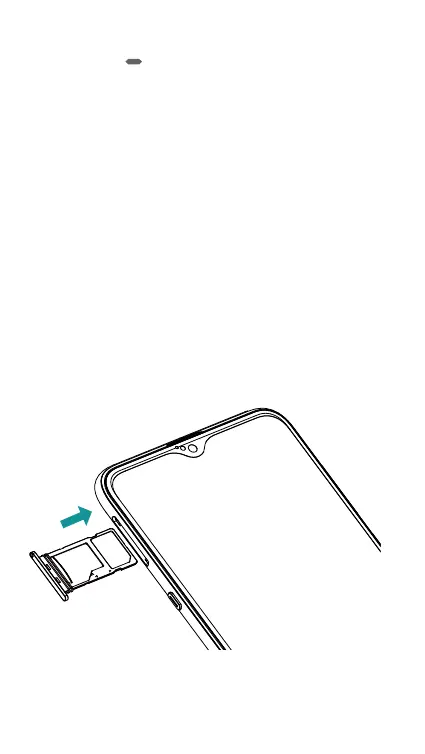
The following figure shows the correct way to insert SIM and
MicroSD cards into your phone.
S1 is for SIM, and S2 is for MicroSD.
S2
S1
SIM
MicroSD
MicroSD
UP
When inserting your card tray, make sure that the card tray is
level and that the card is aligned correctly.













 To Next Page