EasyManua.ls Logo

Hisense HA550 - User Manual

Hisense HA550
14 pages
Print Icon
To Next Page IconTo Next Page
Loading...
USER MANUAL
HA550 CM1671
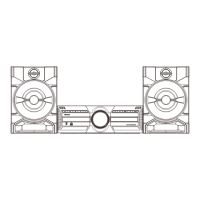
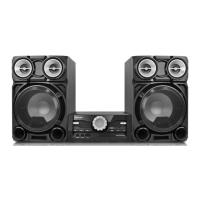
CD HI-FI SYSTEM

Questions and Answers

  • A
    Aaron WongAug 3, 2025
    Why is there no sound coming from my Hisense Stereo System, or why is the sound distorted?
    • K
      Kevin BrownAug 3, 2025
      If there's no sound or the sound is distorted, check these possible causes: * The audio cables might not be securely connected. Ensure they are properly connected. * The volume might be set too low. Increase the volume. * The sound might be muted. Press the [MUTE] button on the remote to turn the sound on. * The system may be paused. Press [PLAY/PAUSE].
  • D
    david06Aug 8, 2025
    What to do if the Hisense Stereo System remote control does not function?
    • T
      Tina GrahamAug 8, 2025
      If the remote control isn't working, consider the following: * The remote might not have batteries. Install one AAA/1.5V battery. * The batteries may be dead. Replace them with new ones. * The remote may not be pointed correctly. Ensure it's aimed at the remote sensor. * The remote may be out of range. Make sure it's within the operating area. * The unit might be shut down. Turn off the unit and disconnect it from the AC outlet. Then power it on again.
  • T
    Tyler PerezAug 13, 2025
    What to do if my Hisense Stereo System is unable to play a disc?
    • K
      Karl DiazAug 13, 2025
      If the system can't play a disc: * Ensure the disc is placed correctly in the tray with the label side facing up. * Clean the disc if it is dirty.
  • E
    Emily NormanAug 18, 2025
    How to fix a Hisense Stereo System that has no power?
    • A
      Abigail BlackburnAug 18, 2025
      If your system has no power, the AC power cord may not be properly connected to the power supply. Check that the AC power cord is securely connected.
  • J
    Jay AndersonAug 23, 2025
    What to do if Hisense Stereo System breaks down when a USB drive is inserted?
    • B
      bairddavidAug 23, 2025
      If the player breaks down when a USB drive is inserted, it might be because the USB drive is not certified. The player cannot play any uncertified USB drive. In this case, turn the player off, disconnect the power cord from the AC outlet, and unplug the USB drive. Then, power the player on again to resume normal status.
  • T
    tammy68Aug 28, 2025
    What to do if the buttons on my Hisense Stereo System don't work?
    • K
      kwebbAug 28, 2025
      If the buttons on the unit aren't working, the unit might be experiencing interference from static electricity. Turn the unit off and unplug it. Then, connect the plug to the power supply and switch it on again.

Summary

Features Overview

Safety and Precautions

Important Safety Notes

Essential guidelines for safe operation, installation, and handling of the product and its components.

Panel Overview

Front Panel Layout

Details the controls and indicators located on the front of the Hi-Fi system.

Rear Panel Connections

Identifies the input/output ports and connectors on the rear of the Hi-Fi system.

Connections Guide

Audio System Setup

Instructions for connecting speakers, line-in devices, and Bluetooth sources.

Amplifier and CD Outputs

Information on amplifier audio input and CD audio output connections for the system.

Remote Control Usage

Operation and Battery Setup

Guide on operating the remote control and installing its batteries correctly.

Remote Control Button Functions

Detailed explanation of each button's function on the remote control.

Basic Playback Operations

CD Playback Procedures

Steps for basic CD playback, including play, pause, stop, track selection, and volume.

Advanced Playback Controls

Details on program, mute, random, repeat, folder navigation, and EQ settings.

Tuner Mode Operations

Instructions for using the FM tuner, including tuning, auto-scanning, and preset stations.

Troubleshooting Guide

Common Issues and Solutions

Table listing common symptoms, their causes, and recommended remedies for the Hi-Fi system.

Product Specifications

Technical Performance Data

Detailed technical specifications including power, environment, disc output, and tuner band.

Hisense HA550 Specifications

General IconGeneral
USB portYes
BluetoothYes
EqualizerYes
Number of speakers2
Signal-to-Noise Ratio≥70dB
Playable formatsMP3, WMA
Power SupplyAC 220V 50Hz

Related product manuals