EasyManua.ls Logo

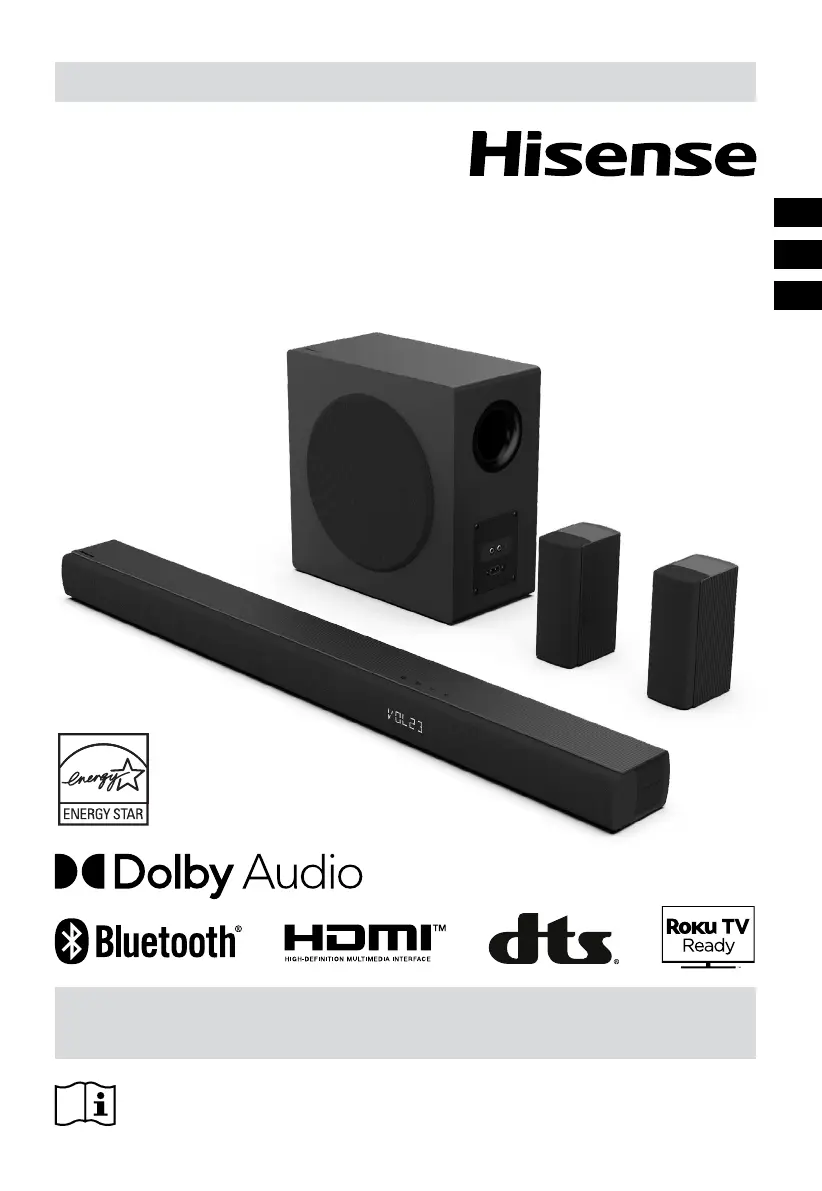
Hisense HS5100 - User Manual

Hisense HS5100
52 pages
Print Icon
To Next Page IconTo Next Page
Loading...
Before using the soundbar, please read this manual thoroughly and retain
it for future reference.
USER MANUAL
5.1CH Soundbar with Wireless Subwoofer
Model: HS5100
EN
FR
ES

Table of Contents

Questions and Answers

  • S
    Sherry HermanAug 5, 2025
    What to do if my Hisense Subwoofer has no sound?
    • C
      Claudia ChandlerAug 5, 2025
      If your Hisense Subwoofer isn't producing any sound, here are a few things you can try: * Ensure the soundbar isn't muted by pressing the MUTE or + (VOL) button. * Try switching the soundbar to standby mode and then back on. * Unplug both the soundbar and subwoofer from the mains socket, then plug them back in and switch the soundbar on. * If using a digital connection (HDMI, OPTICAL), ensure the audio setting of the input source (TV, game console, etc.) is set to PCM or Dolby Digital mode. * Move the subwoofer closer to the soundbar, ensuring it's within 5 meters. * If the soundbar has lost connection with the subwoofer, re-pair the units. * The soundbar may not be able to decode all digital audio formats from the input source.
  • M
    Michael JonesAug 11, 2025
    Why is my Hisense HS5100 Subwoofer remote control not working?
    • N
      nathan24Aug 11, 2025
      If the remote control for your Hisense Subwoofer isn't working, consider these potential solutions: * First, select the correct source before pressing any playback control button. * Try reducing the distance between the remote and the soundbar. * Make sure the batteries are inserted with the correct polarities (+/-). * If not, replace the batteries. * Ensure you're aiming the remote directly at the sensor on the front of the soundbar.
  • E
    Edward LyonsAug 16, 2025
    Why does my Hisense Subwoofer turn off automatically after 15 minutes?
    • I
      iruizAug 16, 2025
      The Hisense Subwoofer has a 15-minute power-off function to save energy. If the external input signal level is too low, the soundbar will turn off automatically after 15 minutes. To prevent this, increase the volume level of your external device.
  • Z
    Zachary NguyenAug 20, 2025
    How to fix a Hisense HS5100 Subwoofer that has no power?
    • J
      Jennifer JohnsonAug 21, 2025
      If your Hisense Subwoofer isn't turning on, check the following: * Make sure the AC cord is properly connected to the apparatus. * Verify that the AC outlet has power. * Press the (standby) button to turn the soundbar on.
  • A
    Alexis WilkinsonAug 26, 2025
    What to do if I can’t find the Bluetooth name of my Hisense Subwoofer on my Bluetooth device?
    • S
      Sherry MyersAug 26, 2025
      If you're having trouble finding the Bluetooth name of your Hisense Subwoofer on your Bluetooth device, try the following: * Ensure that Bluetooth is activated on your device. * Make sure you haven't already paired the soundbar with your device. * Keep your Bluetooth device within 8 meters of the soundbar, as that's the maximum range.
  • A
    Amanda JonesAug 30, 2025
    Why does my TV have a display problem while viewing HDR content from HDMI source with Hisense HS5100?
    • K
      Kristen KingAug 30, 2025
      Some 4K HDR TVs require specific HDMI input or picture settings to be adjusted for HDR content reception. Refer to your TV's instruction manual for details on HDR display setup.

Summary

Important Safety Instructions

General Safety Guidelines

Read and keep instructions, heed warnings, follow all instructions, and avoid water usage.

Electrical and Installation Safety

Dry cleaning, ventilation, heat sources, plug safety, and installation guidelines.

Appliance Usage and Servicing

Plug fitment, cord protection, accessories, cart safety, and qualified servicing.

Environmental and Operational Safety

Storm unplugging, liquid avoidance, vent distance, no flames, moderate climate.

Cautions and Warnings

Operational Cautions

Avoid incorrect controls, radiation exposure, moisture, and ensure plug operability.

Battery Handling and Disposal

Precautions for battery polarity, mixing, storage, leakage, and responsible disposal.

Product Compliance and Disposal

CE declaration and guidance on responsible recycling of the product.

Whats in the Box

Identifying the Parts

Soundbar Components

Identifies remote sensor, display, buttons, and rear panel sockets on the soundbar.

Surround Speaker Connections

Locates wall bracket screws and the SURROUND socket on each speaker.

Wireless Subwoofer Components

Identifies pairing indicator, sockets, and AC power input on the subwoofer.

Remote Control and Preparations

Remote Control Operation

Explains remote control functions, range, and potential interference issues.

Remote Battery Replacement

Step-by-step guide for changing batteries in the remote control.

Battery Handling Safety

Precautions for battery polarity, mixing, storage, and preventing leakage.

Placement and Mounting

Soundbar Placement Options

Guidance for placing the soundbar on a table or mounting it on a wall.

Wall Mounting the Soundbar

Detailed instructions for securely mounting the soundbar to a wall, including drilling and hardware.

Surround Speaker Mounting

Audio Connection Options

HDMI ARC Connection

Connect soundbar to TV via HDMI ARC for audio return and volume control.

Roku TV Ready Integration

Easy setup for Roku TVs, enabling unified remote control and quick settings.

Hisense EzPlay Feature

Control soundbar features via TV menu when connected via HDMI ARC.

Digital and Analog Audio Inputs

Optical Audio Connection

Connect TV's optical output to soundbar's optical input.

AUX Audio Input

Connect audio devices using 3.5mm or RCA cables to the AUX socket.

Speaker and Power Connections

Connecting Surround Speakers

Link surround speakers to the subwoofer via SURROUND sockets.

Power Connection Safety

Ensure voltage compatibility before connecting power to soundbar and subwoofer.

Subwoofer Pairing

Automatic Pairing Process

Subwoofer pairs automatically with soundbar when powered on; check indicator.

Manual Pairing Procedure

Initiate pairing by pressing the PAIR button on the subwoofer for a few seconds.

Basic Soundbar Operations

Powering On and Standby Mode

Switch the soundbar between ON and STANDBY modes using the power button.

Auto-Standby;Auto-Wake Features

Automatically enters standby after inactivity or wakes with TV/device.

Soundbar Settings and Modes

Selecting Input Modes

Switch between HDMI ARC, Optical, Bluetooth, AUX, and USB inputs.

Volume and Audio Adjustments

Control volume, bass, treble, and surround sound modes (PURE/PRO/OFF).

Equalizer and Brightness Settings

Select EQ effects (MOVIE, MUSIC, etc.) and adjust display brightness.

Factory Reset Function

Reset the soundbar to default settings by holding the power button.

Operating with Various Inputs

USB Media Playback

Bluetooth Device Connectivity

Initial Bluetooth Pairing

Connect your Bluetooth device to the soundbar for wireless audio streaming.

Managing Bluetooth Connections

How to disconnect a paired device or switch to another Bluetooth source.

Bluetooth Audio Playback Control

Play music from your device and use the remote for playback control.

Bluetooth Usage Tips

Advice on range, interference, and compatibility for optimal Bluetooth performance.

Setup Menu Navigation

Troubleshooting Common Issues

Technical Specifications

Trademarks and Logos

Regulatory Information

Hisense HS5100 Specifications

General IconGeneral
BrandHisense
ModelHS5100
CategorySubwoofer
LanguageEnglish

Related product manuals