18
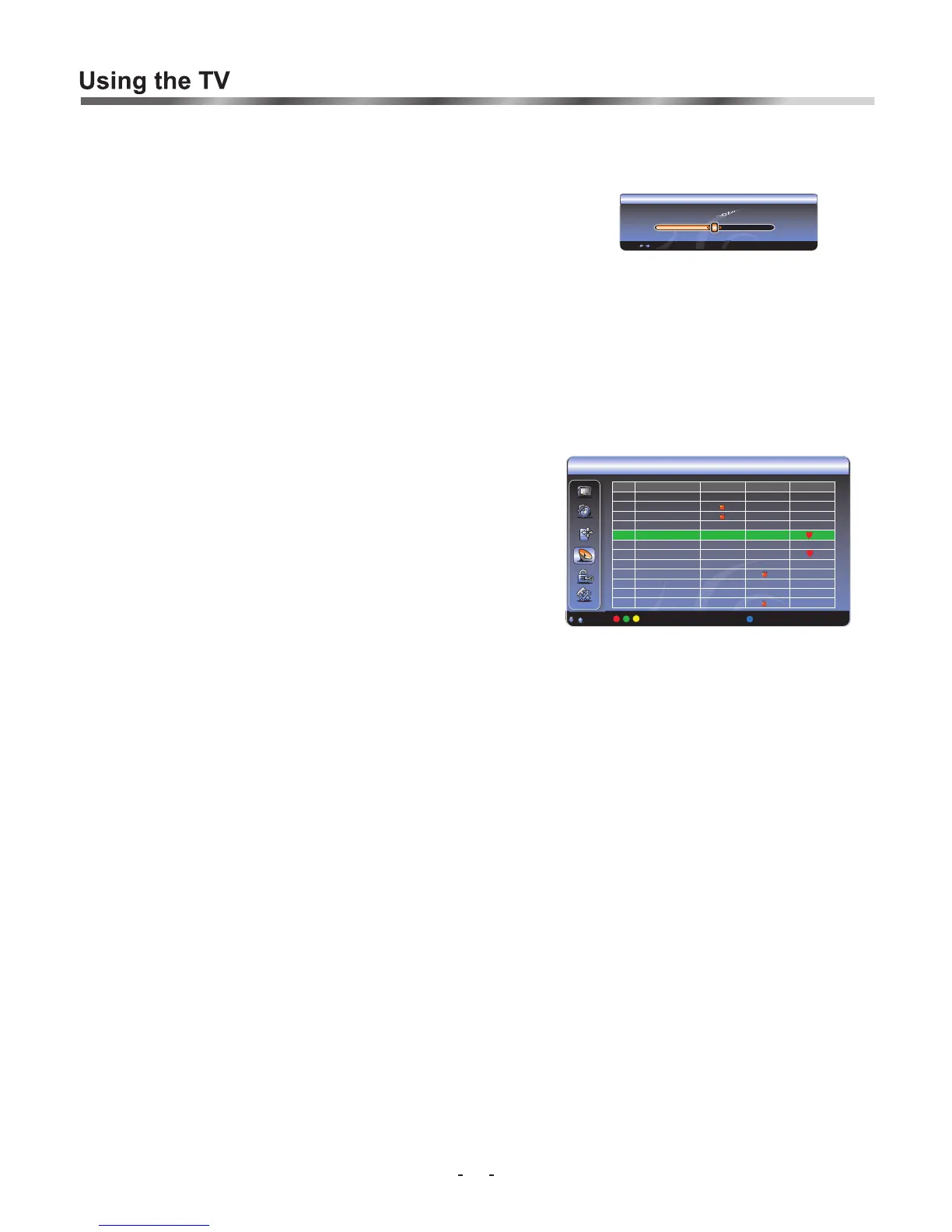
Fine tuning [Menu, Channel , Fine Tune]
Under poor reception conditions, or when receiving analogue signals from distant TV stations, the picture quality
might be improved by using the Fine Tune option in the Channel submenu. Select Fine Tune and adjust to display
the best image using [v+/-] buttons. (Applicable for Analogue transmission only)
Editing Program Settings [Menu, Channel , Edit]
You can LOCK, Skip, add to Favorite or Rename your programs which are installed and stored. (Renaming of
channels is available in Analogue only, digital channels cannot be re-named)
1. Press [Menu] to display the main OSD options.
2. Press [P+/-] to select Channel item, and press the [OK/V+] button to enter.
3. Press the [P+/-] button to select the Program Edit, press the [OK/V+] button to enter the Program Edit.
submenu.
4. Press the [P+/-] button to select which Channel No. you want to edit, and
use the Red button to set Lock programs,
use the Green button to set Skip programs,
use the Yellow button to set Favorite programs,
use the Blue button to set Rename programs. (Analogue ONLY)
If you would like to edit an analogue channel name, press the blue button. Either selects a number (0_9) or press
repeatedly to select a letter.
e.g.
1 (A, B, C)
2 (D, E, F)
pressing '1' 3 times will display the letter C. press [V+] to move to the next letter space and repeat until the desired
channel name is displayed.
After your setting:
The channels which are set to 'Lock' cannot be watched without inputting a password, if the password protect is
activated most operations are locked except inputting the password.
The channels which are set to 'Skip' will not be displayed in normal browsing of channels [P+/-], but they still can be
selected by pressing the corresponding channel number.
The channels which are set to 'Favorite' can be selected via a special 'Favorite OSD' by pressing the [FAV] button
directly.
: Move : Switch Lock Skip Favorite Edit Name OK : Select
ChanName Lock Skip Favorite
No Name
No Name
No Name
No Name
My love
No Name
bb
No Name
No Name
No Name
No Name
No Name
NO
1
2
3
4
5
6
7
8
9
10
11
12
Channel
Channel Frequency: 503.236MHz
-1.5MHz +1.5MHz
Fine Tune
:Tu ne Down/Up EXIT:Exit Fine Tune






 To Next Page