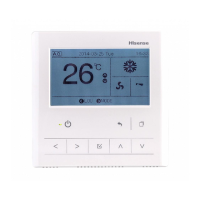
4
■
Setting of Cooling/Heating/Dehumidifying/Air Supply
Operation and other Functions
Reduce humidity of air in room
Cool or heat room automatically
●
When Heating operation stops, sometimes air-supply operation will last automatically
for about 2 minutes.
For protection of
compressor, the
compressor shall be
powered on 12 hours
ahead of start-up.
Do not switch off the power
supply in operation
duration.
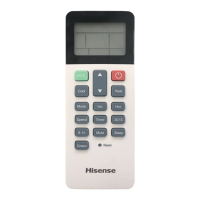
Point signal transmitter on remote control to the signal
receiver and press Power button, the red operation indicator
on the receiver will turn on.
Each operation on power button shall be
performed at an interval of at least 3
seconds, or otherwise the remote may fail
to make response.
Point signal transmitter on remote control to the signal receiver
and press Power button, the red operation indicator on the
receiver goes out.
Press Mode button each time to toggle the screen in the
following sequence
(※where indoor unit is not a DC dehumidifier)
Press Cooling button to activate cooling mode on the screen
Press Heating button to activate heating mode on the screen
●
Cooling
Cool room
Start
Stop
indicator Filter Screen will keeps flashing at a cycle of 0.5
second and then go out. During the initialization when the
indicator keeps flashing, no operation is available.
After the remote control is powe
red on, the receiver
(※where indoor unit is a DC dehumidifier, it shall be used with HYRC-
V02H/ photo diode) (Long press Mode + Speed buttons for 3 or more
seconds to toggle between two display modes)


 To Next Page
 Loading...