6 OPERATION PROCEDURE
6.1 DISPLAY OF ALL GROUPS
NOTE
The touchscreen display will automatical-
ly sleep when the touchscreen is not
operated for the given length of time. (To
wake up, touch the screen).
3. After several seconds, the screen is changed and the connection check of the system is started.
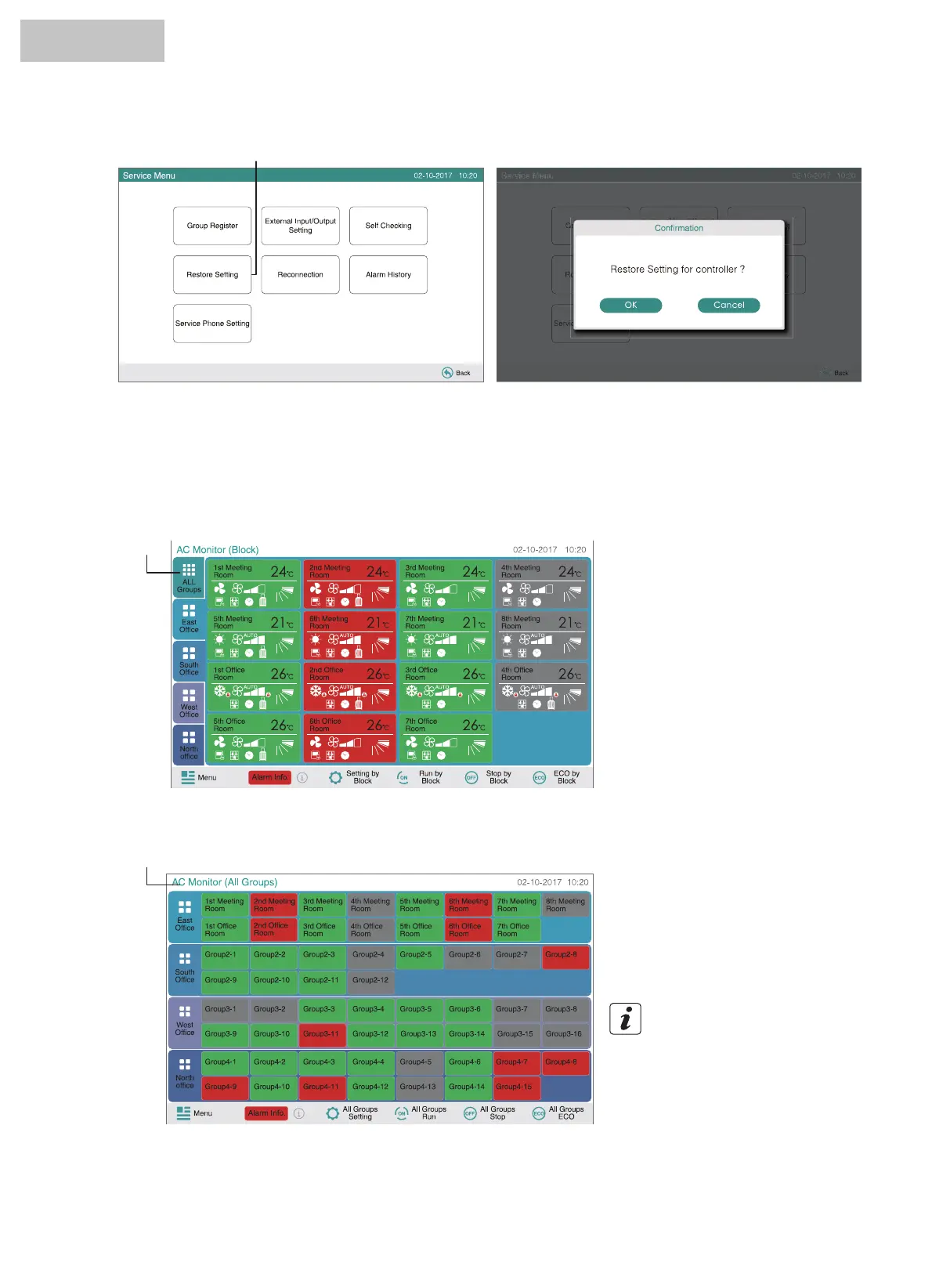
1. Touch “All Groups” on the touchscreen display.
2. All groups are displayed on the touchscreen. (All indoor units connected to the central controller will be indicated). Each
operation status is indicated by color of the group button as follows:
(1)
(1)
(2)
Green : Run
Gray : Stop
Red : Abnormal
HYJM-S01H



 To Next Page
 Loading...