SOFTWARE UPDATING
INNOVATION IS LIFE
INNOVATION IS LIFE
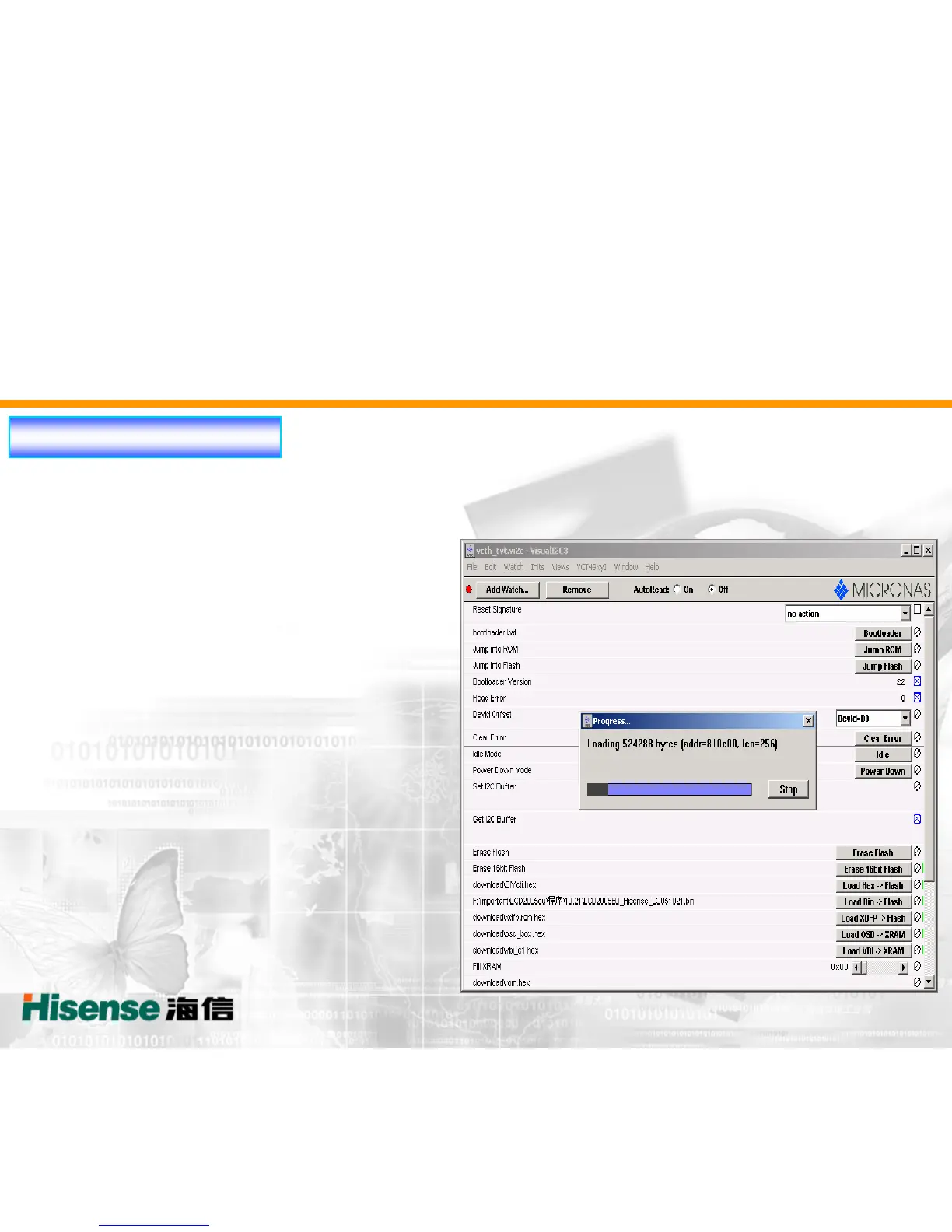
Updating Operation:
The fourth step:
1.After the DOS interface disappeared. click the “Bootloder Version ” button, it ought to
shows “22” without red words such as “No Acknowledge from Stave”.
2. Wait for 30 seconds after clicking the
“Erase 16Bit Flash ” button
3.If the red words such as “No Acknowledge
from Stave” don't appear After the updating
progress,that the software updating is OK.


 To Next Page