4.2 Novatek Tool upgrading
If USB upgrades failure, TV crashed and SecureCRT no print message. Repairer must read IC device
ID code 、 decipher& burn the Mboot program the EMMC flash first. then USB disk to upgrade the
“usb_NOVATEK_DEV_EU.bin”file.
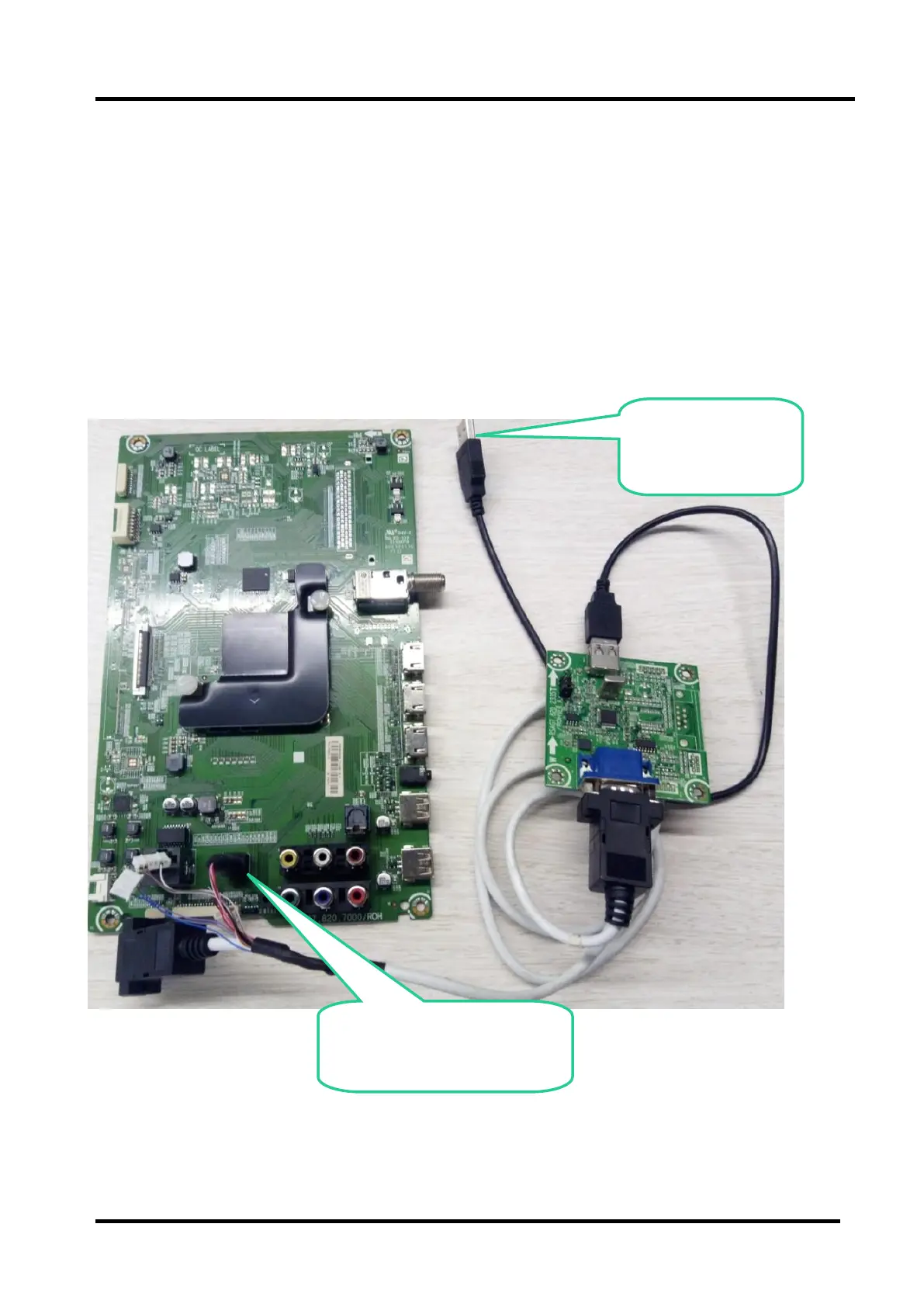
Hardware connecting
Connect the unit to your pc with Hisense USB-serial port cable. USB port connects to your PC and
earphone port to TV’s CN7(earphone hole). As following.
Earphone port Connect to
the TV earphone hole (CN7)



 To Next Page