EasyManua.ls Logo

Hisense T1 Series - User Manual

Hisense T1 Series
107 pages
Print Icon
To Next Page IconTo Next Page
Loading...
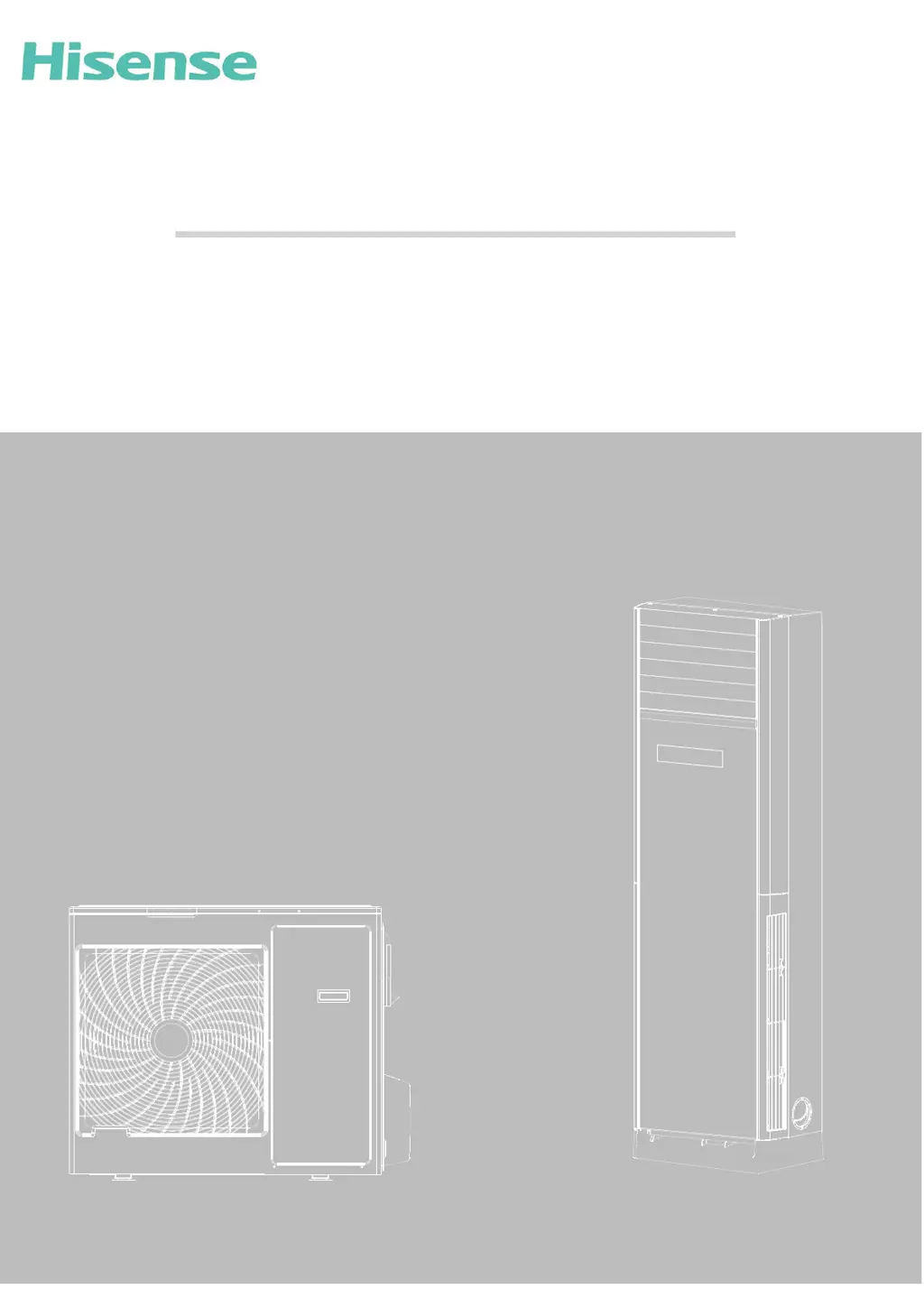
TECHNICAL&SERVICE MANUAL V3.2
—Floor Standing Type Air Conditioner
MODEL:
T1 Series
AUF-48ER6SEM1
AUF-60ER6SPM1
AUF-42CR6FEM
AUF-42CR6SEM
T3 SERIES(COOLING ONLY TYPE,POWER SOURCE:60Hz )
AUF-36CTR2SEM
AUF-48CTR2SPM
AUF-60CTR2SPM
AUF 60CTR2SPM1-
T3Series(HEAT PUMP TYPE,POWER SOURCE:50Hz)
AUF-36HTR4FAM
AUF-48HTR4FEM
AUF-48HTR6FEM
AUF-60HTR6FPM
AUF-36HTR4FAMA
AUF-48HTR4FEMA
AUF-48HTR6FEMA
AUF-60HTR6FPMA
AUF-48HTR4FEMB

Questions and Answers

  • T
    Terri MedinaAug 13, 2025
    What causes EEprom Data error in Hisense T1 and how to fix it?
    • C
      Carl LeeAug 13, 2025
      If your Hisense Air Conditioner displays an EEprom Data error, it could be due to a failure in the EE components, a failure in the EE components control circuit, or incorrect insertion of the EE components. To resolve this, try replacing the EE components, replacing the outdoor control board components, or reassembling the EE components.
  • R
    Ross GonzalezAug 17, 2025
    How to fix outdoor coil temperature sensor fault in Hisense Air Conditioner?
    • K
      katherine35Aug 17, 2025
      If your Hisense Air Conditioner is showing an outdoor coil temperature sensor fault, it might be due to a loose connection of the outdoor ambient temperature sensor, a failure of the outdoor ambient temperature sensor, or a failure in the sampling circuit. To fix this, try reconnecting the outdoor ambient temperature sensor, replacing the outdoor ambient temperature sensor components, or replacing the outdoor control board components.
  • W
    wmooreAug 20, 2025
    How to troubleshoot outdoor ambient temperature sensor fault in Hisense T1 Air Conditioner?
    • L
      Leslie MeyerAug 20, 2025
      If your Hisense Air Conditioner is showing an outdoor ambient temperature sensor fault, it might be due to a loose connection of the outdoor ambient temperature sensor, a failure of the outdoor ambient temperature sensor, or a failure in the sampling circuit. To fix this, try reconnecting the outdoor ambient temperature sensor, replacing the outdoor ambient temperature sensor components, or replacing the outdoor control board components.
  • C
    Christopher WilliamsAug 25, 2025
    What to do if there is a communication fault between the indoor and outdoor unit in Hisense Air Conditioner?
    • J
      Justin GuzmanAug 25, 2025
      If your Hisense Air Conditioner displays a communication fault between the indoor and outdoor units, it could be due to several reasons. First, ensure the connection cable is correctly connected according to the wiring diagram. Check for any loose connections in the communication cable and reconnect them if necessary. If the cable is faulty, replace it. Other potential causes include a faulty indoor or outdoor control board (in which case, replace the respective board), an open communication circuit fuse (check and adjust the DIP switch and short-circuit fuse), or an incorrect communication cable specification (select a suitable cable as per the user manual).
  • B
    Brianna CampbellAug 27, 2025
    What to do if my Hisense T1 Air Conditioner unit over-currents and turns off?
    • R
      Robert MyersAug 28, 2025
      If your Hisense Air Conditioner unit over-currents and turns off, it could be due to several reasons. It could be due to a failure in the control board current sampling circuit, in which case you should replace the electrical control board components. Another cause may be the current being too high because the supply voltage is too low, which is a normal protection measure. It may also be caused by a blocked on-off compressor, in which case you should replace the compressor. Overload in cooling or heating mode may also cause this issue.
  • J
    James GonzalezSep 4, 2025
    Why is my Hisense T1 showing a phase current imbalance?
    • A
      Albert RodriguezSep 4, 2025
      If your Hisense Air Conditioner shows a phase current imbalance, it could be due to several factors. The supply voltage might be fluctuating by more than 4%, which is a normal protection measure. Check if the compressor power cord is loose and reconnect it according to the wiring diagram. A faulty AC contactor could also be the cause, requiring replacement. Lastly, the compressor motor itself might be faulty and need replacement.
  • B
    Benjamin WallaceSep 8, 2025
    What causes motor blockage protection in Hisense T1 Air Conditioner?
    • N
      Nancy SheltonSep 8, 2025
      If your Hisense Air Conditioner shows a motor blockage protection error, it could be due to an outdoor ambient temperature sensor fault, an outdoor coil temperature sensor fault, or an outdoor control board fault. Possible solutions include replacing the outdoor ambient temperature sensor, replacing the outdoor coil temperature sensor, or replacing the outdoor control board.
  • W
    Wesley GouldDec 1, 2025
    What to do if my Hisense T1 Air Conditioner is cooling freezing or heating overload?
    • D
      Daniel EvansDec 1, 2025
      If your Hisense Air Conditioner is experiencing cooling freezing protection (indoor coil temperature too low) or heating overload (indoor coil temperature too high), there are several potential causes. The indoor unit might not be blowing air normally, so check the indoor fan, fan motor, and evaporator. The room temperature may be too low in cooling mode or too high in heating mode, which is a normal protection measure. A dirty filter can also cause this, so clean the filter. Check the volume control valve and duct length if duct resistance is an issue. Ensure the fan speed isn't set too low; increase it to a higher speed. Finally, the indoor unit may not have been installed according to standard, so reinstall it following the user manual, adjusting the distance between the unit, wall, or ...

Summary

1. GENERAL

1.1 Features

Details the key features of the floor standing air conditioner.

1.2 Product Lineup

Lists the available product models and their capacities.

1.3 MODEL IDENTIFICATION

Explains how to interpret the model numbers and their components.

1.4 Product Picture

Shows visual representations of the indoor unit.

Display and Button Introduction

Explains the display panel and button functions on the remote control.

2. SPECIFICATIONS

3. OUTLINES AND DIMENSIONS

3-1 INDOOR

Provides dimensions and outlines for the indoor unit.

3-2.OUTDOOR

Details dimensions and outlines for the outdoor unit.

4. DIAGRAMS&DATA

4.1 Piping Diagrams

Illustrates the piping configurations for different unit types.

4.2 MAX. Refrigerant pipe length and height difference

Specifies maximum refrigerant pipe length and height difference.

4.3 ELECTRIC Diagrams

Presents electrical wiring diagrams for various unit models.

Recommended Wire Size

Provides recommended wire sizes based on series and power supply.

5. ELECTRICAL DATA

5-1.Electrical wiring diagrams

Shows electrical wiring diagrams for indoor and outdoor units.

5-2. CONTROL BOARD

Illustrates indoor and outdoor control boards, identifying components.

5-3. Dip Switch Setting

Details the dip switch settings for the outdoor unit.

5-4 System Parameter Adjustment

Explains how to adjust system parameters using the wire remote controller.

5-5. Sensor parameter

Lists parameters for outdoor compressor discharge temperature sensor.

6. CONTROL MODE

6-1 Indoor control mode

Details major parameters and functions of the indoor unit's control mode.

6-2 Outdoor mode control

Explains control functions for the outdoor unit, including protections and modes.

7. TROUBLE SHOOTING

7-1- Error code

Provides a guide on how to check fault codes displayed on the unit or remote.

8. CHECKING COMPONENTS

8-1. Check refrigerant system

Details the procedure for checking the refrigerant system, including tools and techniques.

8-2.Check parts unit

Explains how to check specific components like fan motors and compressors.

Hisense T1 Series Specifications

General IconGeneral
BrandHisense
ModelT1 Series
CategoryAir Conditioner
LanguageEnglish

Related product manuals