EasyManua.ls Logo

Hitachi 32C11 - User Manual

Hitachi 32C11
40 pages
Print Icon
To Next Page IconTo Next Page
Loading...
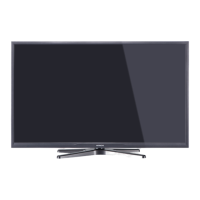
32C11
32” Class (31.51” Diag.)
Serial No.
Model:
Thank you for purchasing this Hitachi product.
Please read these instructions carefully.
For additional assistance please call Toll Free 800.HITACHI (800.448.2244)
or visit our website at www.hitachi.us/tv.
Keep this Owner’s Guide for future reference.
Record the model name and serial number of your LCD Television for future reference.
This information is located on the back of the television.
CONGRATULATIONS
OWNER’S GUIDE
OG_32C11_07272018

Questions and Answers

  • R
    Robert HughesAug 18, 2025
    Why does my Hitachi 32C11 shut off by itself?
    • R
      Russell GreenAug 18, 2025
      If your Hitachi TV shuts off unexpectedly, check if the Sleep Timer is set and turn it off if it is. Verify the power supply and check if the 'Auto TV Off' setting is enabled, and turn it off if necessary. A possible cause might be interrupted power, so check the power supply.
  • W
    Willie HicksAug 21, 2025
    Why does my Hitachi TV have poor sound or no sound?
    • H
      Holly SmithAug 21, 2025
      If your Hitachi TV has poor or no sound, there might be a problem with the station or cable TV. Try tuning to another station. Also, check the sound adjustments (volume or mute), look for sources of possible interference, and verify the audio language setting.
  • A
    Anna BrownAug 23, 2025
    Why does my Hitachi 32C11 have poor picture or no picture?
    • B
      Brooke CraigAug 23, 2025
      If your Hitachi TV has poor or no picture, try tuning to another station, as the station or cable TV might be experiencing problems. Ensure that the channels are properly set into memory. Check the antenna or cable TV connections and adjust the antenna. Also, check for sources of possible interference and verify the picture control adjustments.
  • J
    James RichardsAug 26, 2025
    Why is there no remote operation on my Hitachi 32C11 TV?
    • E
      Eric CarterAug 26, 2025
      If your Hitachi TV remote isn't working, replace the batteries or correctly insert them if they are weak, dead, or inserted incorrectly. Ensure you are within 15 feet of the TV and that the remote is aimed at the sensor. Also, confirm that there are no obstructions between the remote and the TV and that the TV's power cord is plugged in.
  • P
    Patricia ThompsonAug 27, 2025
    How to fix poor reception on some channels on my Hitachi 32C11 TV?
    • J
      johnnywatsonAug 28, 2025
      If you're experiencing poor reception on some channels with your Hitachi TV, try tuning to another station, as the station or cable TV might be experiencing problems. Ensure that the channels are properly set into memory. If the station is weak, adjust the antenna to receive the desired station. Also, check for sources of possible interference.
  • P
    Paul RowlandAug 30, 2025
    Why does my Hitachi 32C11 TV have poor color or no color?
    • R
      ramirezmarcusAug 30, 2025
      If your Hitachi TV has poor color or no color, try tuning to another station, in case the station or cable TV is experiencing problems. Make sure channels are set into memory. Check the picture control adjustments, antenna or cable TV connections, and adjust the antenna. Also, check for sources of possible interference.
  • J
    Jasmin ArnoldSep 1, 2025
    How to fix digital broadcasting screen problem on Hitachi 32C11 TV?
    • S
      Shannon BennettSep 2, 2025
      To address digital broadcasting screen problems on your Hitachi TV, check the digital signal strength.
  • P
    Patrick DavenportSep 4, 2025
    How to fix no CATV reception on Hitachi 32C11?
    • J
      jonathan55Sep 4, 2025
      To resolve no CATV reception on your Hitachi TV, check all cable TV connections. Set the Source menu option to the Cable mode. If problems persist, try tuning to another station, as there may be an issue with the station or cable TV system.
  • J
    Jason Johnson DDSSep 6, 2025
    How to fix no reception above channel 13 on Hitachi TV?
    • R
      Roger SimmonsSep 6, 2025
      If your Hitachi TV isn't receiving channels above 13, make sure the appropriate Source (Air or Cable) has been selected. If you are using an antenna, check the UHF antenna connections.
  • M
    Megan TurnerSep 8, 2025
    What to do if my Hitachi TV does not operate?
    • R
      Robert EstradaSep 8, 2025
      If your Hitachi TV isn't working, first, ensure the power cord is securely plugged in. If it is, try a different AC outlet. Also, check your fuse or circuit breaker to make sure the power is on. As a last resort, unplug the unit for an hour, and then plug it back in.

Summary

Introduction and Safety Information

Model and Serial Number Recording

Details about the TV model and recording serial number for future reference.

Important Safety Warnings

Critical safety precautions concerning electric shock, fire, and proper product use.

General Safety and Installation Guidelines

Covers reading instructions, preventing electrical hazards, and ventilation requirements.

Setup, Operation, and Features

Child Safety and Product Placement

Safety advice for children and recommendations for TV placement to prevent accidents.

Stand Installation and Safety Precautions

Includes stand installation, wall securing, and cabinet placement guidelines.

Product Features and Controls Overview

Highlights key TV features, picture, audio performance, and control locations.

Remote Control and Basic Operation

Explains remote functions and basic TV operation like channel tuning.

Initial Setup and Channel Management

Guide for initial setup wizard, channel scanning, and management.

Convenience Functions and Customization

Customizing picture, sound, time, and other user preferences.

Parental Control and Closed Captioning

Setting parental controls, ratings, and closed captioning options.

Aspect Switching and JPEG Viewer

Changing picture aspect ratio and viewing photos from USB.

Connectivity, Troubleshooting, and Support

Antenna, Cable, and External Device Connections

Guides for connecting antennas, cable TV, and external devices.

Reception Disturbances and Troubleshooting

Explains reception issues and provides a checklist for common TV problems.

Product Specifications

Technical details of the TV's hardware and capabilities.

Customer Support and Warranty Information

Contact details for customer service, technical assistance, and warranty.

Hitachi 32C11 Specifications

General IconGeneral
BrandHitachi
Model32C11
CategoryTV
LanguageEnglish

Related product manuals