Need help?
Do you have a question about the Hitachi 32HYJ46U and is the answer not in the manual?
Guide to installing batteries in the remote control.
Instructions for connecting an aerial lead directly to the TV.
Steps for connecting the aerial through a VCR.
Guide to connecting aerial via HDMI and YPbPr devices.
Instructions for connecting aerial through VCR and satellite.
Guide to connecting the TV's power plug to the mains socket.
Instructions on how to turn the TV on using the remote or control switch.
Navigating the initial TV setup wizard for language and country.
Choosing between Aerial or Cable for digital channel search.
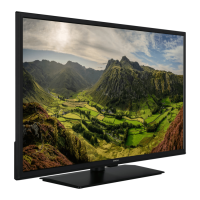
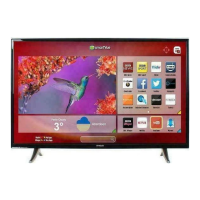
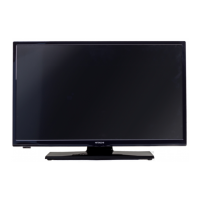
Displays key product features and model information.
Initial steps before operating the TV.
Contact details and services for customer help.
Essential safety guidelines for using the equipment.
Guidelines for TV placement, environment, and intended use.
Safety advice for heat, flames, power cord, moisture, water, and ventilation.
Safety advice for heat, headphones, mounting, LCD screen, batteries, and parts.
Explains the meaning of warning and caution symbols.
Specific cautions for handling the TV and its screen.
Provides initial operational advice.
Details on available expert help and advice.
Energy saving tips and guidance on servicing the TV.
Lists accessories provided and optional items like Wi-Fi dongle.
Highlights the main functionalities and capabilities of the TV.
Explains the physical buttons on the TV for operation.
Details the remote control buttons used for DVD playback.
Identifies and describes the functions of TV remote buttons.
Instructions on how to assign custom functions to My buttons.
Identifies and describes the functions of DVD remote buttons.
Illustrates and describes various input/output connectors on the TV.
Important notes regarding specific cable connections and usage.
Guide to installing and using CAM for digital channels.
Information on TV standby modes and notification messages.
Steps for remote battery installation and connecting TV power.
Instructions for connecting the aerial and power supply.
Methods for turning the TV on and off.
Detailed guide to the initial setup and language selection.
Configuring country, search type, and other initial settings.
How to play media files from a USB drive.
Steps for aerial setup and managing the channel list.
Adjusting picture aspect ratio and zoom modes.
Managing, sorting, and editing the list of available channels.
Controlling CEC-enabled devices via TV remote.
Settings for picture mode, contrast, brightness, color, etc.
Detailed picture adjustments like Dynamic Contrast, Colour Temp.
Settings for volume, equalizer, balance, and sound modes.
Options for automatic and manual channel scanning.
Configuration options for language, parental controls, timers, network.
Settings for software upgrade, auto TV off, store mode, DLNA.
How to view and navigate programme information.
Handling discs, cleaning, and basic DVD features.
Configuring TV Type, Language, Audio, Subtitle for DVD.
Specific notes and tips for successful DVD playback.
Steps to connect the TV to a wired LAN network.
Guide to connecting the TV to a wireless network via USB dongle.
Overview of network setup options for wired and wireless.
Detailed steps for configuring wired network connection.
Steps to enable and configure Wi-Fi connection.
How to stream content from a cell phone using WiFi.
Troubleshooting steps for wireless network connectivity problems.
Guide to using DLNA for media sharing on a home network.
How to access and navigate the internet portal.
Instructions for using the BBC iPlayer application.
Steps to play programmes using the iPlayer feature.
How to search for programmes and use Teletext.
Guide to checking and installing TV software updates.
Solutions for common problems like no power or poor picture.
Troubleshooting steps for missing picture or sound.
Table of supported PC resolutions and frequencies.
Details on TV broadcasting, reception, power, and dimensions.
Information on Dolby, DLNA, and HDMI licenses.
Guidelines for environmentally friendly disposal of the TV and batteries.
Lists video, audio, and photo file formats supported by USB.
Table showing supported resolutions for DVI connections.
Explains button functions for DVD, Movie, Picture, Music playback.
Details supported video, audio, and subtitle file formats for DVD.
Information on supported disc types like DVD, CD, MP3.
Step-by-step guide to install Nero MediaHome software for streaming.
Instructions on using the TV's web browser and its features.
Details the warranty period and conditions for the product.
Summary of key product technical specifications and consumption.
 General
| Screen Size | 32 inches |
|---|---|
| Resolution | 1366 x 768 |
| Display Type | LED |
| HDMI Ports | 2 |
| USB Ports | 1 |
| Smart TV | Yes |
| Refresh Rate | 50 Hz |
| Built-in Wi-Fi | Yes |
| Audio Output | Headphone Jack |

 To Next Page