Need help?
Do you have a question about the Hitachi 32HXC05U and is the answer not in the manual?
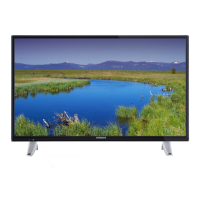
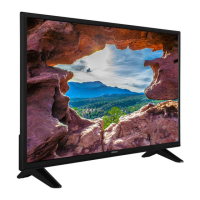
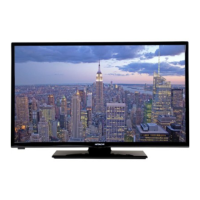
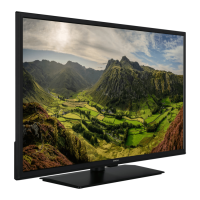
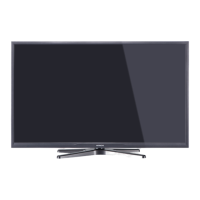
This document describes a remote-controlled color LCD TV with integrated digital TV (DVB-T) functionality. It offers a range of features for entertainment and ease of use, including multiple input options, sound customization, and parental controls.
The primary function of this device is to receive and display TV programs, as well as to play various media files from connected devices. It supports both analogue and digital terrestrial TV broadcasts. The TV is designed for private domestic use and is not intended for industrial or commercial purposes. It features an OSD (On-Screen Display) menu system for easy navigation and configuration of settings.
The TV can be switched on from standby mode using the "O" button, P+/P- buttons, or any numeric button on the remote control. Alternatively, the side function switch on the TV can be used. To switch off, press the "" button on the remote control or use the side function switch to put the TV into standby mode. For complete power down, the power cord should be unplugged from the mains socket.
Upon first use, the TV will display a language selection screen. After selecting the desired language, the First Time Installation (FTI) screen will appear, allowing users to set their preferences. If "Store Mode" is selected, the TV's settings will be optimized for best display quality, suitable for retail environments. "Home Mode" is for typical home use.
The TV supports automatic and manual channel scanning. For digital terrestrial TV, users can select the "AERIAL" option during installation. The "Network Channel Scan" feature searches for linked channels in the broadcast system. Analogue channels can be fine-tuned if available. The "Channel List" allows users to edit stored stations, set favorites, and manage active stations.
The EPG provides information about current and upcoming programs. Users can navigate through days, zoom into program information, filter views, and search by genre. Detailed information about selected programs is also available.
To restrict access to certain programs, channels, or menus, parental controls can be configured. A PIN number (default 0000) is required to access these settings. Options include "Menu Lock" and "Child Lock," which restricts control to the remote only. A new PIN can also be defined.
The TV offers various picture modes such as Cinema, Game, Sport, Dynamic, and Natural. Users can adjust contrast, brightness, sharpness, and color. "Power Save Mode" helps reduce energy consumption, with options like Eco and Picture Off. Advanced settings include "Dynamic Contrast," "Colour Temp," "Picture Zoom," and "HDMI True Black" for enhanced blackness from HDMI sources. "Film Mode" optimizes viewing for fast-motion scenes in films. Skin tone, color shift, and RGB gain can also be adjusted. For sound, users can adjust volume, select equalizer modes, and set speaker balance. "Sound Mode" options are available, and "AVL (Automatic Volume Limiting)" ensures a fixed output level between programs. Headphone volume can also be set.
The TV supports media playback from USB hard disk drives (2.5" and 3.5" with external power supply) and USB memory sticks. Users can play photo, music, and movie files. The "Media Browser Menu" allows navigation through stored files, and preferences can be set in the "Settings Menu." Loop and shuffle modes are available for continuous playback.
The TV provides multiple connection options, including Scart, VGA, PC/YPbPr Audio, HDMI, SPDIF, Side AV (Audio/Video), and Headphone connections. A CI (Common Interface) slot is also available for conditional access modules.
The remote control provides comprehensive control over the TV's functions, including standby, mono/stereo selection, image size, picture and sound menus, numeric buttons for channel selection, teletext, cursor navigation, volume and program control, info display, sleep timer, and various other settings.
Before cleaning, the TV should be unplugged from the wall socket. Only a soft, dry cloth should be used; liquid or aerosol cleaners are not recommended.
The TV can find and update its software automatically via the aerial signal. Users can manually check for upgrades through the "Other Settings" menu. An "3 AM search and upgrade mode" allows the TV to automatically search for and download new software during standby.
The manual provides guidance for common issues such as the TV not turning on (check power cord, remote batteries), poor picture (check TV system, signal level, antenna connection, correct channel frequency, disconnect other devices), no picture (check input source, antenna connection/cable), and no sound (check mute, volume, speaker balance).
Batteries in the remote control should be replaced when exhausted. Incorrect installation can cause leakage and corrosion. Old and new batteries, or different types, should not be mixed. Batteries should not be disposed of in fire or with normal household waste; they should be taken to a local recycling center. If the device will not be used for a long time, batteries should be removed and stored in a dry, dust-free place.
When taking the TV out of service, it should be unplugged, packed in an appropriate cardboard box, and stored in a dry, dust-free room with the batteries removed from the remote control.
The manual emphasizes several safety precautions, including proper ventilation (leaving at least 10cm space around the TV), avoiding exposure to moisture and heat sources, not obstructing ventilation openings, and handling the power cord carefully. It also warns against pushing objects into openings, using makeshift stands, or operating the equipment if damaged. Special attention is given to children's safety regarding batteries and packaging films.
 General
| Display Technology | LED |
|---|---|
| Screen Size | 32 inches |
| Resolution | 1366 x 768 |
| HDMI Ports | 2 |
| USB Ports | 1 |
| Smart TV | No |
| Refresh Rate | 60 Hz |
| Built-in Tuner | Yes |
| Weight | 4.5 kg |

 To Next Page