- 13 -
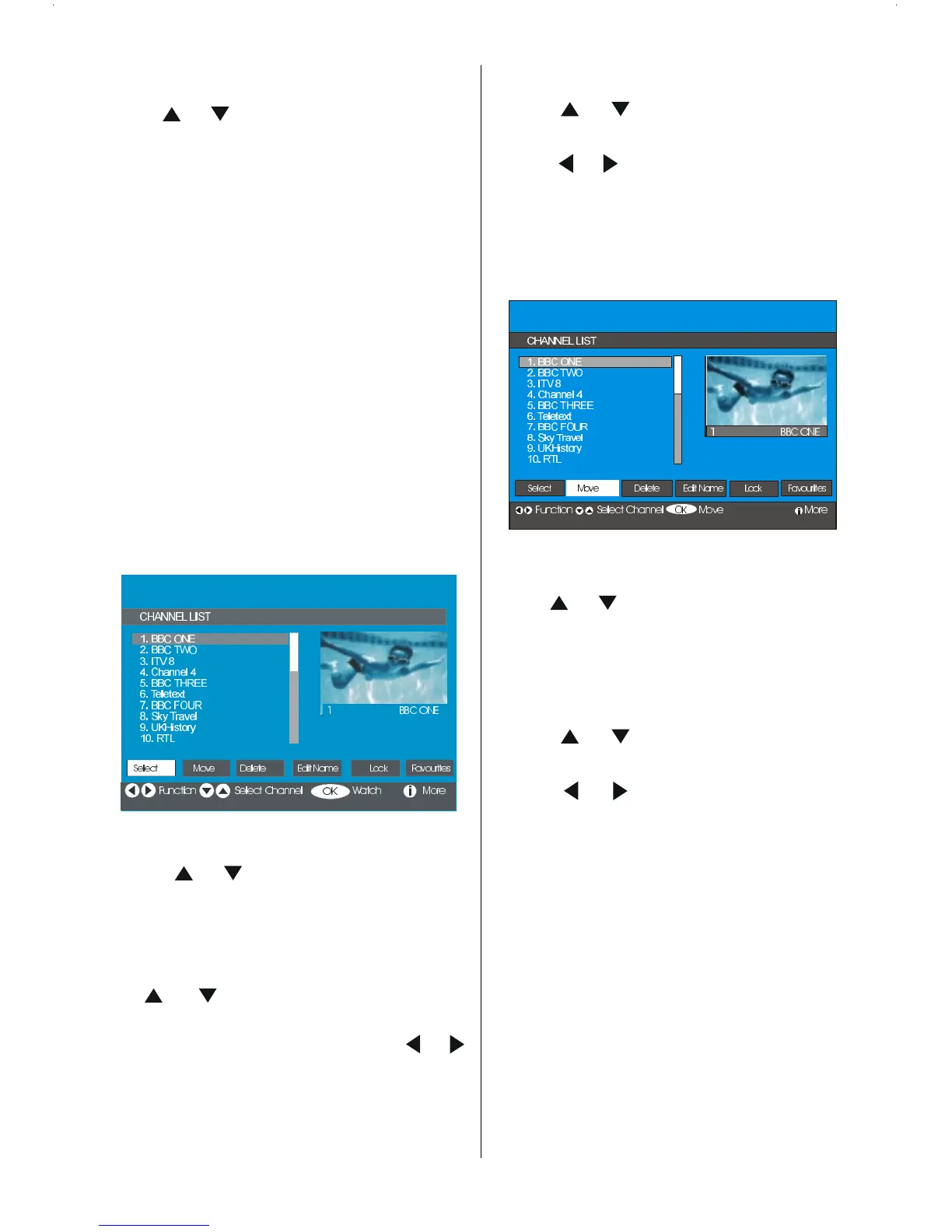
Channel List
Using or buttons on the remote control
in Main menu, make sure that the first item,
Channel List, is highlighted and press the
OK button to display the Channel List.
The following operations can be performed in
this menu:
1. Navigating the whole list of chan-
nels
2. Moving channels *
3. Deleting channels
4. Renaming channels
5. Adding locks to channels
6. Setting favourites
* Depending on your selection of Country
in the first time installation, MOVE op-
tion of the Channel List may not be vis-
ible.
Channel List is the place where the channels
are managed.
Navigating the whole channel list
Press
or keys for selecting the previ-
ous or next channel.
You can press RED or GREEN buttons to
move the page up or page down.
To watch a specific channel, highlight it us-
ing
or buttons and then press OK
button, while the Select item on Channel
The list menu is highlighted via using
or
buttons.
Moving the channels in the channel list
Press
or buttons to select the chan-
nel that will be moved.
Press
or buttons to select the Move
item on Channel List menu.
Move is written next to OK item to indicate
that press OK to move the highlighted
channel to the desired position on the chan-
nel list.
Press OK button, the selected channel
becomes highlighted.
Use
or buttons to select the new po-
sition of the channel and press OK button to
place the channel to the selected position
and return the menu.
Deleting the channels in the channel list
Press
or buttons to select the chan-
nel that will be deleted.
Press
or buttons to select the De-
lete item on Channel List menu.
As seen on Channel List menu, Delete is
written next to OK at the bottom of the
screen to indicate that pressing the OK but-
ton will delete the highlighted channel in the
channel list.








 To Next Page