15
CONNECTING EXTERNAL VIDEO SOURCES
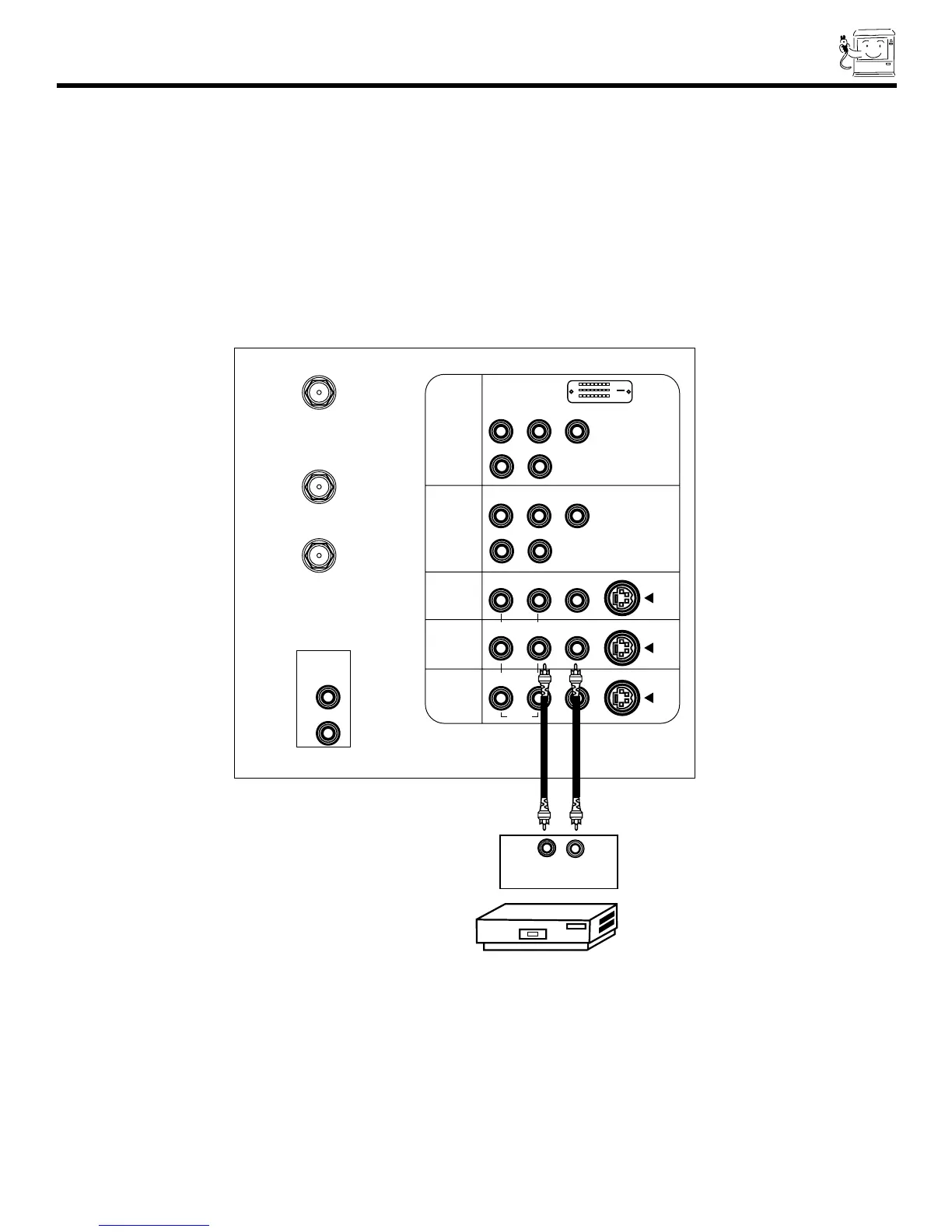
CONNECTING A MONAURAL AUDIO SOURCE TO INPUT2~INPUT5
1. Connect the cable from the VIDEO OUT of the VCR or the laserdisc player to the INPUT (VIDEO) jack, as shown on the TV set
below.
2. Connect the cable from the AUDIO OUT of the VCR or the laserdisc player to the INPUT (MONO)/L(AUDIO) jack.
3. Press the VID2~VID5 button to view the program from the VCR or the laserdisc player. The VIDEO label disappears
automatically after approximately four seconds.
4. Press the ANT button to return to the previous channel.


 To Next Page
 Loading...