This document is a user manual for a Hitachi 50HAK5351 Flat Digital TV, providing instructions in Italian and English.
Function Description
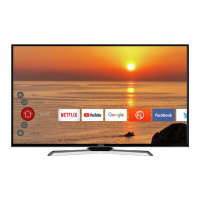
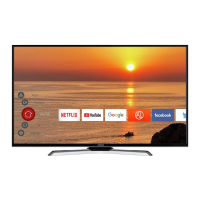
The Hitachi 50HAK5351 is a flat digital television designed for home entertainment. It offers a range of features for viewing digital TV broadcasts, connecting to external devices, and accessing internet content. The TV supports various input sources, including antenna, satellite, HDMI, and USB, allowing for versatile media consumption. It is equipped with a remote control for easy operation and includes on-screen menus for configuration and settings adjustments. The TV is capable of receiving digital terrestrial and satellite broadcasts, and it supports internet connectivity for accessing online applications like Netflix and YouTube.
Important Technical Specifications
Display:
- Screen size: 50 inches
- Resolution: 3840 x 2160 (UHD)
- Display technology: LED
- HDR (High Dynamic Range) / Hybrid Log-Gamma (HLG) support for enhanced contrast and color.
- Dolby Vision support for superior image quality.
Audio:
- Audio output power: 2 x 10W (RMS)
- Audio technologies: DTS HD
- Dolby Audio support for an immersive sound experience.
Tuner:
- TV Broadcasting: PAL BG/DK, SECAM BG/DK
- Receiving Channels: VHF (BAND I/III) - UHF (BAND U) - HYPERBAND
- Digital Reception: Fully integrated digital terrestrial/cable/satellite TV (DVB-T2/C/S2 HEVC H265)
- Number of Storable Channels: 12,200
- RF Aerial Input: 75 Ohm (unbalanced)
Connectivity:
- HDMI inputs: Multiple HDMI ports (HDMI 2.0a compatible)
- USB ports: 2 x USB (for media playback and recording)
- Antenna input (ANT)
- Satellite input (LNB)
- Ethernet port (LAN) for wired internet connection
- Wireless LAN (Wi-Fi) for wireless internet connection (2.4 GHz and 5 GHz bands supported)
- Bluetooth for connecting audio devices and remote controllers wirelessly.
- CI+ slot for conditional access modules.
Power:
- Operating Voltage: 220-240V AC, 50Hz
- Power Consumption (W): 135W
- Networked Standby Mode Power Consumption (W): < 2W
- Standby Mode Power Consumption (W): < 0.5W
Dimensions (with stand):
- Width: 1130 mm
- Height: 697 mm
- Depth: 208 mm
Dimensions (without stand):
- Width: 1130 mm
- Height: 655 mm
- Depth: 86 mm
Environmental Conditions:
- Operation Temperature and Operation Humidity: 0°C to 40°C, 85% humidity max.
VESA Wall Mount Measurements:
- Hole Pattern (mm): 200 x 200
- Screw Sizes: M6
- Length (X): max. 10 mm
- Thread (Y): 13 mm
Usage Features
Initial Setup:
The TV guides the user through an initial setup wizard for easy configuration of language, country, network settings, and channel scanning. This process includes setting up the remote control and connecting to various input sources.
Remote Control:
A comprehensive remote control is provided with dedicated buttons for power, numeric input, volume, channel selection, menu navigation, smart TV applications (Netflix, YouTube), and media playback controls.
Connectivity:
- Antenna and Satellite: Connects to an external antenna or satellite dish for receiving digital terrestrial and satellite broadcasts.
- HDMI: Multiple HDMI ports allow connection of external devices such as Blu-ray players, game consoles, and set-top boxes.
- USB: USB ports enable playback of multimedia files (photos, music, videos) from USB storage devices and can be used for recording TV programs.
- Internet Connection: Supports both wired (Ethernet) and wireless (Wi-Fi) connections to access smart TV features, streaming services, and web browsing.
- Bluetooth: Allows wireless connection of Bluetooth-enabled headphones, soundbars, or game controllers.
Smart TV Features:
- Applications: Pre-installed apps like Netflix and YouTube provide access to a wide range of streaming content.
- Content Management: The TV allows users to manage and organize their favorite channels and applications.
- EPG (Electronic Programme Guide): Provides a schedule of TV programs, allowing users to plan their viewing.
- Media Player: Built-in media player for playing content from USB drives.
Picture and Sound Settings:
Users can customize picture modes (e.g., Standard, Dynamic, Movie) and sound modes (e.g., Music, Speech) to suit their preferences. Advanced settings for brightness, contrast, color, and sharpness are available.
Channel Management:
The TV supports automatic and manual channel scanning, allowing users to find and store available channels. Channels can be organized, renamed, and moved.
Recording:
The TV supports USB recording, allowing users to record TV programs onto a connected USB storage device.
Maintenance Features
Cleaning:
- Screen: Use a soft, dry cloth to clean the screen. Avoid using abrasive cleaners or solvents.
- Cabinet: Wipe the TV cabinet with a soft, dry cloth.
- Remote Control: Clean the remote control with a soft, dry cloth.
Battery Replacement:
The remote control requires two 1.5V AAA batteries. Ensure correct polarity when inserting new batteries. Do not mix old and new batteries or different types.
Software Updates:
The TV may receive software updates to improve performance and add new features. These updates can typically be performed via the internet connection.
Troubleshooting:
The manual provides basic troubleshooting steps for common issues such as no picture, no sound, or remote control problems. For more complex issues, users are advised to consult the full user manual or contact customer support.
Safety Information:
- Ventilation: Ensure adequate ventilation around the TV to prevent overheating. Do not block ventilation openings.
- Power Supply: Use the specified power supply (220-240V AC, 50Hz) and avoid overloading power outlets.
- Placement: Place the TV on a stable surface or mount it securely to a wall using a VESA-compatible bracket. Avoid placing the TV in direct sunlight, near heat sources, or in humid environments.
- Cables: Ensure all cables are properly connected and not damaged. Avoid tripping hazards.
- Children: Keep small children away from the TV and remote control to prevent accidents.
- Disposal: The TV and its components (batteries, electronic waste) should be disposed of according to local regulations to protect the environment. The crossed-out wheeled bin symbol indicates that the product should not be disposed of with household waste.
Environmental Considerations:
The product is designed with environmental considerations, including energy efficiency and proper disposal of electronic waste and batteries. Information on recycling and responsible disposal is provided to minimize environmental impact.

 Need help?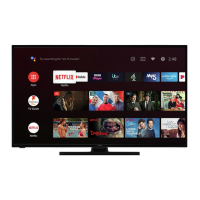



 To Next Page
 General