EasyManua.ls Logo

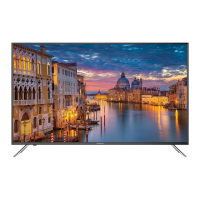
Hitachi ULTRAVISION 50C61 - User Manual

Hitachi ULTRAVISION 50C61
40 pages
Print Icon
To Next Page IconTo Next Page
Loading...
50C61 / 50Z6
50” Class (49.50” Diagonal)
Serial No.
Models:
Thank you for purchasing this Hitachi product.
Please read these instructions carefully.
For additional assistance please call Toll Free 800.HITACHI (800.448.2244)
or visit our website at www.hitachi.us/tv.
Keep this Owner’s Guide for future reference.
Record the model name and serial number of your LCD Television for future reference.
This information is located on the back of the television.
CONGRATULATIONS
OWNER’S GUIDE
®
OG_50C61_50Z6_04232018

Questions and Answers

  • E
    Elizabeth LawsonAug 16, 2025
    How to fix Hitachi ULTRAVISION 50C61 TV when it does not operate?
    • S
      Sarah WardAug 17, 2025
      If your Hitachi TV is not operating, ensure the power cord is securely plugged in. If it is, try using another AC outlet. Also, check your fuse or circuit breaker to ensure power is available. As a last resort, unplug the unit for an hour, then plug it back in.
  • B
    Brian LambertAug 19, 2025
    Why is my Hitachi ULTRAVISION 50C61 remote not working?
    • J
      jessica11Aug 19, 2025
      If your Hitachi TV remote isn't working, start by checking if the batteries are weak, dead, or inserted incorrectly. Ensure you are within 15 feet of the TV and that the remote is aimed at the sensor. Make sure there are no obstructions between the remote and the TV. Finally, verify the TV's power cord is plugged in.
  • V
    Victoria ThompsonAug 22, 2025
    Why does my Hitachi ULTRAVISION 50C61 TV keep shutting off?
    • G
      Gregory MillerAug 22, 2025
      If your Hitachi TV is shutting off unexpectedly, it may be due to the Sleep Timer being set, a power interruption, or the Auto TV Off feature being enabled. Check these settings to resolve the issue.
  • R
    Rachel FrancisAug 25, 2025
    What to do if my Hitachi TV has poor picture quality?
    • J
      Jennifer KrauseAug 26, 2025
      If your Hitachi TV has poor or no picture, try tuning to another station to rule out station or cable TV problems. Make sure the channels are properly set into memory. Check the antenna or cable TV connections and adjust the antenna. Look for any sources of interference. Finally, check the picture control adjustments.
  • M
    Marcus KramerAug 28, 2025
    How to improve poor reception on Hitachi ULTRAVISION 50C61 TV?
    • E
      Eric HoustonAug 28, 2025
      If you are experiencing poor reception on some channels with your Hitachi TV, first tune to another station to rule out station or cable TV problems. Ensure the channels are set into memory. It's possible the station is weak, so try adjusting the antenna to receive the desired station. Also, check for any sources of interference.
  • E
    Erin BowmanAug 30, 2025
    Why is there no sound on my Hitachi ULTRAVISION 50C61 TV?
    • M
      Mary DavisAug 30, 2025
      If you're experiencing poor sound or no sound on your Hitachi TV, first try tuning to another station to rule out station or cable TV issues. Then, check your sound adjustments (Volume or Mute) to make sure they are properly configured. Ensure there are no sources of possible interference. Finally, verify the audio language setting is correct.
  • C
    cdanielSep 2, 2025
    Why is there no color on my Hitachi ULTRAVISION 50C61 TV?
    • K
      Kristy LeeSep 2, 2025
      If you're experiencing poor or no color on your Hitachi TV, start by tuning to another station to rule out station or cable TV problems. Ensure the channels are set into memory. Then, check the picture control adjustments, antenna or cable TV connections, and look for any sources of interference.
  • D
    Darlene MorrisonSep 5, 2025
    Why does the picture wobble on my Hitachi ULTRAVISION 50C61 TV?
    • M
      Michelle WashingtonSep 5, 2025
      If the picture on your Hitachi TV wobbles or drifts, first tune to another station to rule out station or cable TV problems. Ensure the channels are set into memory. It's possible the cable TV company is scrambling the signal. Try adjusting the antenna.
  • K
    Karen KnoxSep 7, 2025
    How to fix no CATV reception on Hitachi ULTRAVISION 50C61?
    • C
      Christine SavageSep 7, 2025
      If you are not getting CATV reception on your Hitachi TV, check all Cable TV connections. Set the Source menu option to the Cable mode. If the problem persists, there may be station or cable TV system problems, so try another station.
  • L
    Laura MurphySep 10, 2025
    What causes horizontal bars on Hitachi ULTRAVISION 50C61 TV screen?
    • C
      Christine GreenSep 12, 2025
      If you see horizontal or diagonal bars on the screen of your Hitachi TV, check the antenna connections and adjust or re-direct the antenna. Also, check for sources of possible interference.

Summary

Important Safety Instructions

Handling the LCD Panel

Guidelines for safely handling and cleaning the LCD panel to prevent damage and injury.

Power Source Safety

Details on the TV's power requirements, AC plug usage, and electrical safety precautions.

Child Safety Notice

Safe Installation and Use

General advice on safe installation and use of the flat panel display, especially concerning children.

Wall Mounting Recommendations

Guidance for safely wall mounting the flat panel display, including mount selection and wall suitability.

Safety Precautions

Securing TV to Wall

Instructions on how to secure the TV to a wall using metallic wire, screws, and clamps for stability.

Cabinet Placement Warning

Warning about potential instability and injury risks when placing the TV on cabinets smaller than its length.

Stand Installation and Removal

Attaching the TV Stand

Step-by-step instructions for attaching the TV stand to the bottom of the television using screws.

Removing the TV Stand

Procedure for removing the TV stand for transport or wall-mounting, following reverse steps.

Product Features

Picture Performance

Details on the display's picture quality enhancements like LED backlight and anti-glare screen.

Convenience and Audio Features

Highlights connectivity, usability features like Sleep Timer, and audio capabilities like Dolby Digital.

Location of Controls

Front Panel Controls and Indicators

Identification of controls and indicators located on the front of the television.

Rear and Side Panel Connections

Overview of input/output ports located on the rear and left side of the television.

Bottom Panel Terminals

Details on audio and video input/output terminals situated on the bottom of the television.

Remote Control Functions

Remote Control Button Guide

Explanation of the functions for each button on the remote control for TV operation.

Direct Channel Selection

How to use the number buttons for direct channel tuning and channel selection.

Remote Control Battery Management

Installing Remote Batteries

Step-by-step guide for opening the battery compartment and installing AAA batteries.

Battery Handling Precautions

Important precautions for using and handling remote control batteries to prevent damage or injury.

Antenna Connections

VHF;UHF Antenna Setup

Instructions for connecting a combination VHF/UHF antenna using a 75 ohm coaxial cable.

Cable TV Connections

Basic Cable TV Service Connection

Connecting the TV to basic cable service without a converter box.

Scrambled Cable TV Service Connection

Connecting the TV to scrambled cable service using a converter/descrambler box.

Initial Setup Wizard

Setup Wizard Steps

Guide through the setup wizard for menu language, time zone, format, and auto channel scan.

TV Operation Basics

Selecting Analog Channels

Instructions on how to select analog channels using direct channel selection buttons.

Selecting Digital Channels

Procedure for direct tuning of digital channels using the channel number and dash.

Input Source and Channel Navigation

Selecting Input Sources

How to switch between different input sources like HDMI, VCR, or game consoles.

Channel Navigation and Info Display

Using CH buttons for navigation, INFO button for display details, LAST CH, and MUTE functions.

Quick Menu Operation Guide

Selecting Menu Language

Steps to navigate the menu to select the desired display language for the TV.

Convenience Functions: Video Settings

Picture Mode Options

Description of available picture modes like Standard, Dynamic, Movie, ECO, and Custom.

Custom Picture Adjustments

Details on adjusting Contrast, Brightness, Sharpness, Tint, and Color for personalized picture quality.

Color Temperature and Noise Reduction

Settings for adjusting color temperature and reducing video noise for optimal picture.

Convenience Functions: Audio Settings

Sound Mode Selection

Options for selecting sound modes like Standard, Music, Movie, Sports, and Custom equalizer settings.

MTS and Audio Language

Configuring MTS Stereo/SAP and selecting preferred audio languages for digital broadcasts.

Convenience Functions: Time Settings

Sleep Timer Configuration

How to set the sleep timer to automatically turn off the TV after a specified period.

Time Zone and Format Settings

Setting the local time zone, Daylight Saving Time, and choosing between 12-hour/24-hour format.

Convenience Functions: Setup and Lock

Menu Setup and Software Updates

Configuration of Menu Language, Closed Captions, Reset, Software Updates, and HDMI-CEC features.

Channel Lock and HDMI 4 K

Managing channel locks and configuring HDMI 4K mode, Voice Guidance, Volume, Speed, and Pitch.

Channel Setup and Management

Air;Cable Source Selection

Selecting between antenna (Air) and cable TV sources for channel scanning.

Auto Channel Scan Procedure

Steps to perform an automatic scan to find and tune available channels.

Channel Manager

Favorite Channels Management

Selecting channels to add to or skip from the favorite channel list for easier access.

Creating Custom Channel Labels

Assigning custom text labels (up to 7 characters) to channels for identification.

Parental Control Setup

Entering Parental Control Password

How to set or enter the password to access and manage parental control restrictions.

Setting US Rating Restrictions

Configuring parental controls based on US TV and Movie ratings (age and genre).

Canadian Rating System Configuration

Password Management and Region Reset

Closed Captioning Features

Understanding Closed Captioning

Explanation of closed captioning and how it displays text for hearing-impaired viewers.

Setting Caption Display Options

Configuring caption display to CC On, CC on Mute, or CC Off for analog and digital signals.

Customizing Closed Caption Options

Aspect Ratio Switching

Selecting Picture Size Modes

How to change the displayed picture size between Normal, Wide, and Auto modes.

JPEG Viewer for USB

Connecting USB Storage Device

Instructions for connecting a USB storage device to view JPEG photos.

Viewing Photo Playback Files

Steps to select and view JPEG photo files from the connected USB storage device.

Connecting Other Equipment

HDMI Device Connection Guide

Guide for connecting HDMI devices like Blu-ray players for digital audio and video.

Analog Device Connection

Connecting VCRs, camcorders, or game consoles using video/audio cables.

DVD Player Component Connection

Connecting a DVD player with component video input for high-quality picture.

AV Amplifier Surround Sound Setup

Reception Disturbances

Interference Issues: Noise and Ghosts

Identifying and resolving picture issues like black spots, streaks, and ghosting caused by interference.

Signal Weakness: Snow and RF Interference

Addressing picture snow from weak signals and ripples from radio frequency interference.

Preventing Radio Interference

Steps to prevent the TV from causing interference to radio receivers as per FCC rules.

Troubleshooting Common Issues

Power and Sound Troubleshooting

Solutions for when the TV does not turn on or produce sound, checking power and sound settings.

Picture and Reception Troubleshooting

Troubleshooting poor picture quality, no picture, poor reception, or color issues.

Picture Stability and Digital Issues

Resolving picture instability and problems with digital broadcasting screen display.

Troubleshooting Reception and Operation

Cable Reception and Channel Issues

Solutions for no cable reception, horizontal bars, and issues with channels above 13.

Remote and Shutdown Troubleshooting

Troubleshooting remote control non-operation, unexpected TV shutdowns, and closed captioning issues.

Product Specifications

Limited Warranty Information

Warranty Terms and Duration

Details on the limited parts and labor warranty period, service location, and transferability.

Warranty Limitations and Exclusions

List of conditions and damages not covered by the Hitachi limited warranty.

Hitachi ULTRAVISION 50C61 Specifications

General IconGeneral
BrandHitachi
ModelULTRAVISION 50C61
CategoryTV
LanguageEnglish

Related product manuals