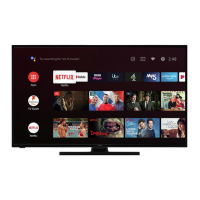
How to fix a Hitachi 50UHDSM8 Smart TV that won't turn on?
- DDave HubbardAug 2, 2025
If your Hitachi Smart TV has no power, ensure the power plug is securely inserted into the power outlet and that the outlet is switched on.
How to fix a Hitachi 50UHDSM8 Smart TV that won't turn on?
If your Hitachi Smart TV has no power, ensure the power plug is securely inserted into the power outlet and that the outlet is switched on.
How to troubleshoot sound problems on Hitachi 50UHDSM8?
If you're experiencing no sound or distorted sound on your Hitachi Smart TV, first ensure that all equipment is connected properly. Then, verify that the input setting for the TV is correct and the audio settings are properly configured. Also, check if the volume is muted; if so, press the MUTE button. If earphones are connected, unplug them. Finally, adjust the volume to a suitable level using the VOL+/VOL- button.
What to do if my Hitachi 50UHDSM8 has no picture?
If your Hitachi Smart TV has no picture, ensure that the equipment is connected properly. You may also need to adjust the antenna or use an external antenna. If inside a building, relocate the unit near a window. Move the TV set away from any product that causes interference. You can also try to auto-tune the unit again, or try another channel.
How to reduce noise on Hitachi 50UHDSM8 Smart TV?
If your Hitachi Smart TV is experiencing noise or interference, it may be due to electronic equipment nearby. Try relocating the unit or moving the interfering equipment.
What to do if buttons on my Hitachi 50UHDSM8 Smart TV don't respond?
If no key operation is effective on your Hitachi Smart TV (either by the main unit or the remote control), it might not be operating properly due to lightning, static electricity, or some other factors. Disconnect the power plug and then reconnect it to resolve this issue.
Why is my Hitachi 50UHDSM8 remote not working?
If the remote control is not working with your Hitachi Smart TV, check if the batteries are correctly installed or exhausted. Replace them if necessary. Also, make sure to point the remote control at the remote control sensor from a distance of no more than 6m, and remove any obstacles between the remote control and the sensor.
Why won't my Hitachi 50UHDSM8 recognize my USB device?
If your Hitachi Smart TV does not recognize your USB device or external hard disk, please refer first to the instructions describing how to use USB devices with this unit. If the problem still occurs, your device may not be compatible. This machine has been tested with the majority of Flash memory-based devices and hard disks (Music/Movie players with HDD) on the market; however, it may not be compatible with certain devices, in particular external self-powered hard disks.
Key safety precautions for connecting and using the TV to prevent risks.
Guidelines for safe TV placement to prevent falls and injuries.
Precautions for safe electrical connections, cord usage, and power.
Guidelines for TV usage, ventilation, cabinet slots, and operation.
Instructions for safely cleaning and maintaining the TV unit.
Explanation of the functions of various buttons on the remote control.
Instructions on how to point and operate the remote control effectively.
Steps for installing batteries into the remote control.
Step-by-step guide to attaching the TV stand to the panel.
Guidelines and specifications for mounting the TV to a wall.
Identification and function of controls visible on the front of the TV.
Identification and function of controls on the back of the 50" TV.
Identification and function of controls on the back of the 55" TV.
Description of input/output ports and sockets on the back of the TV.
Instructions for connecting the TV to a power source.
Guide for connecting an external antenna for optimal picture quality.
How to connect devices using composite video (CVBS) cables.
Instructions for connecting devices via HDMI for high-definition signals.
How to connect USB devices for recording and playback.
Guide for connecting audio devices via optical S/PDIF output.
Instructions for connecting the TV to wired and wireless networks.
Steps for establishing a wired internet connection via LAN.
Steps for establishing a wireless internet connection via Wi-Fi.
How to connect headphones to the TV using the headphone output.
How to send DTV or AV signal to another display device.
Instructions for turning the TV on, off, and into standby mode.
Walkthrough of the first-time TV setup wizard and navigation.
Steps for setting country, time zone, TV mode, and internet connection.
Steps for signing into Netflix and tuning TV channels during setup.
How to choose between different input sources like DTV, ATV, HDMI.
Methods for changing channels using buttons or the channel list.
How to adjust volume levels and mute the TV sound.
How to display current program information on screen.
Using the QMenu for picture, sound, sleep timer, aspect ratio, and more.
How to schedule programs for recording directly from the TV Guide.
Functions for changing time/channel views, viewing schedules, and navigating pages.
How to start, stop, and manage direct recordings in DTV mode.
How to schedule recordings for specific programs, including recurring options.
How to access and play back recorded content from the PVR file system.
How to use time-shift to pause and resume live TV broadcasts.
Key considerations and warnings for using USB/Media functions and recording.
How to insert USB devices and navigate to Media mode for playback.
How to view and manage photo files from a USB device.
How to play music files from a USB device.
How to play video files from a USB device and control playback.
Explanation of the HDR feature for enhanced picture quality.
List of pre-installed smart TV applications like Netflix, YouTube, and more.
Details on using Netflix and the Screencast feature for mirroring devices.
Information on app portals like NetRange and potential subscription requirements.
How to access and navigate through the TV's main and sub-menus.
Settings for auto tuning, manual tuning, and dynamic rescanning of channels.
How to edit, skip, move, and favorite channels, and view signal information.
Guide to connecting the TV to a network using a LAN cable.
Automatic and manual setup procedures for wired network connections.
Steps for connecting the TV to a wireless network via Wi-Fi.
Adjusting display language, subtitle options, and hearing impaired features.
Configuring audio languages, HDMI CEC, EDID, environment, and factory reset.
USB disk requirements and formatting for PVR function.
Disk selection, format start, speed check, record list, and time shift size.
How to enable the lock system and manage passwords.
Procedure for setting a new private password for the TV.
How to block specific TV channels using the lock system.
How to set parental controls based on age ratings for TV programs.
Solutions for common TV problems like no power, picture, or sound.
Troubleshooting steps when the remote control is not working.
Solutions for no key operation and USB device recognition problems.
Detailed specifications including screen size, resolution, power, dimensions, and formats.
Guidelines for environmentally friendly disposal of the TV and its packaging.
Contact information for technical assistance and warranty claims.
Key safety precautions for connecting and using the TV to prevent risks.
Guidelines for safe TV placement to prevent falls and injuries.
Precautions for safe electrical connections, cord usage, and power.
Guidelines for TV usage, ventilation, cabinet slots, and operation.
Instructions for safely cleaning and maintaining the TV unit.
Explanation of the functions of various buttons on the remote control.
Instructions on how to point and operate the remote control effectively.
Steps for installing batteries into the remote control.
Step-by-step guide to attaching the TV stand to the panel.
Guidelines and specifications for mounting the TV to a wall.
Identification and function of controls visible on the front of the TV.
Identification and function of controls on the back of the 50" TV.
Identification and function of controls on the back of the 55" TV.
Description of input/output ports and sockets on the back of the TV.
Instructions for connecting the TV to a power source.
Guide for connecting an external antenna for optimal picture quality.
How to connect devices using composite video (CVBS) cables.
Instructions for connecting devices via HDMI for high-definition signals.
How to connect USB devices for recording and playback.
Guide for connecting audio devices via optical S/PDIF output.
Instructions for connecting the TV to wired and wireless networks.
Steps for establishing a wired internet connection via LAN.
Steps for establishing a wireless internet connection via Wi-Fi.
How to connect headphones to the TV using the headphone output.
How to send DTV or AV signal to another display device.
Instructions for turning the TV on, off, and into standby mode.
Walkthrough of the first-time TV setup wizard and navigation.
Steps for setting country, time zone, TV mode, and internet connection.
Steps for signing into Netflix and tuning TV channels during setup.
How to choose between different input sources like DTV, ATV, HDMI.
Methods for changing channels using buttons or the channel list.
How to adjust volume levels and mute the TV sound.
How to display current program information on screen.
Using the QMenu for picture, sound, sleep timer, aspect ratio, and more.
How to schedule programs for recording directly from the TV Guide.
Functions for changing time/channel views, viewing schedules, and navigating pages.
How to start, stop, and manage direct recordings in DTV mode.
How to schedule recordings for specific programs, including recurring options.
How to access and play back recorded content from the PVR file system.
How to use time-shift to pause and resume live TV broadcasts.
Key considerations and warnings for using USB/Media functions and recording.
How to insert USB devices and navigate to Media mode for playback.
How to view and manage photo files from a USB device.
How to play music files from a USB device.
How to play video files from a USB device and control playback.
Explanation of the HDR feature for enhanced picture quality.
List of pre-installed smart TV applications like Netflix, YouTube, and more.
Details on using Netflix and the Screencast feature for mirroring devices.
Information on app portals like NetRange and potential subscription requirements.
How to access and navigate through the TV's main and sub-menus.
Settings for auto tuning, manual tuning, and dynamic rescanning of channels.
How to edit, skip, move, and favorite channels, and view signal information.
Guide to connecting the TV to a network using a LAN cable.
Automatic and manual setup procedures for wired network connections.
Steps for connecting the TV to a wireless network via Wi-Fi.
Adjusting display language, subtitle options, and hearing impaired features.
Configuring audio languages, HDMI CEC, EDID, environment, and factory reset.
USB disk requirements and formatting for PVR function.
Disk selection, format start, speed check, record list, and time shift size.
How to enable the lock system and manage passwords.
Procedure for setting a new private password for the TV.
How to block specific TV channels using the lock system.
How to set parental controls based on age ratings for TV programs.
Solutions for common TV problems like no power, picture, or sound.
Troubleshooting steps when the remote control is not working.
Solutions for no key operation and USB device recognition problems.
Detailed specifications including screen size, resolution, power, dimensions, and formats.
Guidelines for environmentally friendly disposal of the TV and its packaging.
Contact information for technical assistance and warranty claims.