EasyManua.ls Logo

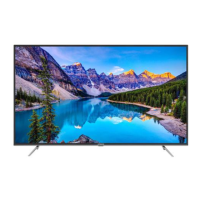
Hitachi ULTRAVISION C65L7 - User Manual

Hitachi ULTRAVISION C65L7
67 pages
Print Icon
To Next Page IconTo Next Page
Loading...
C65L7
65” Class (64.53” Diagonal / 163.90 cm)
Serial No.
Models:
Thank you for purchasing this Hitachi product.
Please read these instructions carefully.
For additional assistance please call Toll Free 800.HITACHI (800.448.2244)
or visit our website at www.hitachi.us/tv.
Keep this Owner’s Guide for future reference.
Record the model name and serial number of your LCD Television for future reference.
This information is located on the back of the television.
CONGRATULATIONS
OWNER’S GUIDE
C50L7
50” Class (49.50” Diagonal / 125.73 cm)
C55L7
55” Class (54.64” Diagonal / 138.78 cm)
®
OG_L7_06042019
C43L7
43” Class (42.51” Diagonal / 107.99 cm)

Questions and Answers

  • W
    Wesley WashingtonAug 16, 2025
    How to fix a Hitachi Smart TV that won't turn on?
    • C
      Christine HallAug 16, 2025
      If your Hitachi Smart TV isn't turning on, first ensure the power cord is securely plugged into the outlet. If it is, try a different AC outlet to rule out any issues with the original one. Also, check the fuse or circuit breaker. As a last resort, unplug the TV for an hour, then plug it back in to see if it resets.
  • J
    Jessica Washington PhDAug 19, 2025
    Why does my Hitachi ULTRAVISION C65L7 keep shutting off?
    • B
      bradley79Sep 12, 2025
      If your Hitachi Smart TV keeps shutting off, check if the Sleep Timer is set. It is also possible that the power was interrupted.
  • M
    Megan ChaneyAug 22, 2025
    Why is my Hitachi Smart TV remote not working?
    • A
      agoodwinAug 22, 2025
      If your Hitachi Smart TV remote isn't working, start by checking the batteries to ensure they are not weak, dead, or inserted incorrectly. If the batteries are fine, make sure you are within 15 feet of the TV and that the remote is aimed directly at the sensor. Also, confirm that there are no obstructions between the remote and the TV. Lastly, ensure the TV's power cord is properly plugged in.
  • I
    ilongAug 25, 2025
    How to troubleshoot sound problems on a Hitachi ULTRAVISION C65L7?
    • B
      Bradley HowellAug 25, 2025
      If you're experiencing poor or no sound on your Hitachi Smart TV, first tune to another station to rule out issues with the current broadcast or cable TV. Then, check the sound adjustments, such as the volume and mute settings. You should also check for any potential sources of interference. Finally, verify the audio language setting.
  • S
    Shannon LamAug 27, 2025
    What to do if my Hitachi ULTRAVISION C65L7 has a poor picture quality?
    • S
      Shannon RodgersAug 27, 2025
      If your Hitachi Smart TV has a poor picture or no picture, first tune to another station to eliminate the possibility of station or cable TV problems. Ensure that channels are correctly set into memory. Check the antenna or cable TV connections and adjust the antenna if necessary. Check for sources of possible interference and verify the picture control adjustments.
  • A
    angela50Aug 30, 2025
    How to improve poor reception on my Hitachi ULTRAVISION C65L7 Smart TV?
    • B
      Brandon RobinsonAug 30, 2025
      If you're experiencing poor reception on some channels with your Hitachi Smart TV, first tune to another station to rule out issues with the current broadcast or cable TV. Make sure channels are set into memory. If the station is weak, adjust the antenna to receive the desired station. Check for sources of possible interference.
  • M
    Mr. Dylan RosarioSep 2, 2025
    Why does my Hitachi ULTRAVISION C65L7 have poor color?
    • S
      Scott NicholsSep 2, 2025
      If your Hitachi Smart TV displays poor or no color, start by tuning to another station to rule out station or cable TV problems. Ensure that channels are set into memory. Check the picture control adjustments, antenna or cable TV connections, and adjust the antenna. Also, check for sources of possible interference.
  • A
    Alan ThompsonSep 5, 2025
    What to do if there is no CATV reception on Hitachi ULTRAVISION C65L7?
    • J
      Joshua HarrisSep 5, 2025
      If you're not getting any CATV reception on your Hitachi Smart TV, check all Cable TV connections. Ensure the Source menu option is set to the Cable mode. If the issue persists, try tuning to another station to rule out station or cable TV system problems.
  • T
    Travis SmithSep 7, 2025
    Why is the picture wobbling on my Hitachi Smart TV?
    • W
      William BrownSep 7, 2025
      If the picture on your Hitachi Smart TV wobbles or drifts, first tune to another station to rule out station or cable TV problems. Ensure that channels are set into memory. If you are using Cable TV, adjust the antenna, as the cable TV company might be scrambling the signal.
  • B
    Belinda NicholsSep 9, 2025
    How to remove horizontal bars on my Hitachi Smart TV screen?
    • C
      Christine PriceSep 10, 2025
      If you see horizontal or diagonal bars on the screen of your Hitachi Smart TV, check the antenna connections and try adjusting or redirecting the antenna. Also, check for any sources of possible interference.

Hitachi ULTRAVISION C65L7 Specifications

General IconGeneral
Screen Size65 inches
Aspect Ratio16:9
Resolution3840 x 2160 (4K UHD)
Smart TVYes
Operating SystemAndroid TV
Refresh Rate60 Hz
HDMI Ports3
USB Ports2
BluetoothYes
Built-in SpeakersYes
Display TechnologyLED
HDRHDR10
Wi-FiYes
Comb Filter3D Digital Comb Filter

Related product manuals