EasyManua.ls Logo

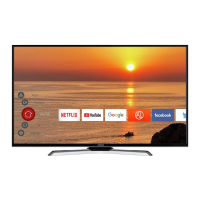
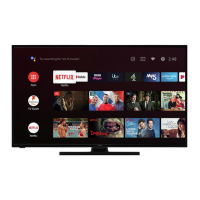
Hitachi 50HAK6150U - User Manual

Hitachi 50HAK6150U
37 pages
Print Icon
To Next Page IconTo Next Page
Loading...
INSTRUCTION MANUAL
50’’ Colour TV
Important - Please read these instructions fully before installing or operating and keep for future
reference.
These instructions contain important information which will help you get the best from your
television and ensure safe and correct installation and operation.
For any help concerning set up and use of your TV please call the
Customer Helpline: 0345 604 0105
Lines open 8am-7pm Monday to Saturday and 10am - 4pm Sunday
APPROVED
50HAK6150U
8382029
Question and Answer IconNeed help?

Do you have a question about the Hitachi 50HAK6150U and is the answer not in the manual?

Summary

Safety Precautions

Preparation and Environment

Place the device on a solid even surface. For ventilation, leave a free space of at least 10 cm.

Intended Use and Limitations

This device is used to receive and display TV programmmes. This device is only suitable for dry interior use.

Safe Operation Guidelines

Follow operating instructions and ensure electrical connections are properly made.

Critical Safety Warnings

General Usage Prohibitions

Do not obstruct ventilation, expose to liquids, place hot objects, or use makeshift stands.

Power and Electrical Safety

Ensure proper power connection, handle plug correctly, and avoid wet hands.

Environmental Considerations

Avoid humid places, rain, water, and liquids near the TV.

Safety Guidelines

Wall Mounting Safety

Secure TV to the wall according to instructions, use specified screws, do not over-tighten.

LCD Screen Care

Avoid scratching the screen with fingernails or hard objects.

Cleaning Precautions

Unplug TV before cleaning. Use a soft, dry cloth; avoid liquid or aerosol cleaners.

Battery Safety

Handle batteries correctly, do not mix types, dispose of properly, and keep away from children.

Product Information

Markings on the Product

Explains safety symbols like Class II Equipment, Hazardous Live Terminal, and Class 1 Laser Product.

Introduction and Accessories

Welcome message, package contents including remote, batteries, manuals.

Key Features Overview

Lists capabilities: Android OS, Google Cast, HDMI, DVB, HDR, Dolby Vision.

Installation and Connections

Stand and Wall Mounting

Instructions for attaching stand and VESA measurements for wall mounting.

Antenna Connection

Connect aerial or cable TV plug to the AERIAL INPUT (ANT) socket.

External Device Connectivity

Component, VGA, and Audio Inputs

Details connections for Component Video, VGA, and Audio using specific cables.

Digital, USB, and CI Connections

Covers SPDIF, Composite, Headphone, USB, CI, and LAN connections.

TV Operation Basics

Powering On;Off and Standby

Connect power, switch from standby, enter standby, and power off.

Remote Control Navigation

Use Menu, Home, directional, OK, and Back/Return buttons for TV functions.

Input Source Switching

Switch between sources using the Source button or Home Screen Inputs menu.

Channel and Volume Control

Use Programme +/- for channels and Volume +/- for volume.

Remote Control Details

Remote Button Functions

Details functions of buttons like Standby, Numeric, Language, Home, Guide, OK, Back, Netflix, Menu, etc.

Battery Installation

Instructions for opening compartment, inserting batteries, and closing cover.

Remote Pairing Procedure

Steps to pair the remote control with the TV using the Source button.

Initial Setup Wizard

Welcome and Language Selection

Select desired language from the welcome screen and press OK.

Network and Google Account Setup

Connect to network and sign into Google account.

Terms of Service and Location

Agree to Google terms and configure location settings.

Help Improve Android

Choose whether to send diagnostic data to Google.

Initial Setup Wizard (Cont.)

Country, Password, and TV Mode

Select country, set PIN, and choose Home or Store mode.

Chromecast and Tuner Setup

Enable Chromecast and select tuner mode (Antenna/Cable).

Home Screen Navigation

Use directional buttons to navigate Apps, YouTube, Google Play, etc.

TV Settings and Options

Picture and Display Settings

Select input source, Picture Mode, Display Mode, and Speaker output.

Timer and Power Management

Set Sleep Timer, Picture Off, Switch Off Timer, and Auto Power Off.

Advanced Audio and Default Channel

Set audio language, blue mute, and default startup channel.

Channel and Network Settings

Channel Management Options

Configure Interaction Channel, HBBTV, Subtitle, and Teletext settings.

Network and Internet Configuration

Connect to Wi-Fi networks and configure Ethernet settings.

Channel and App Management

Channel Installation and List Operations

Set installation mode, edit, skip, sort, move, and delete channels.

Parental Controls and Audio Language

Set PIN, block channels, restrict programmes, and set audio language preference.

Account and App Management

Manage Google account, app permissions, and installation restrictions.

Device Preferences and Timers

Device Information and Netflix ESN

View device details, system info, and Netflix ESN number.

Power Timer Settings

Set TV to turn on or off automatically at specified times.

Input and HDMI CEC Control

Configure keyboard settings and HDMI CEC for device control.

Picture Settings

Picture Mode and Dolby Vision

Select Picture Mode, adjust Dolby Vision, brightness, contrast, colour, HUE, sharpness.

Backlight and Gamma Settings

Adjust backlight level and set gamma preference.

Colour Temperature and Display Mode

Set colour temperature preference and adjust aspect ratio.

Advanced Video Processing

Adjust DNR for noise reduction.

Advanced Video and Sound Settings

Noise Reduction and Luma Control

Configure MPEG NR, Adaptive Luma Control, and Local Contrast Control.

Film, Game, and PC Modes

Enable DI Film Mode, Game Mode, and PC Mode for specific content.

Sound Style and Surround Sound

Select sound style, adjust balance, and enable Sound Surround.

Sound and Home Screen Customization

Equalizer, Speaker Output, and Volume Control

Adjust equalizer, speaker output, SPDIF delay, auto volume control.

Downmix and Dolby Audio Processing

Set downmix mode and enhance sound with Dolby processing.

Storage and Home Screen Management

Manage storage, customize home screen, and activate store mode.

Google Assistant and Accessibility

Configure Google Assistant and accessibility features.

Accessibility and Device Management

Screen Saver, Location, and Diagnostics

Set screensaver, location services, and usage diagnostics.

Remote Control and Accessories

Pair wireless accessories and manage connected devices.

Channel List Navigation

Open, scroll, filter, and sort channels in the channel list.

Internet Connectivity

Wired Internet Connection

Connect TV to modem/router via Ethernet cable for internet access.

Wireless Internet Connection

Connect to Wi-Fi networks, add hidden SSIDs, and optimize with Wireless-N router.

Media Playback and Device Control

Multi Media Player Usage

Launch MMP, browse files, manage USB devices, and stream from mobile.

CEC Functionality for Connected Devices

Operate connected CEC devices using the TV remote control.

Smart TV Features

Google Cast Functionality

Cast device screen or apps to the TV wirelessly.

HBBTV System Overview

Understand HbbTV for interactive broadcast and broadband services.

Online Services and Updates

Freeview Play Platform Access

Access catch-up TV and On Demand services; check requirements.

Quick Standby Channel Search

Enable automatic daily channel scans in quick standby mode.

Software Update Procedure

Update TV firmware automatically via Internet for latest improvements.

Troubleshooting Common Issues

Picture and Sound Problems

Troubleshoot no picture, distorted picture, no sound, or poor sound issues.

Input Source and Channel Issues

Resolve issues with input sources not selecting and no channels found.

Signal Compatibility and Display Modes

VGA Input Display Modes

Table of typical VGA display modes, resolutions, and frequencies supported.

AV and HDMI Signal Compatibility

Lists supported signals for Composite, Component, and HDMI connections.

USB Media Playback Support

Supported Video File Formats

Lists supported video codecs, resolutions, bit rates, profiles, and containers.

Supported Audio File Formats

Lists supported audio codecs, sample rates, channels, bit rates, and containers.

Audio and Picture Specifications

Detailed Audio Codec Support

Provides specific details for various audio codecs like LPCM, IMA-ADPCM, G711, etc.

Supported Image File Formats

Lists supported image formats like JPEG, PNG, BMP, MPO, GIF with resolutions.

Subtitle and DVI Resolution Support

Internal Subtitle Formats

Lists internal subtitle file extensions, containers, and codecs (DVD, DVB, ASS).

External Subtitle Formats

Lists external subtitle file extensions and parsers (SubRip, SAMI, etc.).

Supported DVI Resolutions

Shows resolution compatibility when using DVI to HDMI converter cable.

Product Specifications

Broadcasting, Reception, and Power

Details TV broadcasting, channels, digital reception, voltage, and power consumption.

Dimensions and Wireless LAN Specs

Provides TV dimensions and Wireless LAN transmitter specifications.

Country Restrictions for Wireless LAN

Lists country-specific regulations for 5 GHz wireless LAN usage.

Licensing and Third-Party Information

HDMI, Dolby, DTS, and Google Licensing

Information on trademarks and licenses for HDMI, Dolby, DTS, and Google services.

Microsoft PlayReady Technology

Details PlayReady technology for content protection and access.

Third-Party Content Provider Responsibility

Content/services may change; provider is responsible for availability and support.

Disposal and Recycling Information

EU Electrical and Battery Disposal

Symbols and procedures for recycling electrical equipment and batteries in the EU.

Business and International Disposal Guidelines

Disposal guidelines for business users and countries outside the EU.

Customer Support

Technical Assistance Services

Get help with setup, connecting devices, ordering parts, and technical issues.

Contact Details and Operating Hours

Call 0345 604 0105 for support. Check line opening hours.

Online Support and Guides

Visit https://www.argos-support.co.uk for detailed guides and assistance.

Product Guarantee

Guarantee Period and Coverage

1-year guarantee against manufacturing defects; covers faulty materials/workmanship.

Guarantee Exclusions and Conditions

Excludes accidental damage, misuse; requires correct installation and domestic use.

Statutory Rights and Problem Resolution

Guarantee complements statutory rights. Call helpline for issues.

Product Fiche and Energy Label

Commercial and Technical Details

Lists product number, model, screen size, power consumption, and resolution.

Energy Efficiency Rating and Consumption

Displays energy efficiency class (A+) and annual consumption (kWh).

Summary

Safety Precautions

Preparation and Environment

Place the device on a solid even surface. For ventilation, leave a free space of at least 10 cm.

Intended Use and Limitations

This device is used to receive and display TV programmmes. This device is only suitable for dry interior use.

Safe Operation Guidelines

Follow operating instructions and ensure electrical connections are properly made.

Critical Safety Warnings

General Usage Prohibitions

Do not obstruct ventilation, expose to liquids, place hot objects, or use makeshift stands.

Power and Electrical Safety

Ensure proper power connection, handle plug correctly, and avoid wet hands.

Environmental Considerations

Avoid humid places, rain, water, and liquids near the TV.

Safety Guidelines

Wall Mounting Safety

Secure TV to the wall according to instructions, use specified screws, do not over-tighten.

LCD Screen Care

Avoid scratching the screen with fingernails or hard objects.

Cleaning Precautions

Unplug TV before cleaning. Use a soft, dry cloth; avoid liquid or aerosol cleaners.

Battery Safety

Handle batteries correctly, do not mix types, dispose of properly, and keep away from children.

Product Information

Markings on the Product

Explains safety symbols like Class II Equipment, Hazardous Live Terminal, and Class 1 Laser Product.

Introduction and Accessories

Welcome message, package contents including remote, batteries, manuals.

Key Features Overview

Lists capabilities: Android OS, Google Cast, HDMI, DVB, HDR, Dolby Vision.

Installation and Connections

Stand and Wall Mounting

Instructions for attaching stand and VESA measurements for wall mounting.

Antenna Connection

Connect aerial or cable TV plug to the AERIAL INPUT (ANT) socket.

External Device Connectivity

Component, VGA, and Audio Inputs

Details connections for Component Video, VGA, and Audio using specific cables.

Digital, USB, and CI Connections

Covers SPDIF, Composite, Headphone, USB, CI, and LAN connections.

TV Operation Basics

Powering On;Off and Standby

Connect power, switch from standby, enter standby, and power off.

Remote Control Navigation

Use Menu, Home, directional, OK, and Back/Return buttons for TV functions.

Input Source Switching

Switch between sources using the Source button or Home Screen Inputs menu.

Channel and Volume Control

Use Programme +/- for channels and Volume +/- for volume.

Remote Control Details

Remote Button Functions

Details functions of buttons like Standby, Numeric, Language, Home, Guide, OK, Back, Netflix, Menu, etc.

Battery Installation

Instructions for opening compartment, inserting batteries, and closing cover.

Remote Pairing Procedure

Steps to pair the remote control with the TV using the Source button.

Initial Setup Wizard

Welcome and Language Selection

Select desired language from the welcome screen and press OK.

Network and Google Account Setup

Connect to network and sign into Google account.

Terms of Service and Location

Agree to Google terms and configure location settings.

Help Improve Android

Choose whether to send diagnostic data to Google.

Initial Setup Wizard (Cont.)

Country, Password, and TV Mode

Select country, set PIN, and choose Home or Store mode.

Chromecast and Tuner Setup

Enable Chromecast and select tuner mode (Antenna/Cable).

Home Screen Navigation

Use directional buttons to navigate Apps, YouTube, Google Play, etc.

TV Settings and Options

Picture and Display Settings

Select input source, Picture Mode, Display Mode, and Speaker output.

Timer and Power Management

Set Sleep Timer, Picture Off, Switch Off Timer, and Auto Power Off.

Advanced Audio and Default Channel

Set audio language, blue mute, and default startup channel.

Channel and Network Settings

Channel Management Options

Configure Interaction Channel, HBBTV, Subtitle, and Teletext settings.

Network and Internet Configuration

Connect to Wi-Fi networks and configure Ethernet settings.

Channel and App Management

Channel Installation and List Operations

Set installation mode, edit, skip, sort, move, and delete channels.

Parental Controls and Audio Language

Set PIN, block channels, restrict programmes, and set audio language preference.

Account and App Management

Manage Google account, app permissions, and installation restrictions.

Device Preferences and Timers

Device Information and Netflix ESN

View device details, system info, and Netflix ESN number.

Power Timer Settings

Set TV to turn on or off automatically at specified times.

Input and HDMI CEC Control

Configure keyboard settings and HDMI CEC for device control.

Picture Settings

Picture Mode and Dolby Vision

Select Picture Mode, adjust Dolby Vision, brightness, contrast, colour, HUE, sharpness.

Backlight and Gamma Settings

Adjust backlight level and set gamma preference.

Colour Temperature and Display Mode

Set colour temperature preference and adjust aspect ratio.

Advanced Video Processing

Adjust DNR for noise reduction.

Advanced Video and Sound Settings

Noise Reduction and Luma Control

Configure MPEG NR, Adaptive Luma Control, and Local Contrast Control.

Film, Game, and PC Modes

Enable DI Film Mode, Game Mode, and PC Mode for specific content.

Sound Style and Surround Sound

Select sound style, adjust balance, and enable Sound Surround.

Sound and Home Screen Customization

Equalizer, Speaker Output, and Volume Control

Adjust equalizer, speaker output, SPDIF delay, auto volume control.

Downmix and Dolby Audio Processing

Set downmix mode and enhance sound with Dolby processing.

Storage and Home Screen Management

Manage storage, customize home screen, and activate store mode.

Google Assistant and Accessibility

Configure Google Assistant and accessibility features.

Accessibility and Device Management

Screen Saver, Location, and Diagnostics

Set screensaver, location services, and usage diagnostics.

Remote Control and Accessories

Pair wireless accessories and manage connected devices.

Channel List Navigation

Open, scroll, filter, and sort channels in the channel list.

Internet Connectivity

Wired Internet Connection

Connect TV to modem/router via Ethernet cable for internet access.

Wireless Internet Connection

Connect to Wi-Fi networks, add hidden SSIDs, and optimize with Wireless-N router.

Media Playback and Device Control

Multi Media Player Usage

Launch MMP, browse files, manage USB devices, and stream from mobile.

CEC Functionality for Connected Devices

Operate connected CEC devices using the TV remote control.

Smart TV Features

Google Cast Functionality

Cast device screen or apps to the TV wirelessly.

HBBTV System Overview

Understand HbbTV for interactive broadcast and broadband services.

Online Services and Updates

Freeview Play Platform Access

Access catch-up TV and On Demand services; check requirements.

Quick Standby Channel Search

Enable automatic daily channel scans in quick standby mode.

Software Update Procedure

Update TV firmware automatically via Internet for latest improvements.

Troubleshooting Common Issues

Picture and Sound Problems

Troubleshoot no picture, distorted picture, no sound, or poor sound issues.

Input Source and Channel Issues

Resolve issues with input sources not selecting and no channels found.

Signal Compatibility and Display Modes

VGA Input Display Modes

Table of typical VGA display modes, resolutions, and frequencies supported.

AV and HDMI Signal Compatibility

Lists supported signals for Composite, Component, and HDMI connections.

USB Media Playback Support

Supported Video File Formats

Lists supported video codecs, resolutions, bit rates, profiles, and containers.

Supported Audio File Formats

Lists supported audio codecs, sample rates, channels, bit rates, and containers.

Audio and Picture Specifications

Detailed Audio Codec Support

Provides specific details for various audio codecs like LPCM, IMA-ADPCM, G711, etc.

Supported Image File Formats

Lists supported image formats like JPEG, PNG, BMP, MPO, GIF with resolutions.

Subtitle and DVI Resolution Support

Internal Subtitle Formats

Lists internal subtitle file extensions, containers, and codecs (DVD, DVB, ASS).

External Subtitle Formats

Lists external subtitle file extensions and parsers (SubRip, SAMI, etc.).

Supported DVI Resolutions

Shows resolution compatibility when using DVI to HDMI converter cable.

Product Specifications

Broadcasting, Reception, and Power

Details TV broadcasting, channels, digital reception, voltage, and power consumption.

Dimensions and Wireless LAN Specs

Provides TV dimensions and Wireless LAN transmitter specifications.

Country Restrictions for Wireless LAN

Lists country-specific regulations for 5 GHz wireless LAN usage.

Licensing and Third-Party Information

HDMI, Dolby, DTS, and Google Licensing

Information on trademarks and licenses for HDMI, Dolby, DTS, and Google services.

Microsoft PlayReady Technology

Details PlayReady technology for content protection and access.

Third-Party Content Provider Responsibility

Content/services may change; provider is responsible for availability and support.

Disposal and Recycling Information

EU Electrical and Battery Disposal

Symbols and procedures for recycling electrical equipment and batteries in the EU.

Business and International Disposal Guidelines

Disposal guidelines for business users and countries outside the EU.

Customer Support

Technical Assistance Services

Get help with setup, connecting devices, ordering parts, and technical issues.

Contact Details and Operating Hours

Call 0345 604 0105 for support. Check line opening hours.

Online Support and Guides

Visit https://www.argos-support.co.uk for detailed guides and assistance.

Product Guarantee

Guarantee Period and Coverage

1-year guarantee against manufacturing defects; covers faulty materials/workmanship.

Guarantee Exclusions and Conditions

Excludes accidental damage, misuse; requires correct installation and domestic use.

Statutory Rights and Problem Resolution

Guarantee complements statutory rights. Call helpline for issues.

Product Fiche and Energy Label

Commercial and Technical Details

Lists product number, model, screen size, power consumption, and resolution.

Energy Efficiency Rating and Consumption

Displays energy efficiency class (A+) and annual consumption (kWh).

Hitachi 50HAK6150U Specifications

General IconGeneral
Screen Size50 inches
Smart TVYes
Wi-FiYes
HDMI Ports3
USB Ports2
Operating SystemAndroid TV
EthernetYes
BluetoothYes
Display TechnologyLED
Refresh Rate60 Hz
Resolution3840 x 2160
HDR SupportYes (HDR10, HLG)

Related product manuals