44
Customizing your TV
There are several things you can do to personalize your TV.
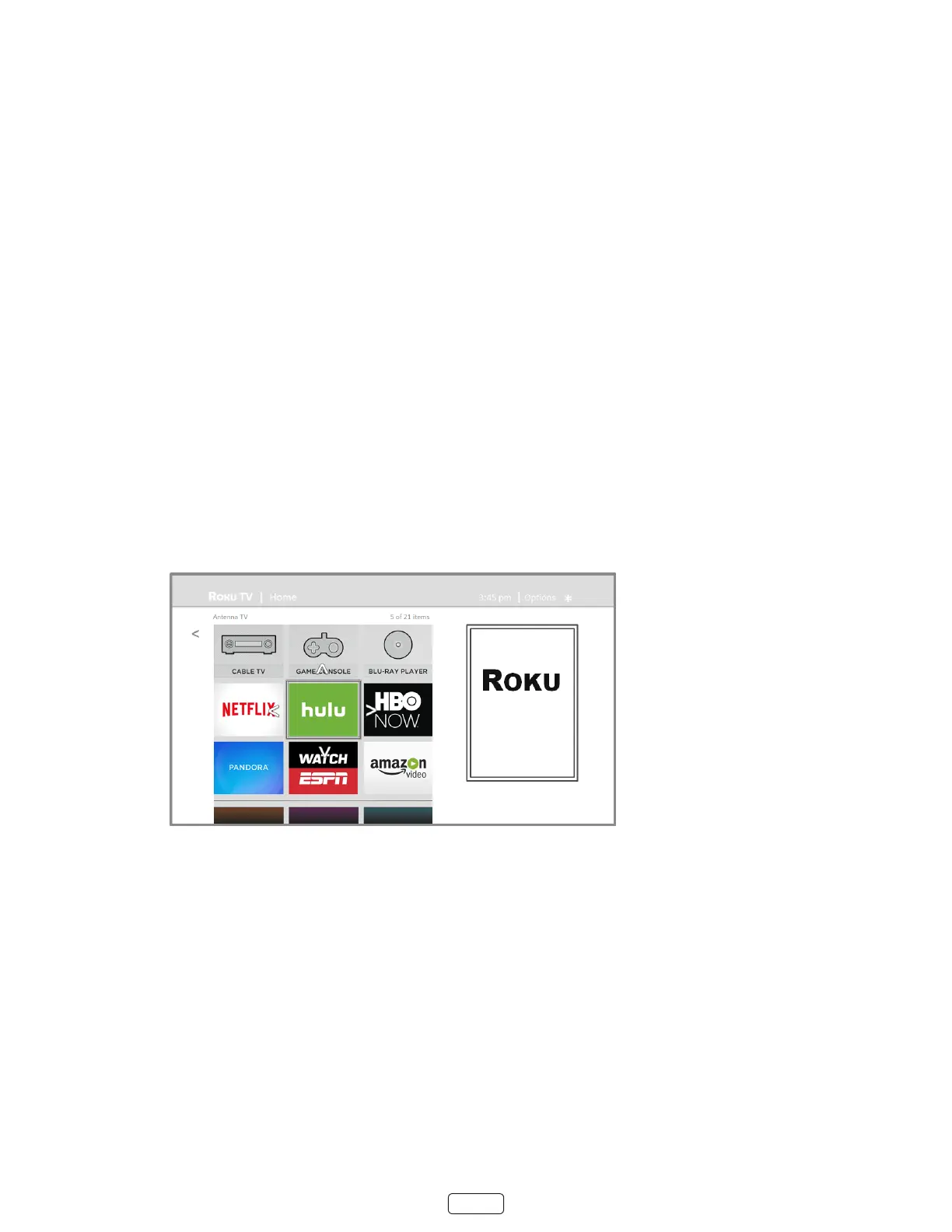
Rearrange tiles
Whenever you add a TV input le, it’s added at the top of your screen. Whenever you add a new streaming chan-
nel from the Roku Channel Store, it’s added at the boom of your screen.
You can easily rearrange the order of the les on the screen to suit your viewing preferences. For example, you
might want to be the rst le in your screen. But if you mostly watch one streaming channel, you
might want its le to be the rst one on your screen.
Rearranging les is easy:
1. From the screen, highlight one of the les you want to move.
2. Press to display a list of opons for the type of le you selected.
3. Select or . The list of opons disappears and the highlighted le shows arrows indicat-
ing how it can be moved
Note: A paid subscripon or other payments may be required for some channels. Channel availability is
subject to change and varies by country. Not all content is available in countries or regions where prod-
ucts with Roku OS are sold.
4. Use the arrow buons to move the highlighted le to its new posion. As you move the le, it pushes other les
out of its way.
5. Press OK to lock the le into its new posion.
6. Repeat these steps to move other les unl you have arranged your screen to your liking.


 To Next Page