What to do if the internal temperature is rising in my Hitachi CP-AW2505?
- BBrian WadeAug 14, 2025
If the internal temperature of your Hitachi Projector is rising, turn the power off and allow the projector to cool down for at least 15 minutes.
What to do if the internal temperature is rising in my Hitachi CP-AW2505?
If the internal temperature of your Hitachi Projector is rising, turn the power off and allow the projector to cool down for at least 15 minutes.
What to do if the lamp doesn't light in my Hitachi CP-AW2505 Projector and it may be overheating?
If the lamp does not light and the interior of your Hitachi Projector may be overheated, turn the power off and allow the projector to cool down for at least 15 minutes.
What to do if the cooling fan is not operating in my Hitachi CP-AW2505 Projector?
If the cooling fan is not operating in your Hitachi Projector, turn the power off and allow the projector to cool down for at least 15 minutes.
What to do if the button operation is not available on my Hitachi CP-AW2505?
If button operation is not available on your Hitachi Projector, turn on the POWER indicator.
How to troubleshoot no input signal on Hitachi CP-AW2505?
If your Hitachi Projector shows no input signal, confirm the signal input connection and the status of the signal source.
What to do if the frequency of the input signal is not within range on my Hitachi Projector?
If the horizontal or vertical frequency of the input signal is not within the specified range for your Hitachi Projector, confirm the specs for your projector or the signal source specs.
What to do if an improper signal is input to my Hitachi CP-AW2505?
If an improper signal is input to your Hitachi Projector, confirm the specs for your projector or the signal source specs.
What does it mean when my Hitachi Projector is in an on state?
Ordinary operations may be performed if your Hitachi Projector is in an on state.
Guidelines for positioning the projector for optimal performance.
Instructions for connecting external devices to the projector.
Procedure for connecting the projector to a power source.
Steps to power on the projector and initial setup dialogs.
Procedure for safely powering down the projector.
Guide to choosing the active input source for the projector.
Procedure for replacing the projector lamp and resetting lamp time.
Instructions for cleaning and replacing the projector's air filter.
Identifying and resolving common operational issues.
Guidelines for positioning the projector for optimal performance.
Instructions for connecting external devices to the projector.
Procedure for connecting the projector to a power source.
Steps to power on the projector and initial setup dialogs.
Procedure for safely powering down the projector.
Guide to choosing the active input source for the projector.
Procedure for replacing the projector lamp and resetting lamp time.
Instructions for cleaning and replacing the projector's air filter.
Identifying and resolving common operational issues.
| Matrix size | 0.59 \ |
|---|---|
| Matrix type | 3-panel (p-Si TFT active) |
| Number of colors | 16.78 million colors |
| Native aspect ratio | 16:10 |
| Projection distance | 0.368 - 0.649 m |
| Projection technology | 3LCD |
| Contrast ratio (typical) | 10000:1 |
| Screen size compatibility | 60 - 100 \ |
| Projector native resolution | WXGA (1280x800) |
| Projector brightness (economic mode) | 1800 ANSI lumens |
| Lamp power | 250 W |
| Light source type | Lamp |
| Service life of light source | 10000 h |
| Digital zoom | 1.35 x |
| Focal length range | - mm |
| 3D | No |
| Full HD | - |
| Supported video modes | 480i, 480p, 576i, 720p, 1080i, 1080p |
| Analog signal format system | NTSC, NTSC 4.43, PAL, PAL 60, PAL M, PAL N, SECAM |
| Microphone in | Yes |
| Audio (L/R) out | 0 |
| Composite video in | 1 |
| Serial interface type | RS-232C |
| USB 2.0 ports quantity | 3 |
| Noise level | 37 dB |
| Noise level (economic mode) | 30 dB |
| RMS rated power | 16 W |
| Placement | Desktop, Ceiling |
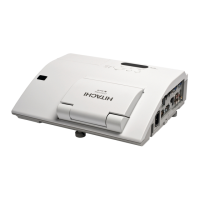
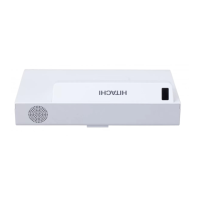
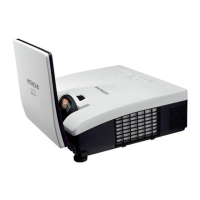
| Product type | Ultra short throw projector |
| Product color | White |
| Cable lock slot type | Kensington |
| Power source | AC |
| AC input voltage | 100 - 240 V |
| AC input frequency | 50 - 60 Hz |
| Power consumption (standby) | 0.35 W |
| Power consumption (typical) | 350 W |
| Sustainability certificates | RoHS |
| Remote control type | IR |
| Depth | 360 mm |
|---|---|
| Width | 377 mm |
| Height | 136 mm |
| Weight | 4300 g |


Loading...