EasyManua.ls Logo

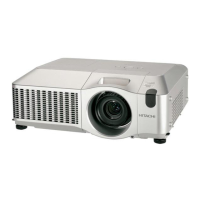
Hitachi CP-X9110 - User Manual

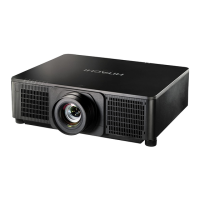
Hitachi CP-X9110
129 pages
Print Icon
To Next Page IconTo Next Page
Loading...
1
0DF
®
LVDUHJLVWHUHGWUDGHPDUNRI$SSOH,QF
:LQGRZV
®
'LUHFW'UDZ
®
DQG'LUHFW'
®
DUHUHJLVWHUHGWUDGHPDUNVRI0LFURVRIW&RUSRUDWLRQ
LQWKH86DQGRURWKHUFRXQWULHV
9(6$DQG''&DUHWUDGHPDUNVRIWKH9LGHR(OHFWURQLFV6WDQGDUG$VVRFLDWLRQ

+'0,
70
WKH+'0,ORJRDQG+LJK'H¿QLWLRQ0XOWLPHGLD,QWHUIDFHDUHWUDGHPDUNVRUUHJLVWHUHG
WUDGHPDUNVRI+'0,/LFHQVLQJ//&LQWKH8QLWHG6WDWHVDQGRWKHUFRXQWULHV

7UDGHPDUN3-/LQNLVDWUDGHPDUNDSSOLHGIRUWUDGHPDUNULJKWVLQ
-DSDQWKH8QLWHG6WDWHVRI$PHULFDDQGRWKHUFRXQWULHVDQGDUHDV
%OXUD\'LVF
70
DQG%OXUD\
70
DUHWUDGHPDUNVRI%OXUD\'LVF$VVRFLDWLRQ
',&20
®
LVWKHUHJLVWHUHGWUDGHPDUNRIWKH1DWLRQDO(OHFWULFDO0DQXIDFWXUHUV$VVRFLDWLRQ
IRULWVVWDQGDUGVSXEOLFDWLRQVUHODWLQJWRGLJLWDOFRPPXQLFDWLRQVRIPHGLFDOLQIRUPDWLRQ
'/3
®
DQGWKH'/3ORJRDUHUHJLVWHUHGWUDGHPDUNVRI7H[DV,QVWUXPHQWV
+'%DVH7DQGWKH+'%DVH7$OOLDQFHORJRDUHWUDGHPDUNVRIWKH+'%DVH7$OOLDQFH
$OORWKHUWUDGHPDUNVDUHWKHSURSHUWLHVRIWKHLUUHVSHFWLYHRZQHUV
Projector
CP-X9110/CP-WX9210/CP-WU9410
User's Manual (detailed)
Operating Guide
Thank you for purchasing this projector.
Ź%HIRUHXVLQJWKLVSURGXFWSOHDVHUHDGDOOPDQXDOVIRUWKLV
SURGXFW%HVXUHWRUHDGSafety Guide¿UVW$IWHUUHDGLQJWKHPVWRUHWKHPLQD
VDIHSODFHIRUIXWXUHUHIHUHQFH
WARNING
NOTE
Trademark acknowledgment
9DULRXVV\PEROVDUHXVHGLQWKLVPDQXDO7KHPHDQLQJVRIWKHVHV\PEROVDUH
GHVFULEHGEHORZ
$ERXWWKLVPDQXDO
WARNING
CAUTION
7KLVV\PEROLQGLFDWHVLQIRUPDWLRQWKDWLILJQRUHGFRXOGSRVVLEO\
UHVXOWLQSHUVRQDOLQMXU\RUHYHQGHDWKGXHWRLQFRUUHFWKDQGOLQJ
7KLVV\PEROLQGLFDWHVLQIRUPDWLRQWKDWLILJQRUHGFRXOGSRVVLEO\
UHVXOWLQSHUVRQDOLQMXU\RUSK\VLFDOGDPDJHGXHWRLQFRUUHFWKDQGOLQJ
3OHDVHUHIHUWRWKHSDJHVZULWWHQIROORZLQJWKLVV\PERO
NOTICE 7KLVHQWU\QRWLFHVRIIHDURIFDXVLQJWURXEOH
7KHLQIRUPDWLRQLQWKLVPDQXDOLVVXEMHFWWRFKDQJHZLWKRXWQRWLFH
7KHLOOXVWUDWLRQVLQWKLVPDQXDODUHIRULOOXVWUDWLYHSXUSRVHV7KH\PD\GLIIHU
VOLJKWO\IURP\RXUSURMHFWRU
7KHPDQXIDFWXUHUDVVXPHVQRUHVSRQVLELOLW\IRUDQ\HUURUVWKDWPD\DSSHDULQ
WKLVPDQXDO
7KHUHSURGXFWLRQWUDQVIHURUFRS\RIDOORUDQ\SDUWRIWKLVGRFXPHQWLVQRW
SHUPLWWHGZLWKRXWH[SUHVVZULWWHQFRQVHQW

Other manuals for Hitachi CP-X9110

Questions and Answers

  • A
    Amy BlackAug 22, 2025
    How to fix out of focus or not superimposed images on Hitachi CP-X9110 Projector?
    • J
      joe44Aug 22, 2025
      If the images on your Hitachi Projector are out of focus or not superimposed well, it's likely that the two images are not correctly aligned. Adjust the images using the FOCUS and SHIFT features to superimpose them properly.
  • C
    Carol FernandezAug 25, 2025
    How to fix Hitachi CP-X9110 Projector wired network communication issues?
    • L
      Linda GravesAug 25, 2025
      If your Hitachi Projector cannot communicate over a wired network, here are some possible solutions: * Ensure the projector and network device are turned on. * Verify the LAN cable is properly connected to the correct port (LAN or HDBaseT, depending on your settings). * If STANDBY MODE is set to SAVING, change it to NORMAL to enable network functions. * Ensure that wireless LAN and wired LAN have different network addresses. * Enable the wired network adapter in your computer's settings. * Check the network settings in the NETWORK INFORMATION – WIRED menu and consult your network administrator for assistance.
  • T
    Timothy WilliamsAug 27, 2025
    Why is my Hitachi CP-X9110 still failing to connect to the wireless network after troubleshooting?
    • K
      Kathryn SmithAug 27, 2025
      If your Hitachi Projector continues to have wireless network connectivity issues, consider these points: * Ensure you are using a supported encryption method. This projector does not support all encryption methods. * Verify that the projector is close enough to the wireless device, and that no steel doors are obstructing the signal. Interference from other wireless devices may also be a factor; consult your network administrator. * Note that the USB wireless adapter (USB-WL-11N) only supports 2.4GHz, not 5GHz. * Make sure that wireless LAN and wired LAN have different network addresses. * Enable the wireless network adapter in your computer's settings. * Try setting the encryption settings of the projector again and reconnect.
  • C
    coledanielleAug 28, 2025
    How to fix Hitachi Projector Web Control display issues?
    • C
      Christopher TylerAug 28, 2025
      If the Web (Projector Web Control) is not displaying correctly, try the following: * Enter the IP address of the projector in your web browser. * Enable JavaScript in your web browser. Consult your browser's help resources for instructions. * Use a recommended web browser such as Internet Explorer 6/7/8/9/10/11. The Projector Web Control may not display correctly in other browsers. * Clear your browser's cache. Refer to your web browser's help for instructions.
  • R
    Rachel AndersonAug 30, 2025
    How to correct time settings on my Hitachi Projector?
    • W
      William EwingAug 30, 2025
      To correct the time settings on your Hitachi Projector: * Set the battery. If the time is off soon after setting the date and time, the battery may be exhausted and need replacement. * Check the settings of the Date/Time Settings menu of the Projector Web Control or the DATE AND TIME menu of the projector. * Connect to the network. * Check the settings of the SNTP server. Consult with your network administrator regarding the settings of the SNTP server. * Set the time difference.
  • S
    Stephen StantonSep 1, 2025
    What to do if Hitachi CP-X9110 Projector cannot send e-mails?
    • K
      karenwillisSep 1, 2025
      If your Hitachi Projector is unable to send emails correctly, please verify the following: * Check if a test email is sent correctly by pressing the [Send Test Mail] button on the Mail Settings screen of the Projector Web Control. * Review the settings on the Mail Settings screen of the Projector Web Control. * Ensure a valid email address is set. * Confirm that the specific Error/Warning is set to be sent on the Mail Settings screen of the Projector Web Control.
  • T
    Tanya BrownSep 3, 2025
    Why is the schedule not running correctly on my Hitachi CP-X9110?
    • E
      Emily TorresSep 3, 2025
      If the schedule is not executing correctly on your Hitachi Projector: * Ensure the projector is turned on. * If STANDBY MODE is set to SAVING, set it to NORMAL to use the schedule function. * Check the Date and Time settings. * Ensure that the lamp of the projector is lighting. Set the program of the schedule function so that the event of MyImage, Messenger and Blank can be executed when the lamp is lighting.
  • M
    Mark PhillipsSep 5, 2025
    How to enable both wireless and wired LAN on Hitachi CP-X9110 Projector?
    • L
      lori61Sep 5, 2025
      To use both wireless LAN and wired LAN on your Hitachi Projector: * Set different network addresses for wireless LAN and wired LAN. * Set the default gateway of either wired LAN or wireless LAN to 0.0.0.0.
  • R
    Richard ElliottSep 7, 2025
    Why Crestron e-Control® is not displayed on my Hitachi CP-X9110?
    • J
      Joseph PorterSep 7, 2025
      If Crestron e-Control® is not displayed on your Hitachi Projector, make sure that: * Adobe® Flash® Player is installed. * You are using a web browser that supports Adobe® Flash® Player. * Crestron e-Control® settings are enabled on the Network Settings – Other Setup screen of the Projector Web Control.
  • V
    vsuttonSep 9, 2025
    What to do if e-mails from Hitachi CP-X9110 Projector don't reach a specific address?
    • R
      rjohnsonSep 9, 2025
      If emails from your Hitachi Projector are not reaching a specific address: * Check the settings on the Mail Settings screen of the Projector Web Control. * Consult with your network administrator.

Summary

Introduction

Features

Highlights the projector's key capabilities and technologies for enhanced user experience.

Setting up

Installing the lens unit

Instructions for attaching or replacing the projector's lens.

Arrangement

Guidance on projector placement and orientation for optimal projection.

Connecting with your devices

Explains how to connect various external devices to the projector.

Connecting to a power supply

Details on safely connecting the projector to an electrical power source.

Remote control

Status Monitor

The current status (Warnings and Errors)

Explains warnings and error codes shown on the status monitor.

Error log

Accessing and viewing the projector's error history log.

Lamp log

Details on viewing lamp usage time and related logs.

Power on;off

Turning on the power

Step-by-step guide for powering on the projector.

Turning off the power

Procedure for safely shutting down the projector.

Operating

Selecting an input signal

How to choose and switch between different input sources.

Selecting an aspect ratio

Adjusts the display's aspect ratio for various signals.

Adjusting the lens

Instructions for adjusting zoom, focus, and lens position.

Lens memory

How to save and recall lens adjustment settings.

Using the automatic adjustment feature

How to automatically adjust image position and phase.

Geometry correction

Features for correcting image distortion like keystone and blending.

Correcting the distortion

Step-by-step guide for adjusting image shape and alignment.

Security

SECURITY PASSWORD CHANGE

How to modify the security password for various functions.

Maintenance

Replacing the lamp

Step-by-step instructions for replacing the projector lamp.

Cleaning and replacing the air filter

Procedure for cleaning or replacing the projector's air filter.

Troubleshooting

Warnings displayed on the Status Monitor

Alerts shown on the status monitor for errors or issues.

Phenomena that may be easy to be mistaken for machine defects

Identifies non-defect causes for common projector issues.

Hitachi CP-X9110 Specifications

General IconGeneral
BrandHitachi
ModelCP-X9110
CategoryProjector
LanguageEnglish

Related product manuals