INSTALLATION
PMML0503 rev.0 - 05/20194
3.2 START UP PROCESS
1 Connect the device to the network using a LAN cable.
2 Turn the device On.
3 There are two ways to interface with the device:
a. Direct Connection:
i. Connect PC to CSNET Lite using USB cable (supplied with
FRQ¿JXUDWLRQNLW
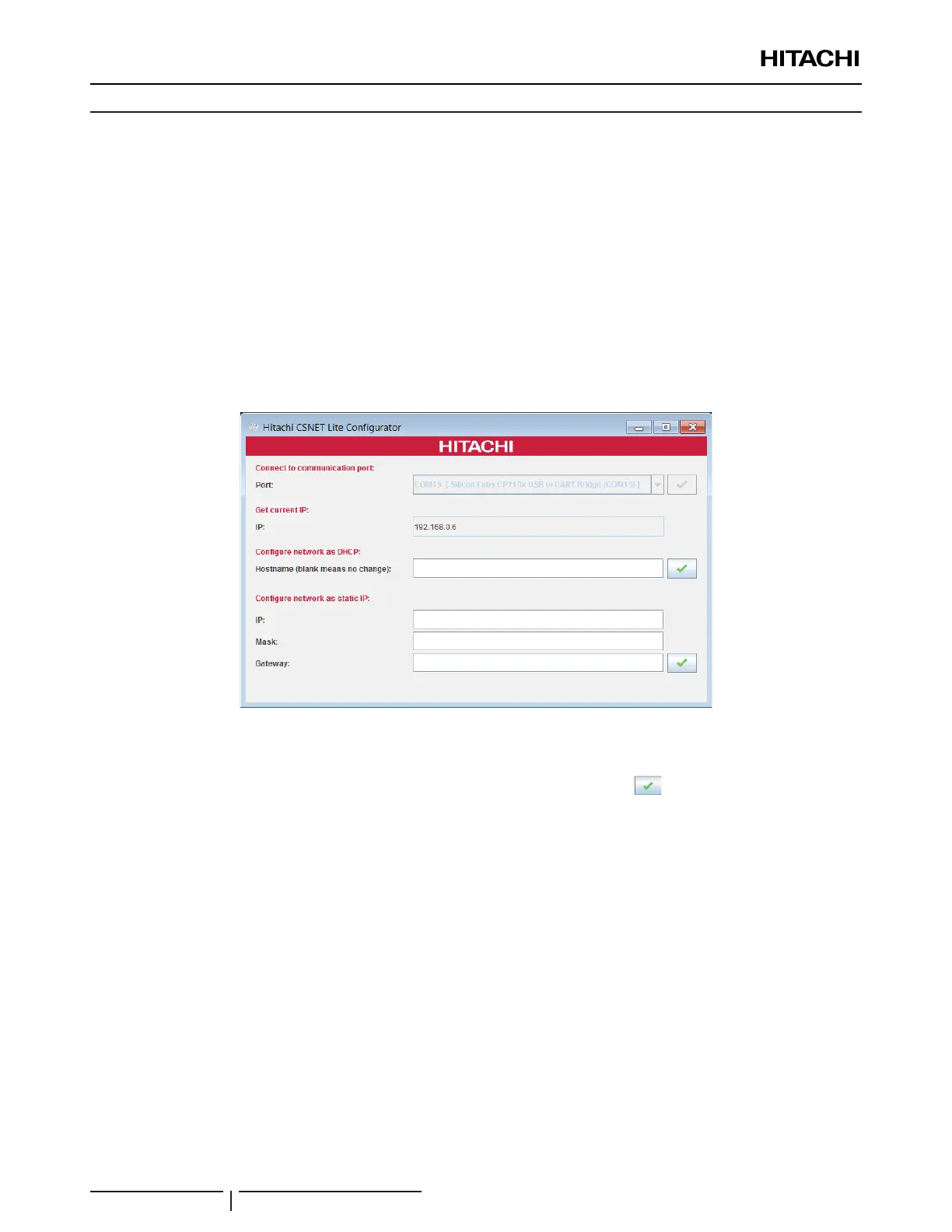
ii. 8VH&61(7/LWHFRQ¿JXUDWLRQWRROWRFRQQHFWWR&61(7/LWH
VXSSOLHGZLWKFRQ¿JXUDWLRQNLW
&61(7/LWHFRQ¿JXUDWLRQWRRO
iii. Select communication port and click connect .
iv. &RQ¿JXUHQHWZRUNDV'+&3LWLVQHFHVVDU\WRJLYHDKRVWQDPH
This hostname is given by the customer IT service.
v. &RQ¿JXUHQHWZRUNDVVWDWLF,3LWLVQHFHVVDU\WR¿OO,30DVNDQG
*DWHZD\¿HOGV7KLVLQIRUPDWLRQLVJLYHQE\WKHFXVWRPHU,7VHUYLFH
N O T E
Any changes may require some time to be updated by network server.
,3¿HOGJLYHVLQIRUPDWLRQDERXWFRQ¿JXUDWLRQVWDWH
b. Remote Connection:
i. Use a computer connected to the same network as the device.
ii. Open the address https://192.168.0.6 in a web browser.



 To Previous Page