-2-
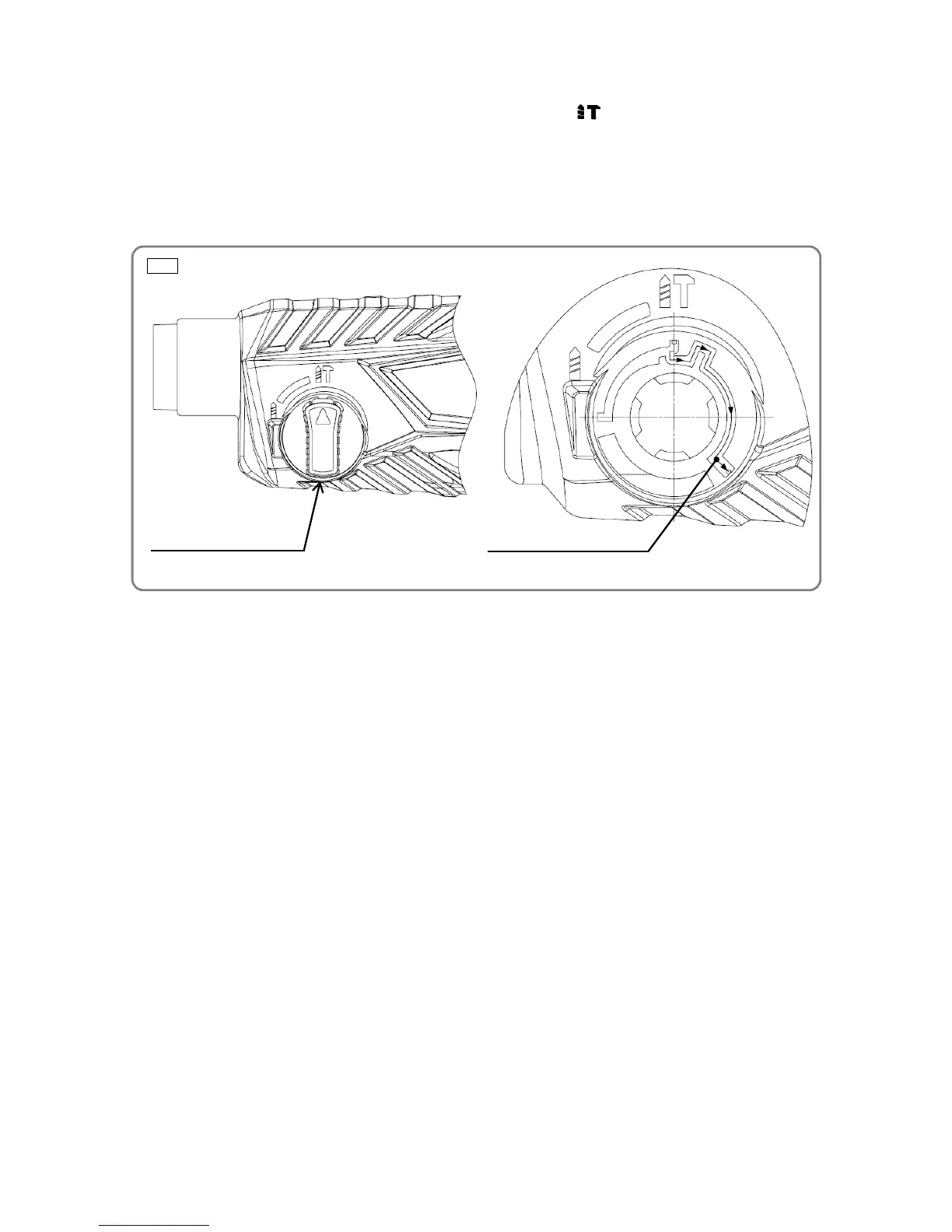
Fig. 2 Ɣ Removal of the change lever
Change Lever (13)<12>{12}
Pushing Button [11] pin route
2. Removing the change lever
Push in the Pushing Button [11] at the "Rotation + Hammering" ( mark) position, turn the Change
Lever (13)<12>{12} counterclockwise a little, and then fully push in the Pushing Button [11]. In this state,
turn the Change Lever (13)<12>{12} clockwise. When the lever stops, release the Pushing Button [11]
and then turn the Change Lever (13)<12>{12} clockwise. When the lever stops again, push in the Pushing
Button [11] and then turn the Change Lever (13)<12>{12} clockwise once more. At this position, ply up
the Change Lever (13)<12>{12} in order to remove it.



 To Next Page