OPERATOR’S STATION
1-34
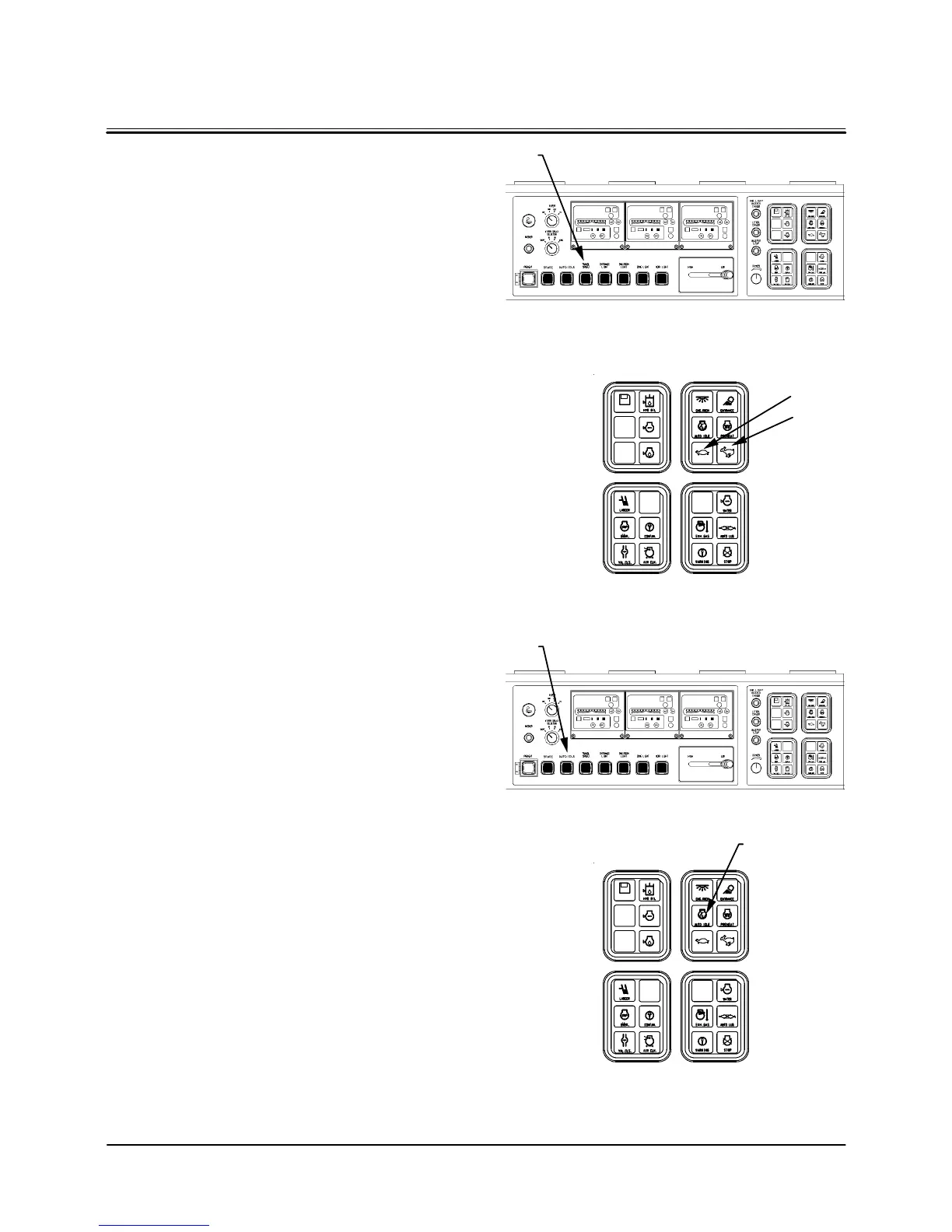
TRAVEL SPEED SWITCH
Fast speed (rabbit) and slow speed (turtle) can be selected
by pushing travel speed switch (1).
2- Travel Mode Indicator (Slow Speed)
3- Travel Mode Indicator (Fast Speed)
AUTO-IDLE SWITCH
While auto-idle switch (4) is turned on, engine speed de-
creases to the auto-idle setting from the engine speed con-
trol lever setting approximately 4 seconds after the control
levers are returned to neutral. Auto-idle indicator (5) stays
on while auto-idle switch (4) is turned on.
Push auto-idle switch (4) again to turn off the auto-idle func-
tion. Auto-idle indicator (5) will also be turned off.
M18C-01-020
M18C-01-024
M18C-01-020
M18C-01-024
1
4
5
2
3


 To Next Page