EasyManua.ls Logo

Hitachi HCUR700E - User Manual

Hitachi HCUR700E
248 pages
Print Icon
To Next Page IconTo Next Page
Loading...
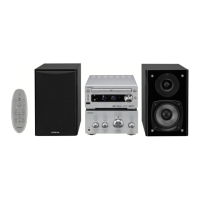
MINI COMPONENT
HI-FI SYSTEM
HCUR700E
AV SURROUND RECEIVER HTAR150E
DVD/CD/VIDEO CD PLAYER HDVR100E
Instruction manual
Bedienungsanleitung
Mode d’emploi
Οδηγίες χρήσης
Guía de operación
Istruzioni per l’uso
Gebruiksaanwijzing
Bruksanvisning
Betjeningsvejledning
Ohjekirja
Bruksanvisning
Before operating please read all these instructions thoroughly.
Bitte lesen Sie diese Bedienungsanleitung vor der Inbetriebnahme sorgfältig durch.
Veuiltez lire ces instructions dans le détail avant de mettre l’appareil en fonction.
Πριν θέσετε σε λειτουργία τη µονάδα, παρακαλούµε διαβάστε προσεκτικά λες αυτές τις οδηγίες.
Antes de ponerlo en funcionamiento lea la totalidad de estas instrucciones.
Prima dell’uso, leggere attentamente le seguenti istruzioni.
Lees deze gebruiksaanwijzing aandachtig door alvorens dit toestel in gebruik te nemen.
Läs dessa anvisningar noga, innan du börjar att använda apparaten.
Læs venligst instruktionerne igennem, før De tager apparatet i brug.
Lue ennen käyttöä nämä ohjeet huolellisesti läpi.
Vennligst les nøye igjennom alle instruksene før bruk.
Manufactured under license from Dolby Laboratories. “Dolby” , “Pro Logic” and the double D symbol
are trademarks of Dolby Laboratories.
Confidential Unpublished Works. © 1992-1997 Dolby Laboratories, Inc. All rights reserved.
This product incorporates copyright protection technology that is protected by method claims of certain
U.S. patents and other intellectual property rights owned by Macrovision Corporation and other rights
owners. Use of this copyright protection technology must be authorized by Macrovision Corporation,
and is intended for home and other limited viewing uses only unless otherwise authorized by
Macrovision Corporation. Reverse engineering or disassembly is prohibited.

Table of Contents

Questions and Answers

  • M
    mitchell88Sep 9, 2025
    Why audio language does not switch on my Hitachi Stereo System?
    • O
      omillerSep 9, 2025
      The audio (or subtitle) language does not switch for discs which do not include multiple audio (or subtitle) languages on Hitachi Stereo System. For some discs the audio (or subtitle) language cannot be switched when the operation to switch it is performed, but can be switched on the menu screens.
  • C
    Catherine HoltAug 23, 2025
    How to fix my Hitachi Stereo System if it doesn't turn on?
    • T
      tom19Aug 23, 2025
      If your Hitachi Stereo System isn't turning on, ensure the power cord is securely plugged into an outlet.
  • C
    cphillipsAug 25, 2025
    What to do if I hear hissing sound in FM programs on my Hitachi Stereo System?
    • L
      Laurie TorresAug 25, 2025
      If you're hearing a hissing sound in FM programs on your Hitachi Stereo System, it might be due to weak signals from the broadcast station. Try changing the direction of the antenna or consider installing an outdoor antenna.
  • R
    robert65Aug 27, 2025
    What to do if my Hitachi Stereo System plays a source other than the desired one?
    • K
      Kathleen FernandezAug 27, 2025
      If your Hitachi Stereo System is playing a source you didn't select, check the FUNCTION knob setting and the INPUT MODE switch.
  • B
    Beth StevensAug 28, 2025
    Why does playback not start when I press play on my Hitachi Stereo System?
    • W
      William Torres IIIAug 28, 2025
      If playback doesn't start or stops immediately on your Hitachi Stereo System, consider these points: First, if there's condensation on the disc or player, let it stand for 1 to 2 hours. Ensure you're using compatible discs (DVDs, video CDs, and music CDs). Finally, wipe off any dirt from the disc.
  • C
    cbrownAug 29, 2025
    What to do if I hear hissing sound in AM programs on my Hitachi Stereo System?
    • M
      Michelle BentleyAug 29, 2025
      If you're hearing a hissing sound in AM programs on your Hitachi Stereo System, try these steps: Turn off any nearby TVs. Change the direction of the loop antenna. If the signals from the broadcast station are weak, consider installing an outdoor antenna.
  • M
    Mrs. Kim PerezSep 18, 2025
    Why picture is not displayed in 4:3 (or 16:9) on my Hitachi Stereo System?
    • S
      Steven RojasSep 18, 2025
      Set the “TV ASPECT” default setting to the proper setting for the connected TV on Hitachi Stereo System.
  • R
    Ryan BestSep 19, 2025
    Why menu screen messages for the desired language do not display on my Hitachi Stereo System?
    • A
      alyssagoodmanSep 22, 2025
      Check the default setting for the disc language’s menu language on Hitachi Stereo System.
  • T
    Travis LeonardSep 8, 2025
    Why do buttons not operate on my Hitachi Stereo System?
    • J
      Jeremy ElliottSep 8, 2025
      Some operations are disabled for some discs on Hitachi Stereo System.
  • S
    Shaun MartinSep 4, 2025
    Why is menu playback of video CD’s not possible on Hitachi Stereo System?
    • M
      Mr. Brian HarrisSep 4, 2025
      Menu playback is not possible with anything but video CDs with playback control on Hitachi Stereo System.

Hitachi HCUR700E Specifications

General IconGeneral
BrandHitachi
ModelHCUR700E
CategoryStereo System
LanguageEnglish

Related product manuals