EasyManua.ls Logo

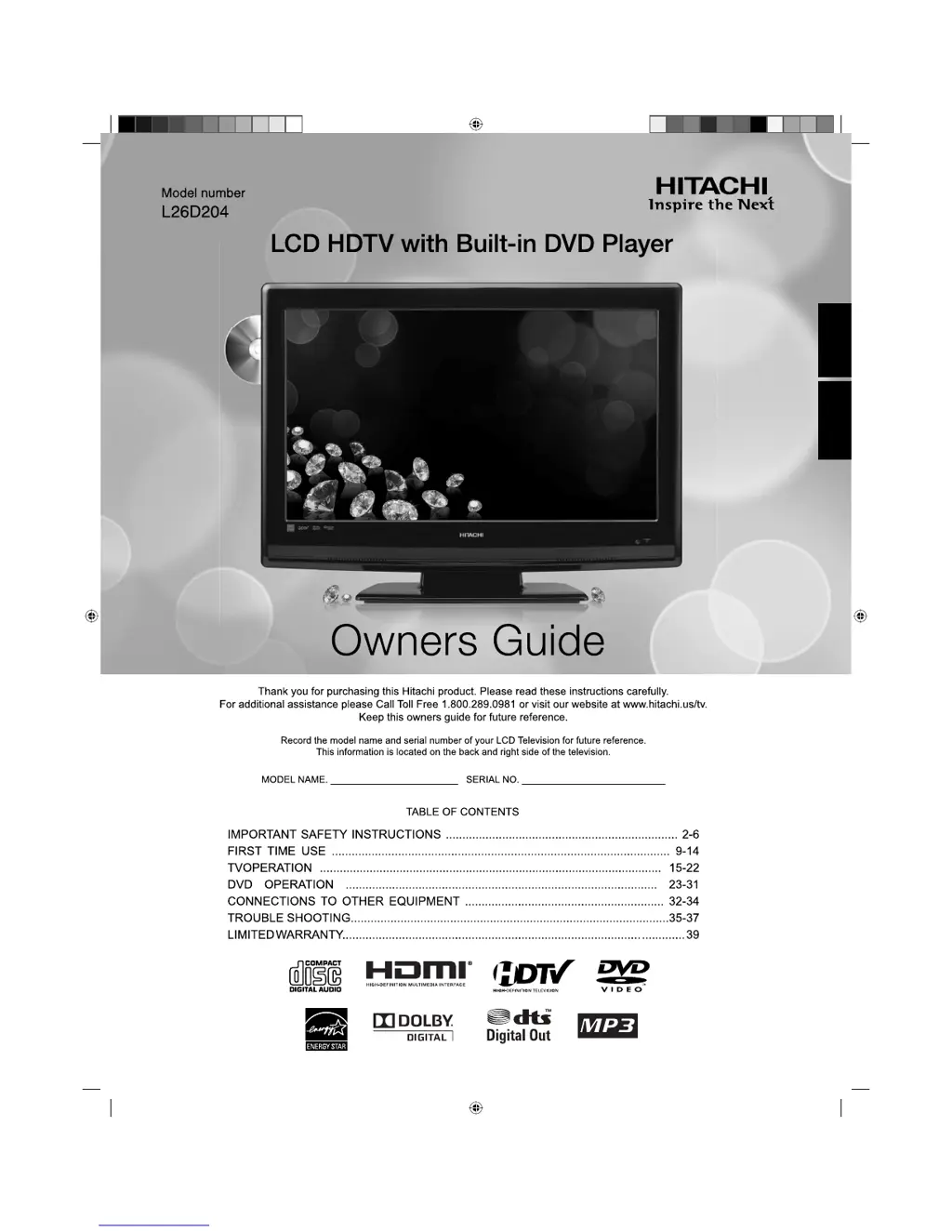
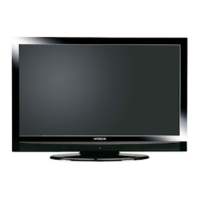
Hitachi L26D204 - User Manual

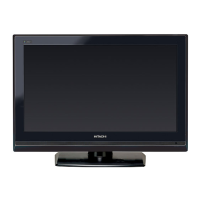
Hitachi L26D204
39 pages
Print Icon
To Next Page IconTo Next Page
Loading...
ESPAÑOL ENGLISH
54H0321A_eng.indd 154H0321A_eng.indd 1 5/4/10 3:43:22 PM5/4/10 3:43:22 PM

Questions and Answers

Summary

IMPORTANT SAFETY INSTRUCTIONS

CHILD SAFETY NOTICE

SAFETY PRECAUTIONS

IMPORTANT NOTICE

Important technical notes and limitations regarding product performance.

Features

LCD color TV With DVD;CD player

Description of the integrated 26-inch LCD TV and DVD/CD player.

Compatible with a wide range of DVD audio outputs

Details on audio connection options for DVD playback.

Convenience Features

Overview of user-friendly features for TV operation.

Disc

Playable discs

Lists the types of discs supported for playback by the unit.

Removing Disc from Case

Instructions on how to safely remove a disc from its case.

Storing Disc

Guidelines for proper storage of discs to prevent damage.

Location of controls

Front

Identification of controls and indicators on the front panel of the TV.

Rear side

Identification of input/output jacks and ports on the rear panel.

Remote control

Inserting Batteries

Operation

Guidance on how to use the remote control effectively.

Power source

Information on connecting the unit to an AC power outlet.

Antenna connections

Combination VHF;UHF Antenna (Single 75 ohm cable or 300 ohm twin-lead wire)

Connection for a single-cable VHF/UHF antenna system.

Combination VHF;UHF Antenna (Separate VHF and UHF 300 ohm twin-lead wires)

Connection for separate VHF/UHF antennas using twin-lead wires.

Separate VHF;UHF Antennas (75 ohm VHF cable and 300 ohm UHF twin-lead wires)

Connection for separate VHF/UHF antennas with mixed cable types.

Cable TV connections

For subscribers to basic Cable TV service

How to connect to basic cable TV service without a converter.

For subscribers to scrambled Cable TV service

Connecting with a converter/descrambler box for scrambled channels.

For subscribers to unscrambled Cable TV service with scrambled premium channels

Using a splitter and A/B switch for mixed cable services.

Starting setup

TV operation

Basic steps for turning on the TV and adjusting initial settings.

Quick guide for menu operation

DISPLAY function

How to display current information on the TV screen.

LAST CH function

How to switch between the last viewed channels.

MUTE function

How to temporarily silence the TV's sound output.

SLEEP timer

How to set the TV to turn off automatically after a set period.

Convenience functions

Video Picture Setting

Adjusting picture quality settings like brightness, contrast, and color.

Audio

Adjusting sound quality settings like bass, treble, and MTS.

Locks

Accessing security and parental control features.

Setup

Configuring various system settings including language and timers.

Memorizing channels

Air;Cable selection

Selecting between antenna or cable input sources.

Automatic search

Scanning and storing available TV channels into memory.

Adding Channel

How to manually add a newly found digital channel to memory.

Add;Delete channel (View;Skip)

Managing channel list by skipping or viewing specific channels.

Clear All

Deleting all memorized channels from the TV's memory.

Checking the digital-signal strength

Labeling channels

Assigning custom names to TV channels for easier identification.

Labeling video inputs

Assigning custom names to video input sources.

Setting the Parental Control

Setting up a password to restrict content based on age ratings.

Parental Control

Level Change

Adjusting the content rating limits for TV and movie playback.

Change Password

Modifying the existing password for parental controls.

Country Code

Setting the country code to ensure correct rating system application.

Closed Caption

CC advanced

Customizing the appearance and display of closed captions.

Aspect Switching

Changing the picture's aspect ratio for optimal viewing.

Preparation

Playback procedure

Step-by-step guide to playing a disc on the unit.

Status display of disc

Viewing information about the currently inserted disc.

Special playback

Fast Forward Playback

Accelerating playback speed to quickly scan through content.

Review Playback

Reversing playback speed to scan backward through content.

Still Playback

Pausing playback to view a static image.

Frame Advance

Moving playback one frame at a time.

Slow-motion Playback

Playing back content at reduced speeds.

Locating a chapter or track

Navigating directly to specific chapters or tracks on a disc.

Zooming

Magnifying parts of the picture for closer viewing.

Locating desired scene

Finding specific scenes using title, chapter, or time.

A-B Repeat playback

Repeating a selected segment of content between two points.

Marking desired scenes

Marking the scenes

Storing up to 12 points in a disc for quick resume playback.

Returning to the scenes

Accessing previously marked scenes for playback.

Changing angles

Changing soundtrack language

Selecting the audio language for multilingual discs.

Subtitles

Changing or turning off subtitle language display.

Using HOME MENU

Playing a disc

Navigating the disc menu to select playback options.

Playing a file

Selecting and playing individual files from a disc.

Program playback

Locating desired scene

Finding specific scenes within a program.

Audio Settings menu

Adjusting audio output settings like equalizer and DRC.

Video Adjust menu

Quick guide for DVD menu operation

A quick walkthrough of DVD menu navigation and settings.

Function Setup

Parental Control

Level Change

Adjusting the content rating limits for TV and movie playback.

Change Password

Modifying the existing password for parental controls.

Country Code

Setting the country code to ensure correct rating system application.

Language Code List

Country;Area Code List

Reference list of country codes and their corresponding letters.

Connections to other equipment

To connect the LCD TV;DVD to a VCR

Guide for connecting the TV/DVD to a VCR using standard or S-Video cables.

To connect to a DVD player with Component Video Input

Connecting to a DVD player using component video for higher picture quality.

Connections to other equipment (continued)

To connect a HDMI or a DVI device to the unit

Connecting HDMI or DVI devices for digital audio and video signals.

Using an AV Amplifier with built-in digital surround

Connecting to an AV amplifier for enhanced surround sound audio.

Connections to other equipment (continued)

To connect an audio system

Connecting the unit to an external audio system for sound output.

To connect the TV;DVD to a camcorder, or a TV Game

Connecting camcorders or game consoles for playback or display.

To connect the TV;DVD to a PC (Personal Computer)

Connecting the TV/DVD to a PC to use it as a monitor.

Reception disturbances

Problems and troubleshooting

Problems and troubleshooting (continued)

Specifications

LIMITED WARRANTY

Summary

IMPORTANT SAFETY INSTRUCTIONS

CHILD SAFETY NOTICE

SAFETY PRECAUTIONS

IMPORTANT NOTICE

Important technical notes and limitations regarding product performance.

Features

LCD color TV With DVD;CD player

Description of the integrated 26-inch LCD TV and DVD/CD player.

Compatible with a wide range of DVD audio outputs

Details on audio connection options for DVD playback.

Convenience Features

Overview of user-friendly features for TV operation.

Disc

Playable discs

Lists the types of discs supported for playback by the unit.

Removing Disc from Case

Instructions on how to safely remove a disc from its case.

Storing Disc

Guidelines for proper storage of discs to prevent damage.

Location of controls

Front

Identification of controls and indicators on the front panel of the TV.

Rear side

Identification of input/output jacks and ports on the rear panel.

Remote control

Inserting Batteries

Operation

Guidance on how to use the remote control effectively.

Power source

Information on connecting the unit to an AC power outlet.

Antenna connections

Combination VHF;UHF Antenna (Single 75 ohm cable or 300 ohm twin-lead wire)

Connection for a single-cable VHF/UHF antenna system.

Combination VHF;UHF Antenna (Separate VHF and UHF 300 ohm twin-lead wires)

Connection for separate VHF/UHF antennas using twin-lead wires.

Separate VHF;UHF Antennas (75 ohm VHF cable and 300 ohm UHF twin-lead wires)

Connection for separate VHF/UHF antennas with mixed cable types.

Cable TV connections

For subscribers to basic Cable TV service

How to connect to basic cable TV service without a converter.

For subscribers to scrambled Cable TV service

Connecting with a converter/descrambler box for scrambled channels.

For subscribers to unscrambled Cable TV service with scrambled premium channels

Using a splitter and A/B switch for mixed cable services.

Starting setup

TV operation

Basic steps for turning on the TV and adjusting initial settings.

Quick guide for menu operation

DISPLAY function

How to display current information on the TV screen.

LAST CH function

How to switch between the last viewed channels.

MUTE function

How to temporarily silence the TV's sound output.

SLEEP timer

How to set the TV to turn off automatically after a set period.

Convenience functions

Video Picture Setting

Adjusting picture quality settings like brightness, contrast, and color.

Audio

Adjusting sound quality settings like bass, treble, and MTS.

Locks

Accessing security and parental control features.

Setup

Configuring various system settings including language and timers.

Memorizing channels

Air;Cable selection

Selecting between antenna or cable input sources.

Automatic search

Scanning and storing available TV channels into memory.

Adding Channel

How to manually add a newly found digital channel to memory.

Add;Delete channel (View;Skip)

Managing channel list by skipping or viewing specific channels.

Clear All

Deleting all memorized channels from the TV's memory.

Checking the digital-signal strength

Labeling channels

Assigning custom names to TV channels for easier identification.

Labeling video inputs

Assigning custom names to video input sources.

Setting the Parental Control

Setting up a password to restrict content based on age ratings.

Parental Control

Level Change

Adjusting the content rating limits for TV and movie playback.

Change Password

Modifying the existing password for parental controls.

Country Code

Setting the country code to ensure correct rating system application.

Closed Caption

CC advanced

Customizing the appearance and display of closed captions.

Aspect Switching

Changing the picture's aspect ratio for optimal viewing.

Preparation

Playback procedure

Step-by-step guide to playing a disc on the unit.

Status display of disc

Viewing information about the currently inserted disc.

Special playback

Fast Forward Playback

Accelerating playback speed to quickly scan through content.

Review Playback

Reversing playback speed to scan backward through content.

Still Playback

Pausing playback to view a static image.

Frame Advance

Moving playback one frame at a time.

Slow-motion Playback

Playing back content at reduced speeds.

Locating a chapter or track

Navigating directly to specific chapters or tracks on a disc.

Zooming

Magnifying parts of the picture for closer viewing.

Locating desired scene

Finding specific scenes using title, chapter, or time.

A-B Repeat playback

Repeating a selected segment of content between two points.

Marking desired scenes

Marking the scenes

Storing up to 12 points in a disc for quick resume playback.

Returning to the scenes

Accessing previously marked scenes for playback.

Changing angles

Changing soundtrack language

Selecting the audio language for multilingual discs.

Subtitles

Changing or turning off subtitle language display.

Using HOME MENU

Playing a disc

Navigating the disc menu to select playback options.

Playing a file

Selecting and playing individual files from a disc.

Program playback

Locating desired scene

Finding specific scenes within a program.

Audio Settings menu

Adjusting audio output settings like equalizer and DRC.

Video Adjust menu

Quick guide for DVD menu operation

A quick walkthrough of DVD menu navigation and settings.

Function Setup

Parental Control

Level Change

Adjusting the content rating limits for TV and movie playback.

Change Password

Modifying the existing password for parental controls.

Country Code

Setting the country code to ensure correct rating system application.

Language Code List

Country;Area Code List

Reference list of country codes and their corresponding letters.

Connections to other equipment

To connect the LCD TV;DVD to a VCR

Guide for connecting the TV/DVD to a VCR using standard or S-Video cables.

To connect to a DVD player with Component Video Input

Connecting to a DVD player using component video for higher picture quality.

Connections to other equipment (continued)

To connect a HDMI or a DVI device to the unit

Connecting HDMI or DVI devices for digital audio and video signals.

Using an AV Amplifier with built-in digital surround

Connecting to an AV amplifier for enhanced surround sound audio.

Connections to other equipment (continued)

To connect an audio system

Connecting the unit to an external audio system for sound output.

To connect the TV;DVD to a camcorder, or a TV Game

Connecting camcorders or game consoles for playback or display.

To connect the TV;DVD to a PC (Personal Computer)

Connecting the TV/DVD to a PC to use it as a monitor.

Reception disturbances

Problems and troubleshooting

Problems and troubleshooting (continued)

Specifications

LIMITED WARRANTY

Hitachi L26D204 Specifications

General IconGeneral
Screen Size26 inches
Display TypeLCD
HDMI Ports2
USB Ports1
Audio Output2 x 5W
Aspect Ratio16:9
Brightness450 cd/m²
Contrast Ratio1000:1
Response Time8 ms
VGA Port1
Weight8.5 kg
Resolution1366 x 768
Viewing Angle178°

Related product manuals