Need help?
Do you have a question about the Hitachi LE50A6R9 and is the answer not in the manual?
Defines cautionary flags (WARNING, CAUTION) and icons (MUST, DO NOT, CAUTION, ELECTRIC SHOCK).
Guidelines for safe repair procedures, including handling high voltage, using correct parts, and performing checks.
Flowchart to diagnose and resolve 'No power' issues on the TV.
Flowchart for troubleshooting TV power issues when the LED is red.
Flowchart for diagnosing 'No Picture' problems when the power LED is blue.
Flowchart for diagnosing and resolving backlight failures on the TV.
Flowchart for troubleshooting problems with receiving TV channels.
Flowchart for diagnosing and resolving remote control malfunctions.
Describes and provides troubleshooting steps for 'Solarized Picture' image defects.
Describes and provides troubleshooting steps for 'Image Retention' or 'after image' defects.
Explains normal and extreme light leakage and its visual impact on the screen.
Identifies 'Multiple Vertical Bars' as a panel defect requiring replacement.
Details panel damage that is not covered under warranty, such as physical damage.
Visual identification of the TV's power supply board.
Visual identification of the main board and T-CON board, including connector details.
This document serves as a comprehensive service manual for the Hitachi LE50A6R9 50" LED LCD TV with Roku, designed to guide qualified service personnel through various aspects of its maintenance and repair. It emphasizes safety, proper handling, and systematic troubleshooting to ensure the longevity and optimal performance of the device.
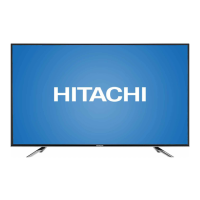
The Hitachi LE50A6R9 is a 50-inch LED LCD television integrated with Roku functionality, offering a wide range of entertainment options. At its core, the television processes video and audio signals from various input sources, including composite video, component video, PC input (VGA), and multiple HDMI ports. The main board, featuring the MSD3393LU chip, acts as the central processing unit, handling video decoding, image processing, and analog-to-digital/digital-to-analog conversions. This ensures that content from different sources is rendered with clarity and accuracy on the LED LCD panel.
Audio processing is managed by the RT9108 chip, which functions as a stereo (BTL) analog input audio amplifier with power limiting and DC detection capabilities. This allows the TV to deliver clear and robust sound, complementing the visual experience. The MXL661 chip is responsible for tuning and processing the IF signal from the tuner, enabling the reception of broadcast channels.
Power management is a critical function, with several components dedicated to regulating and distributing power across the various boards. The MP1471GJ chip converts 12VS to 5VS, while the SGM2554AYN5G/TR$ET20112-EN chip handles 5VS to HDMI3/5V. The SY8008B chip provides 5VS to 1.15VS VDDC for the main chip, and the LR1117/A-3.3$AZ1117H-3.3TR chip converts 5VS to 3.3VS for the main chip and flash memory. Additionally, the AZ1117H-ADJTRE1 chip supplies 5V to 1.8V for DDR2 memory, ensuring stable operation of the dynamic random-access memory. The GD25Q32B-104HIP chip serves as the flash memory, storing essential firmware and settings for the TV's operation.
The television's design incorporates an inverter and a T-con board to manage the display panel. The inverter is responsible for providing the necessary power to the LED backlight, while the T-con board controls the timing and signals sent to the LCD panel, ensuring proper image display. The LVDS (Low-Voltage Differential Signaling) cable connects the main board to the T-con board, transmitting high-speed video data.
The Hitachi LE50A6R9 offers a user-friendly experience with various input options and control mechanisms. Users can navigate the TV's functions using either the remote control or the keypad buttons located on the device. The integration of Roku provides access to a vast library of streaming content, enhancing the TV's utility beyond traditional broadcasting.
The service mode, accessible by pressing the Input key on the remote and entering "3138," allows qualified personnel to perform advanced diagnostics and adjustments. This mode is crucial for fine-tuning settings, updating software, and troubleshooting complex issues that may not be resolvable through standard user menus.
Software updates are a key feature, enabling the TV to receive enhancements and bug fixes. These updates can be performed via a USB stick, ensuring that the TV's firmware remains current and optimized. The process involves copying software files to a USB stick, inserting it into the TV, and initiating the update through the service mode. This ensures that the TV can adapt to new technologies and maintain peak performance over time.
For connectivity, the TV includes multiple HDMI ports, which are essential for connecting modern devices such as Blu-ray players, gaming consoles, and streaming devices. The HDMI3 port is specifically designed for Roku Stick input, highlighting the TV's integrated streaming capabilities. Other inputs like AV, RF, PC, and PC Audio provide versatility for connecting older devices or computers.
Maintenance of the Hitachi LE50A6R9 is designed to be straightforward for qualified service personnel, with a strong emphasis on safety and proper procedures. The manual provides detailed instructions for troubleshooting common issues, from "no power" scenarios to picture and sound problems.
For "no power" issues, the troubleshooting guide directs servicers to verify power cord connections, outlet functionality, and the responsiveness of both the panel buttons and the remote control. Depending on the diagnosis, the guide recommends replacing the power supply, main board, or, as a last resort, the panel itself.
Picture-related issues, such as "no picture" with a blue power LED, are addressed by checking if an AC reset resolves the problem and then proceeding to diagnose backlight status and OSD (On-Screen Display) functionality. Problems like "solarized picture" or "image retention" are typically attributed to a faulty panel or main board, with replacement being the recommended solution.
Sound issues and channel reception problems are also covered. For channel reception, the manual advises checking antenna or CATV connections, performing channel scans, and, if necessary, replacing the main board. Remote control issues are addressed by troubleshooting the remote itself (removing batteries, performing a reset, cleaning the sensor lens) and, if the problem persists, replacing the IR board or the main board.
The manual stresses the importance of using lead-free solder (PbF) for all servicing and repairs, aligning with environmental responsibility standards. It also provides specific warnings regarding electrostatic discharge (ESD) sensitive devices, advising technicians to take precautions such as wearing wrist straps and placing assemblies on conductive surfaces to prevent damage.
Cleaning instructions are provided for both the LCD screen panel and the TV's cabinet. For the screen, a soft cloth moistened with warm water and mild detergent is recommended, while harsh or abrasive cleaners are to be avoided. The cabinet can be cleaned with a soft cloth and a neutral detergent solution, with a strict warning against using acid/alkaline detergents, alcohol-based cleaners, or abrasive materials to prevent discoloration or damage.
The document also outlines the primary part numbers for key components like the main board, power supply, remote receiver board, keypad board, speaker, and remote control, facilitating efficient part ordering and replacement. It clarifies that the product is serviced at the board/assembly level, and component-level service is not supported for this model. For warranty issues, servicers are directed to contact the Call Center for triage and part shipments, ensuring a streamlined repair process.
 General
| Aspect Ratio | 16:9 |
|---|---|
| Refresh Rate | 60 Hz |
| HDMI Ports | 3 |
| USB Ports | 2 |
| Built-in Wi-Fi | Yes |
| Smart TV | Yes |
| Screen Size | 50 inches |
| Operating System | Android |

 To Next Page