EasyManua.ls Logo

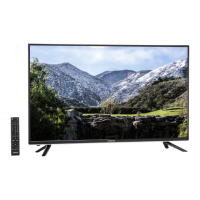
Hitachi LE43A6R9 - User Manual

Hitachi LE43A6R9
20 pages
Print Icon
To Next Page IconTo Next Page
Loading...
HitachiServiceManual‐
LE43A6R9

Hitachi America Limited
2420 Fenton StreetSuite 2oo
Chula VistaCA91914
10/23/2015
43”LEDLCDTV
withRoku
©2015
Question and Answer IconNeed help?

Do you have a question about the Hitachi LE43A6R9 and is the answer not in the manual?

Summary

Service Precautions

Service Warnings and Precautions

Critical warnings and safety precautions for technicians performing service.

Handling ES Sensitive Devices

Handling precautions for electronic components sensitive to static discharge.

Lead-Free Solder Information

Information regarding the use of lead-free solder in product repair.

Safety Guidelines

General Safety and Electric Shock Prevention

Follow all instructions, prevent shock by disconnecting power, and be aware of hazards.

Component and Wire Integrity

Use correct components and wires; restore parts to original condition for safety.

Post-Repair Safety Checks

Ensure all parts are correctly reassembled and check insulation resistance after servicing.

Features and Specifications

Video Input Specifications

Lists supported Composite, Component, and HDMI video input formats and resolutions.

PC Input Specifications

Details supported PC input resolutions and refresh rates for VGA, SVGA, XGA, etc.

Block Diagram and Component Functions

System Block Diagram Overview

Visual representation of the TV's main functional blocks and their interconnections.

Key Component Functions

Lists major components (ICs, Tuner) and their primary functions within the system.

Primary Part Numbers and Service Information

Functional Part Numbers

Lists part numbers for main functional assemblies like Main Board and Power Supply.

Service Level and Panel Policies

Details component-level service exclusion and panel replacement policy.

Main Board and Power Supply Overview

Main Board Component Layout

Labeled diagram identifying key connectors and components on the main board.

Power Supply Specifications

Lists voltage supply parameters and operating temperature ranges for the power supply section.

Main Board Voltage and Temperature Parameters

Supply Voltage Parameters

Details minimum, typical, and maximum values for 3.3V, 1.8V, and 1.15V supply voltages.

Operating Temperature Limits

Specifies ambient and junction temperature ranges for normal TV operation.

Service Mode and Software Updates

Accessing Service Mode

Step-by-step instructions to access the TV's service mode using the remote control.

Software Update Procedure

Guide on how to update the TV's software using a USB drive via Service Mode.

Troubleshooting - No Power Issues

Power Connection Verification

Steps to confirm proper power cord connection and outlet status for a dead set.

Button Functionality Checks

Diagnosing power issues based on whether panel or remote buttons are responsive.

Component Replacement for Power Issues

Recommended replacement steps for Power Supply or Main Board based on troubleshooting outcomes.

Troubleshooting - Power and Picture Issues

Red Power LED Troubleshooting

Flowchart for diagnosing issues when the power LED is red.

No Picture Diagnosis (Blue LED)

Troubleshooting steps for when the TV has power but no picture is displayed.

Troubleshooting - Backlight Issues

Backlight Operation Check

Steps to verify the presence or absence of backlight operation.

Backlight Fault Diagnosis

Flowchart for diagnosing backlight failure, including power supply and panel checks.

Troubleshooting - Reception and Remote Control

Channel Reception Troubleshooting

Diagnostic steps for issues with antenna or CATV channel reception.

Remote Control Malfunction Guide

Troubleshooting guide for non-responsive or incorrectly functioning remote controls.

Troubleshooting - Picture Quality Issues

Solarized Picture Troubleshooting

Identifies and provides troubleshooting for "solarized" picture artifacts.

Image Retention Diagnosis

Explains and guides the troubleshooting of image retention or "ghosting" effects.

Troubleshooting - Display Anomalies

Light Leakage and Uniformity Issues

Discusses normal light leakage and troubleshooting extreme cases or white uniformity issues.

Vertical Bar Display Issues

Addresses problems related to the appearance of multiple vertical bars on the screen.

Non-Warranty Panel Issues

Physical Panel Damage Handling

Procedures for handling physically damaged panels, including claims and unboxing damage.

Cosmetic Panel Defects

Identifies non-obvious panel damage or defects that may appear after unboxing.

Panel Back Component Identification

External Connections and Brackets

Identifies external connectors, brackets, and power adapter plate assembly on the panel back.

Internal Wiring Harnesses

Details wired connectors for main board, T-con board, speakers, and remote control.

Waveform Analysis Points

Key Signal Waveform Locations

Illustrates locations on the main board where specific signal waveforms can be observed for testing.

Overview

This document is a service manual for a Hitachi 43" LED LCD TV with Roku, model LE43A6R9. It provides essential information for qualified service personnel to safely and effectively maintain and repair the device. The manual emphasizes safety precautions, proper handling of components, and detailed troubleshooting steps to address common issues.

Function Description

The Hitachi LE43A6R9 is a 43-inch LED LCD television integrated with Roku, offering a comprehensive entertainment experience. As an LED LCD TV, it utilizes LED backlighting to illuminate the liquid crystal display, providing a vibrant and clear picture. The integrated Roku functionality allows users to access a wide array of streaming content, including movies, TV shows, live TV, and music, through various streaming channels. The television supports multiple video and PC input formats, ensuring compatibility with a broad range of external devices such as gaming consoles, Blu-ray players, and computers. Its main board, powered by the MSD3393LU chip, acts as the central processing unit, handling video decoding, image processing, and audio conversion. The TV also features an audio amplifier for sound output, a tuner for receiving RF signals, and various power supply components to regulate voltage for different parts of the system.

Usage Features

The Hitachi LE43A6R9 is designed for ease of use, offering intuitive controls and connectivity options. Users can navigate the TV's functions and Roku interface using a remote control. The TV includes multiple HDMI ports for connecting high-definition devices, as well as composite video, component video, and PC input options for broader compatibility. Audio output options include L/R audio out and SPDIF, allowing connection to external sound systems. The integrated Roku platform provides a user-friendly interface for discovering and streaming content, making it a versatile entertainment hub.

Maintenance Features

The service manual outlines several key maintenance features and guidelines to ensure the longevity and proper functioning of the Hitachi LE43A6R9.

Safety Precautions:

  • Qualified Personnel Only: Servicing should only be performed by qualified service personnel to prevent electric shock, injury, or damage to the device.
  • Power Disconnection: Always disconnect the power supply before servicing, reassembling, or changing parts to avoid high voltage exposure.
  • Component Handling: Special care must be taken when working near the display area to prevent damage to its surface. The panel module should not be touched with bare hands to avoid blemishes and damage. Clean soft gloves are recommended during replacement work.
  • Electrostatic Discharge (ESD) Prevention: Semiconductor devices are sensitive to static electricity. Technicians must drain static charge from their bodies by touching an earth ground or wearing a discharging wrist strap before handling components. Removed electrical assemblies with ES devices should be placed on a conductive surface to prevent charge buildup.
  • Lead-Free Solder (PbF): This product uses lead-free solder, and lead-free solder must be used for all servicing and repairs to maintain environmental responsibility.
  • Component Replacement: Only recommended components or structurally identical parts should be used to ensure safety and reliability. Pay special attention to parts marked with a triangle in the parts list and circuit diagrams.
  • Wire and Material Restoration: All wires, clamps, and insulated materials must be restored to their original conditions after servicing to prevent electric shock or fire.
  • Safety Check: After servicing, a safety check must be performed, including verifying that all parts are restored and measuring insulated impedance (should be more than 4M ohm) to prevent electric shock or fire.

Cleaning Guidelines:

  • LCD Screen Panel: Turn off the TV and disconnect the power plug before cleaning. Use a soft cloth moistened with warm water, then dry with a second soft cloth. For stubborn dirt, use a cloth with mild detergent. Avoid sharp or hard objects, and do not use harsh or abrasive cleaners.
  • TV Cabinet: Use a soft cloth to clean the cabinet and control panel. For excessive dirt, dilute a neutral detergent in water, wring out the cloth, gently clean the cabinet, and then wipe with a dry soft cloth. Avoid acid/alkaline detergents, alcoholic detergents, abrasive cleaners, powder soaps, OA cleaners, car wax, or glass cleaners, as they can cause discoloration, scratches, or cracks.

Software Updates:

  • Software updates can be performed via a USB stick. The update file(s) should be copied to the root directory of the USB stick.
  • The USB stick is inserted with the AC power disconnected.
  • After connecting AC power and turning on the TV, the set is put into Service Mode (by pressing the Input key and entering "3138").
  • "Software Update (USB)" is selected, and the update process is initiated.
  • It is crucial not to turn off the TV while it is updating.
  • Once complete, the AC power is turned off, the USB stick is removed, and the TV is turned back on.

Troubleshooting:

The manual provides detailed flowcharts for troubleshooting common issues such as:

  • No Power (Dead Set): Guides through checking power cord connections, outlets, and the functionality of the power button on both the keypad and remote control, leading to potential replacement of the power supply or main board.
  • Can't Power On (Power LED is Red): Similar to the "No Power" scenario, focusing on AC reset and button functionality.
  • No Picture (Power LED Blue): Addresses issues where the TV is on but displays no picture, guiding through checks for backlight, On-Screen Displays (OSDs), and source/cable problems, potentially leading to main board or panel replacement.
  • No Backlight: Differentiates between no backlight at all and backlight going off after a few seconds, suggesting power supply or panel replacement.
  • Can't Receive Channels: Provides steps for checking antenna/CATV connections, performing channel scans, and identifying signal quality issues, potentially leading to main board replacement.
  • Remote Control Doesn't Work: Guides through troubleshooting the remote control itself (batteries, reset, cleaning sensor) and then the IR board or main board if the remote still fails.
  • Solarized Picture: Describes visual artifacts like cartoonish, mosaic, or overloaded colors, indicating a potential panel issue.
  • Image Retention: Addresses double images or afterimages, suggesting a main board or panel issue.
  • Light Leakage: Explains that some light leakage from the edges is normal for these TVs, but extreme leakage might indicate a panel issue.
  • Multiple Vertical Bars: Points to a panel issue.
  • Non-Warranty Panel Issues: Clarifies that physically damaged panels (out of the box or after unboxing) are not warranty events and require specific procedures for claims.

The manual emphasizes a board/assembly level service approach, meaning Hitachi does not support component-level service for this model. Functional parts are listed with their respective part numbers for replacement. For warranty issues, the Call Center is the primary point of contact, and for out-of-warranty parts, an Authorized Parts Distributor should be contacted.

Hitachi LE43A6R9 Specifications

General IconGeneral
Screen Size43 inches
Refresh Rate60 Hz
HDMI Ports3
USB Ports2
Built-in Wi-FiYes
Smart TVYes
Display TechnologyLED
Resolution1920 x 1080
Operating SystemAndroid

Related product manuals