EasyManua.ls Logo

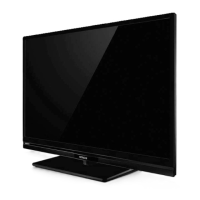
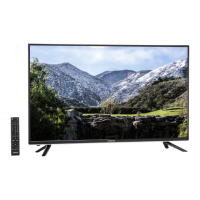
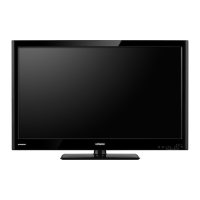
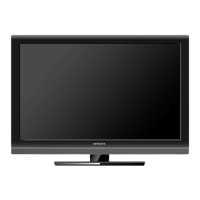
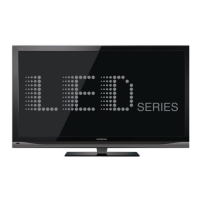
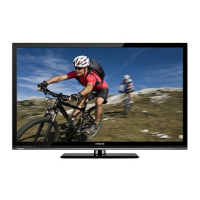
Hitachi LE46S605 - User Manual

Hitachi LE46S605
64 pages
Print Icon
To Next Page IconTo Next Page
Loading...
Thank you for purchasing this Hitachi product. Please read these instructions carefully.
For additional assistance please call 800.HITACHI (800.448.2244) or visit our website at www.hitachi.us/tv.
Keep this owners guide for future reference.
Record the model name and serial number of your LCD Television for future reference.
This information is located on the back and right side of the television.
MODEL NAME. ________________________ SERIAL NO. ___________________________
TABLE OF CONTENTS
IMPORTANT SAFETY INSTRUCTIONS .................................................................................. 2-5
FIRST TIME USE .................................................................................................................... 6-19
THE REMOTE CONTROL .................................................................................................... 20-29
ON-SCREEN DISPLAY ......................................................................................................... 30-48
USEFUL INFORMATION ...................................................................................................... 49-54
LIMITED WARRANTY .......................................................................................................... 55-56
END USER LICENSE AGREEMENT FOR HITACHI DTV SOFTWARE .............................. 57-61
APPENDIXES .............................................................................................................................62
INDEX .........................................................................................................................................63
Revision 052411

Questions and Answers

  • A
    Ashley ClarkAug 19, 2025
    How to fix Hitachi LE46S605 remote control not working?
    • R
      Robert GuerreroAug 19, 2025
      If the remote control for your Hitachi LCD TV isn't working, try these steps: * Replace the batteries with new ones, as the current ones may be exhausted. * Make sure there are no obstructions blocking the sensor window on the TV unit. * Check that the batteries are installed correctly in the remote. * Verify if the buttons on the control panel of the TV are working.
  • A
    Ashley MillerAug 21, 2025
    How to troubleshoot no power on my Hitachi LCD TV?
    • M
      Mr. James PaceAug 21, 2025
      If your Hitachi LCD TV has no power, ensure the power cord is properly connected to the AC outlet.
  • S
    Scott DickersonAug 23, 2025
    What to do if buttons on Hitachi LE46S605 and remote don't work?
    • M
      Mr. Todd HughesAug 23, 2025
      If the buttons on both the remote control and the control panel of your Hitachi LCD TV are not working, unplug the power cord and then connect it again.
  • L
    Leslie MejiaAug 26, 2025
    Why my Hitachi LCD TV has no picture and the lamp is off?
    • D
      Daniel WalshAug 26, 2025
      If your Hitachi LCD TV has no picture and the indicating lamp is off, check if the power cord is securely plugged into the socket.
  • L
    Laurie WatsonAug 28, 2025
    Why does my Hitachi LE46S605 turn off by itself?
    • B
      Brian SmithAug 28, 2025
      If your Hitachi LCD TV turns off by itself, check or ensure that the Sleep Timer settings are not activated.
  • I
    ianmoralesAug 30, 2025
    What to do if Hitachi LE46S605 has no picture and the lamp is blue?
    • J
      Jennifer CainAug 30, 2025
      If your Hitachi LCD TV has no picture but the indicating lamp is blue, check if the signal cable is connected correctly and securely. You may also need to adjust the level of Brightness and Contrast lower.
  • K
    kquinnSep 1, 2025
    Why does my Hitachi LCD TV turn on by itself?
    • R
      rebekahnashSep 1, 2025
      If your Hitachi LCD TV turns on by itself, check if the HDMI-CEC feature is activated.
  • E
    Emily RamirezSep 4, 2025
    How to fix no picture but normal sound on Hitachi LCD TV?
    • K
      Karen RiversSep 4, 2025
      If your Hitachi LCD TV has no picture but normal sound, check the value level of 'Brightness' and 'Contrast' in the 'Video Menu'.
  • J
    Jessica JohnsonSep 6, 2025
    What to check if my Hitachi LE46S605 has normal picture but no color?
    • K
      Karen SheaSep 6, 2025
      If your Hitachi LCD TV has a normal picture but no color and normal sound, check the connections to the external device.
  • H
    Haley HallSep 8, 2025
    How to get sound from Hitachi LE46S605 Optical Out with HDMI devices?
    • J
      jessicadownsSep 9, 2025
      If there is no sound from the TV Optical Out of your Hitachi LCD TV when using HDMI devices, try changing the Digital Output selection. As an alternative, use the audio optical output from the HDMI source device directly to a separate Audio Amplifier.

Summary

Important Safety Instructions

Federal Communications Commission Notice

Information regarding FCC compliance and potential interference.

Child Safety

Safety guidelines for using flat panel displays with children.

Wall Mounting

Guidelines and precautions for mounting the TV on a wall.

First Time Use

Accessories

List of items included with the television set.

How To Install Your New Hitachi LCD Television

Steps for assembling the base and setting up the TV.

Front Controls

Description of buttons on the TV's front panel and their functions.

Side;Rear Panel Jacks

Explanation of various audio and video input/output connectors.

Remote Control Overview

Explanation of buttons and functions of the remote control.

Quick Setup Guide

Steps for initial setup of the TV, including connections and power.

TV Setup Wizard

Step-by-step guide for initial TV configuration via on-screen prompts.

Panel Connections

How to connect external video devices via HDMI and other inputs.

The Remote Control

Remote Control Overview

Detailed explanation of the remote control's buttons and functions.

Using The Remote Control For TV

How to use remote buttons for TV operations like input and info.

Aspect Ratio Control

How to adjust the picture aspect ratio using the remote control.

Advanced Remote Functions

Explains Energy Save, Closed Captions, Picture Mode, and Device Control features.

AV Device Setup

How to program the remote to control external AV devices.

Remote Control for Cable;Set Top Box

Using the remote to operate cable and set-top box devices.

Remote Control for DVD;PVR

Using the remote to operate DVD players and PVR/VCR devices.

Remote Control for AVR

Using the remote to operate Audio/Video Receivers.

On-Screen Display

Video Settings

Adjustments for picture quality like mode, contrast, brightness, color, tint, sharpness.

Audio Settings

Adjustments for sound quality like mode, bass, treble, balance, CONEQ.

Setup Menu Options

Configuration settings like language, time, sleep timer, parental controls.

Channel Settings

Options for signal source, channel scanning, and list management.

Multimedia Settings

Accessing features like the JPEG Viewer.

Useful Information

Equipment Care

Guidelines for cleaning and maintaining the TV and remote control.

Troubleshooting Common Issues

Solutions for common TV problems like no signal or no sound.

Troubleshooting HDMI Issues

Specific solutions for problems related to HDMI connections and signals.

Reception Problems

Explanations and solutions for picture reception issues like noise and ghosts.

Features and Specifications

Detailed list of the TV's performance features and technical specifications.

Dimensions for 42-inch Model

Physical dimensions and weight of the LE42S605 model.

Dimensions for 46-inch Model

Physical dimensions and weight of the LE46S605 model.

Limited Warranty

Service Information and Support

Contact details and procedures for obtaining service and warranty support.

Limited Warranty Details

Terms, conditions, and limitations of the product's limited warranty.

End User License Agreement For HITACHI DTV Software

License Grant and Restrictions

Defines the terms of use for the DTV software.

Intellectual Property and Upgrades

Covers software ownership, patents, and upgrade policies.

Export Restrictions and Warranties

Details on export controls and the disclaimer of warranties.

Open Source Software License Information

Information on open source software used and their licenses.

Terms and Conditions

Defines core terms, permissions, and source code requirements.

User Product and Installation Information

Defines user products and requirements for installation information.

Patent and Liability Limitations

Details on patent licenses, limitations of liability, and warranty disclaimers.

Appendixes

Appendix A: Picture Format for Each Input Source

Table showing available aspect ratios for different input signals.

Appendix B: RGB Format

List of supported RGB resolutions and refresh rates.

Index

Index of Topics

Alphabetical listing of topics and their corresponding page numbers.

Hitachi LE46S605 Specifications

General IconGeneral
BrandHitachi
ModelLE46S605
CategoryLCD TV
LanguageEnglish

Related product manuals