SPECIFICATIONS AND PARTS ARE SUBJECT TO CHANGE FOR IMPROVEMENT
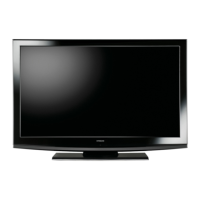
LCD Television
May 2008 Digital Media Systems Group, Hitachi Asia Ltd.
Caution
Be sure to read this manual before servicing. To assure safety from fire, electric shock, injury harmful radiation
and materials, various measures are provided in this Hitachi LCD TV.
Be sure to read the cautionary items described in the manual to maintain safety before servicing.
Service warning
1. Do not attempt to modify this product in any way and never perform customized installations without manu-
facturer's approval. Unauthorized modifications will not only void the warranty, but may lead to your being
liable for any resulting property damage or user injury.
Service work should be performed only after you are thoroughly familiar with all of the following safety che-
cks and servicing guidelines. To do otherwise, increase the risk of potential hazards and injury to the user.
While servicing, use an isolation transformer for protection from A.C. line shock.
2.
3.
Contents
* SAFETY NOTICE................................................... 2
*
PRODUCT SPECIFICATIONS................................ 3
*
FUNCTION OVERVIEW....................................... 4-7
*
PCB DIAGRAMS...........................................................8-9
*
BLOCK DIAGRAM................................................10
* SCHEMATIC DIAGRAMS.....................................11-24
*
IC BLOCK DIAGRAMS.....................................25-30
*
TROUBLESHOOTING.........................................31-33.
*
REPLACEMENT PART LIST.............................................34
*
PART LIST (FOR REFERENCE ONLY)..................35-44
No. 0025E
L32S02A
L32A02A
L32S02A, L32A02A,
L32E200, L32R200,
L32E100S,
L32E101B, L32R100



 To Next Page
 General