7 EN
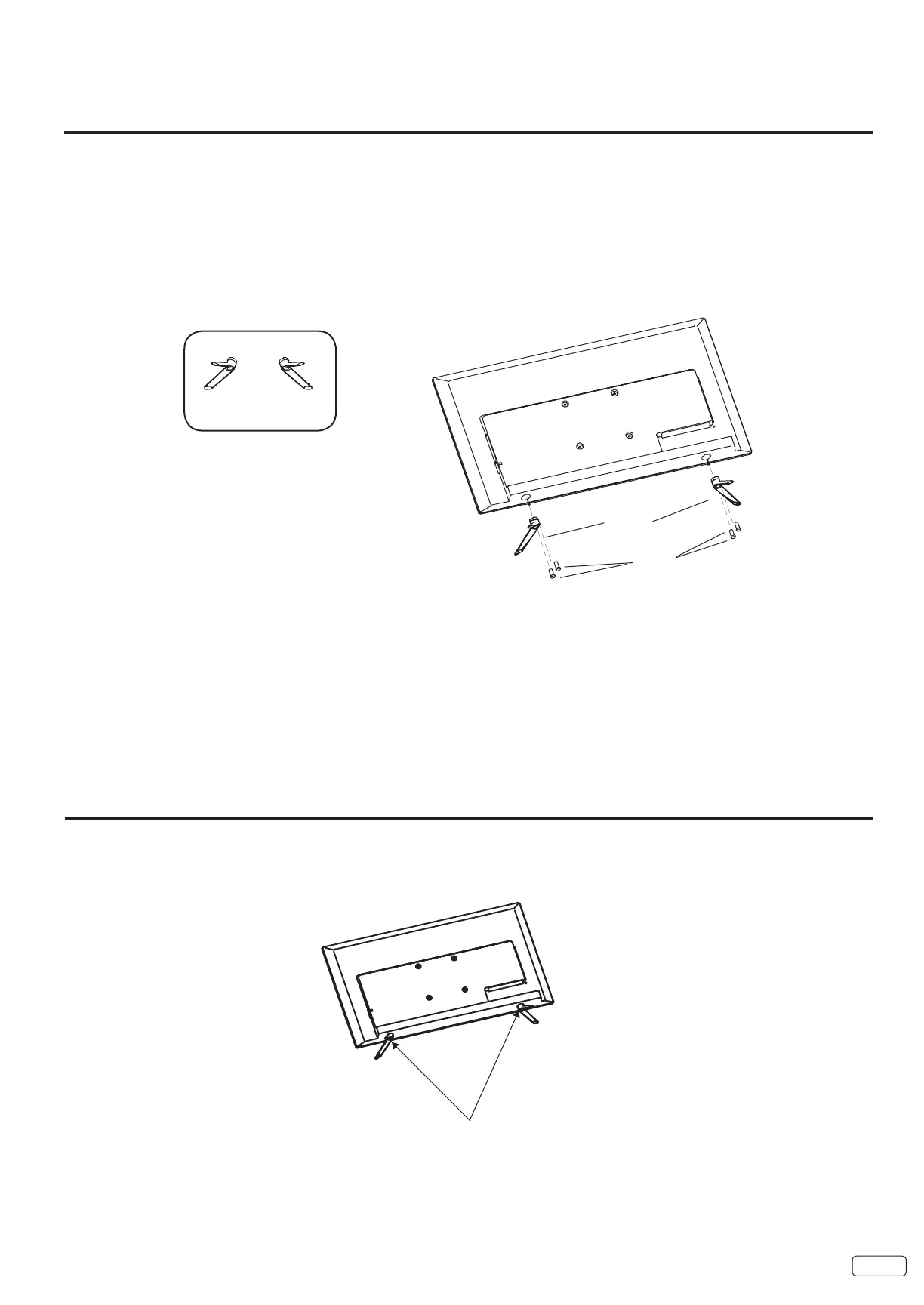
How to attach the stand
How to remove the stand
When you transport this product, remove the stand and pack it at against the back of the unit in the carton. To remove the stand,
perform the above steps in reverse order.
When you mount the TV on the wall, remove the stand.
To disconnect the base/stand remove the screws from the back as shown below.
NOTE:
• Assure the AC cord is not connected to an AC outlet.
• Before beginning this process, make sure that you have a clean, safe, and cushioned space to work at to avoid any damage to the
unit.
• Do not touch or press the LCD screen, the glass might break under pressure.
Carefully place the TV screen face-down on a clean, cushioned surface.
2 Insert and secure the stands (R and L) with 2 screws (supplied) (4x20mm) each side as shown in Figure 1.
NOTE:
LR
L
R



 To Next Page