EasyManua.ls Logo

Hitachi LE32LM206 - User Manual

Hitachi LE32LM206
53 pages
Go to English
Print Icon
To Next Page IconTo Next Page
Loading...
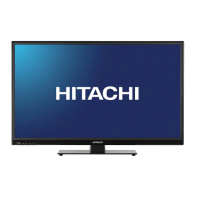
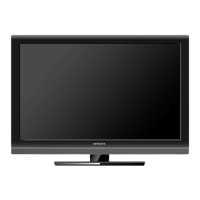
Imagen Simulada de la TV
NO de MODELO ________________________ NO de SERIE ___________________________
Gracias por adquirir este producto Hitachi.
Lea detenidamente estas instrucciones.
“GARANTÍA LIMITADA” en la página 25.
Anote el nombre del modelo y el número de serie de la
TV LCD para referencia futura. Esta información está
ubicada en la parte posterior del televisor.
Conserve esta guía de usuario para futuras consultas.
TABLA DE CONTENIDO
1-5 INSTRUCCIONES DE SEGURIDAD IMPORTANTES
6 INSTALACIÓN DEL SOPORTE TABLERO
13-18 PRIMEA VEZ QUE SE UTILIZA
19-21 OPERACIÓN DEL TV
22 CONEXIONES A OTROS EQUIPOS
23 DISTURBIOS DE RECEPCIÓN
26 SOLUCIÓN DE PROBLEMAS
24 ESPECIFICACIONES
25-26 GARANTIA LIMITADA
Para obtener asistencia adicional, por favor consulte.
Guía del usaurio
LCD HDTV
Modelo LE42LS256
Clase de 42” (106.7 cm Diagonal)
LCD HDTV
Modelo LE32LM206
Clase de 32” (80.0 cm Diagonal)
OGCover_Skyworth_Spa.indd 6 8/24/12 4:45:45 PM


Questions and Answers

  • S
    Sean JonesAug 17, 2025
    Why is my Hitachi LE32LM206 LCD TV not working?
    • R
      Robert Garrett Jr.Aug 17, 2025
      If your Hitachi LCD TV isn't operating, ensure the power cord is properly plugged in. If it is, try using a different AC outlet. As a last resort, unplug the unit for an hour, then plug it back in to see if it resolves the issue.
  • W
    William OwensAug 20, 2025
    Why is there poor picture or no picture on my Hitachi LE32LM206?
    • T
      Timothy MooreAug 20, 2025
      If you're experiencing poor picture quality or no picture on your Hitachi LCD TV, try tuning to another station to rule out station or cable TV problems. Also, make sure channels are correctly set into memory. Check the antenna or cable TV connections and adjust the antenna if necessary. Examine the surrounding area for potential sources of interference and check the picture control adjustments.
  • G
    gdurhamAug 22, 2025
    How to fix no remote operation on Hitachi LE32LM206 LCD TV?
    • D
      Daniel ClarkAug 22, 2025
      If your Hitachi LCD TV remote isn't working, first check and replace the batteries, ensuring they are correctly inserted. Make sure you are within 15 feet of the TV and that the remote is aimed at the sensor. Also, verify that the TV's power cord is plugged in and that the Sleep Timer is turned off. If there was a power interruption, this may also affect remote operation.
  • D
    Danielle WestAug 25, 2025
    What to do if my Hitachi LE32LM206 has poor sound or no sound?
    • M
      Mr. Hector GilbertAug 26, 2025
      If your Hitachi LCD TV has poor or no sound, try tuning to another station to rule out station or cable issues. Check the sound adjustments, such as volume and mute settings. Also, check for any potential sources of interference that might be affecting the sound quality.
  • J
    Julia HarrisonAug 27, 2025
    How to fix poor reception on some channels on Hitachi LE32LM206 LCD TV?
    • R
      Rebekah RivasAug 28, 2025
      If you're experiencing poor reception on some channels with your Hitachi LCD TV, try tuning to another station to rule out station or cable issues. Ensure that the channels are correctly set into memory. If a station is weak, adjust the antenna to improve reception. Also, check for any potential sources of interference.
  • L
    Lynn SimmonsAug 31, 2025
    How to fix poor color or no color on Hitachi LE32LM206 LCD TV?
    • J
      Jennifer GonzalezAug 31, 2025
      If your Hitachi LCD TV displays poor color or no color, start by tuning to another station to rule out any issues with the broadcast signal. Then, ensure that the channels are properly set into memory. Check the picture control adjustments and inspect the antenna or cable TV connections, adjusting the antenna as needed. Finally, check for any potential sources of interference that might be affecting the color quality.
  • K
    kyle09Sep 2, 2025
    Why does my Hitachi LCD TV picture wobble or drift?
    • B
      brian20Sep 3, 2025
      If the picture on your Hitachi LCD TV wobbles or drifts, try tuning to another station to eliminate the possibility of station or cable TV problems. Ensure that your channels are set into memory. Note that if you use a Cable TV, the company may be scrambling signal.
  • B
    Brett HoweSep 5, 2025
    How to fix no CATV reception on Hitachi LE32LM206 LCD TV?
    • D
      dgriffithSep 5, 2025
      To address no CATV reception on your Hitachi LCD TV, start by checking all Cable TV connections to ensure they are secure. Next, set the Air/Cable menu option to the Cable mode. If the issue persists, the problem may lie with the station or the Cable TV system itself; try another station to confirm.
  • S
    Sharon JamesSep 8, 2025
    How to change language on Hitachi LE32LM206?
    • D
      Diane CurtisSep 8, 2025
      To change the language on your Hitachi LCD TV, select the appropriate language in the menu options.
  • K
    Kimberly Smith DDSSep 12, 2025
    What causes horizontal or diagonal bars on Hitachi LE32LM206 LCD TV screen?
    • U
      uwhiteSep 12, 2025
      If you're seeing horizontal or diagonal bars on your Hitachi LCD TV screen, check the antenna connections and adjust or redirect the antenna. Also, check for any sources of possible interference that may be causing the issue.

Hitachi LE32LM206 Specifications

General IconGeneral
Screen Size32 inches
Display TypeLCD
Resolution1366 x 768
Backlight TypeLED
HDMI Ports2
USB Ports1
Aspect Ratio16:9
Built-in TunerYes
Display TechnologyLED-backlit LCD

Related product manuals