8
C
C
O
O
N
N
T
T
R
R
O
O
L
L
P
P
A
A
N
N
E
E
L
L
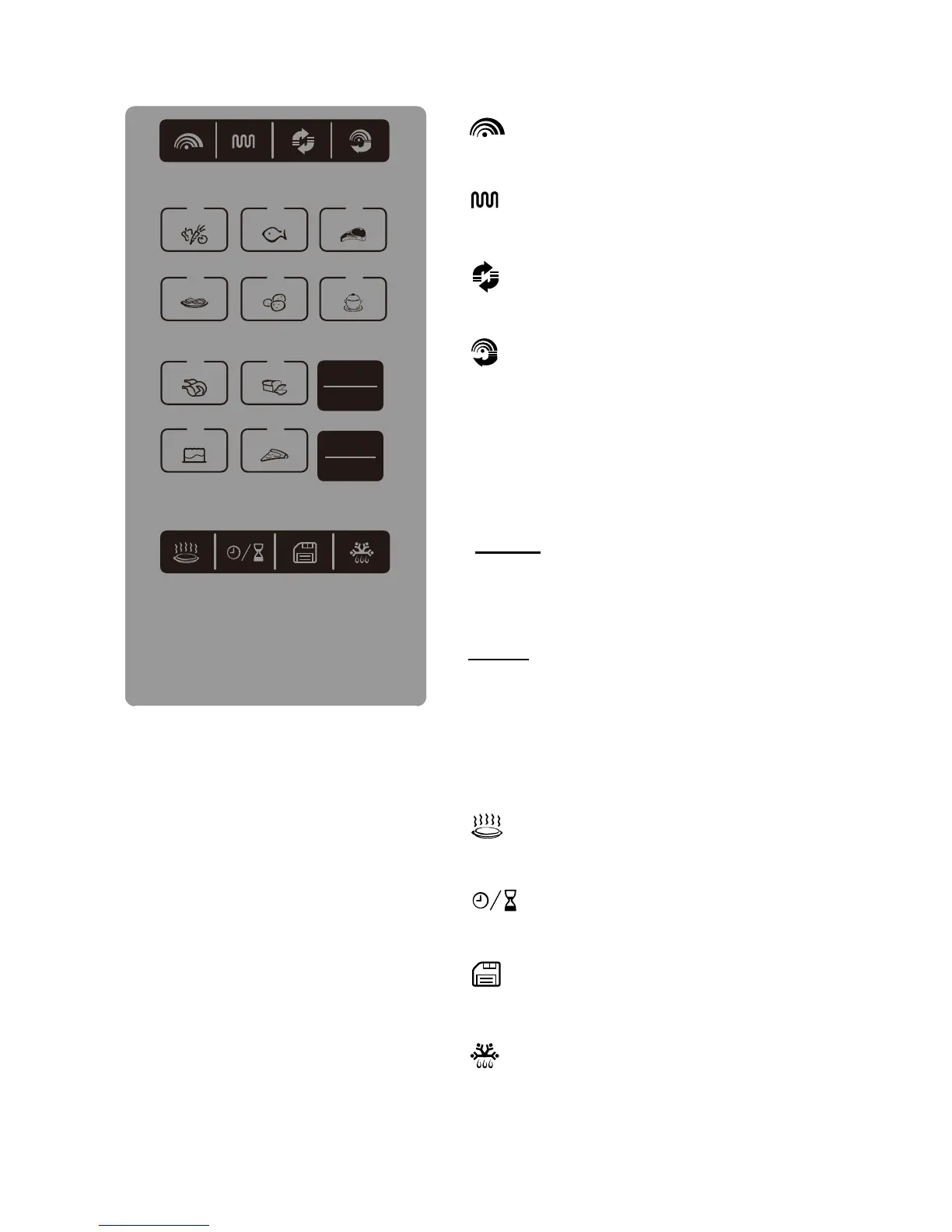
Microwave cooking
Press to set microwave power level.
Grill cooking
Press to set a grill cooking program.
Convection cooking
Press to program convection cooking.
Combination cooking
Press to select one of four combination
cooking settings.
Numeric buttons
Press to set the time or weight or select
auto cook menus.
Press to start cooking program or set
speed cooking program.
Press to cancel setting or reset the
oven before setting a cooking program.
Press once to temporarily stop cooking
or press twice to cancel cooking.
It is also used for setting child lock.
Reheat
Press to set a reheat program.
Clock/Kitchen Timer
Press to set clock time or kitchen timer.
Memory
Press to set the memory function.
Defrost
Press to defrost food by weight or time.
123
4
78
90
56
STOP
CLEAR
START
+30SEC.
START
+30
SEC
.
ST OP
CLEAR


 To Next Page