– 13 –
ENGLISH
HOW TO SET THE SLEEP TIMER
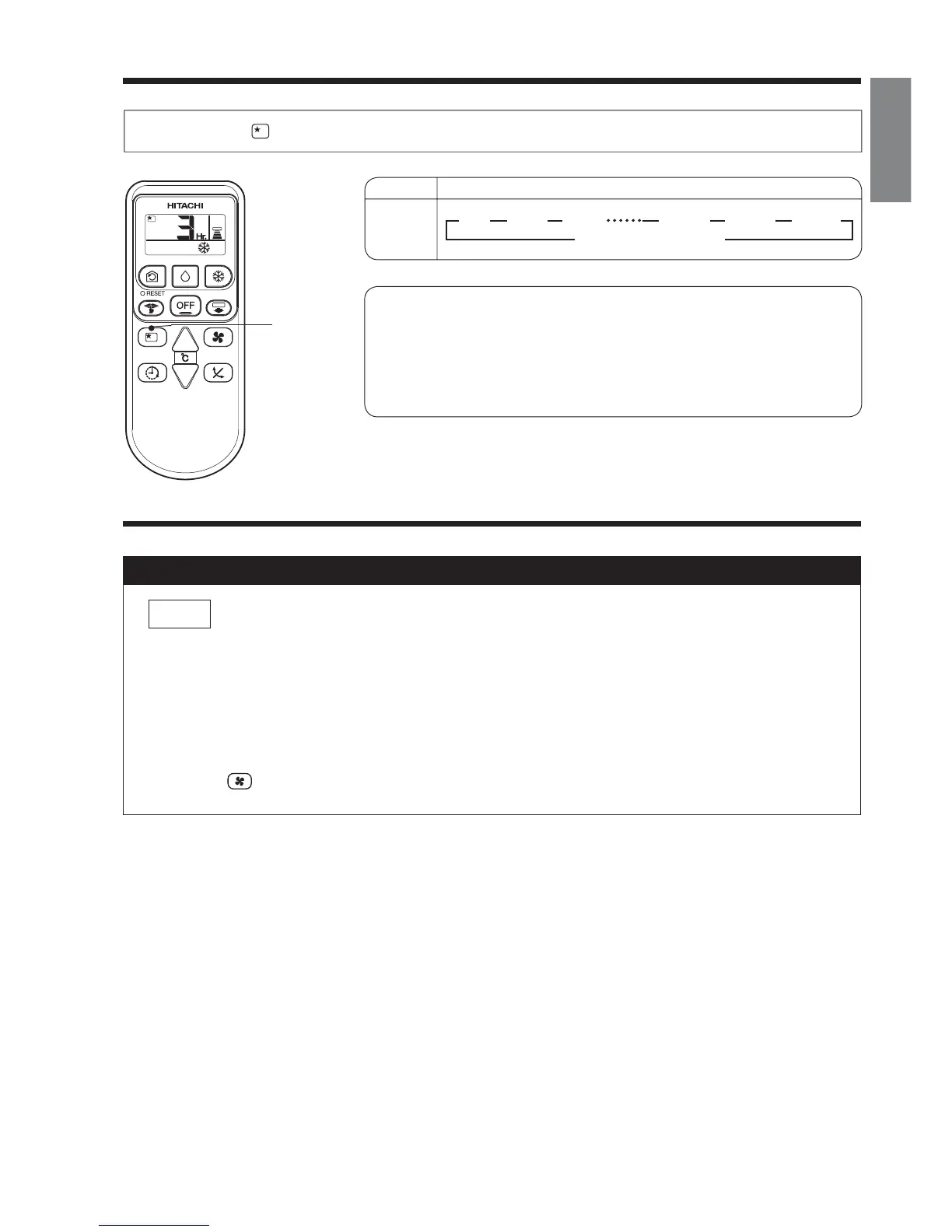
Press the (SLEEP) button, and the display changes as shown below.
Mode
Sleep
timer
444
1
Sleep Timer: The device will continue working for the designated
number of hours and then turn off.
Point the signal window of the remote controller toward the indoor
unit, and press the SLEEP button.
The timer information will be displayed on the remote controller.
The TIMER lamp lights with a beep from the indoor unit.
SLEEP
Explanation of the sleep timer
● You can not set other timer during sleep timer operation.
● After sleep timer time is up and when press sleep button again, the sleep timer will
be set as last setting.
● Sleep timer is effective only once.
● Press button to select the fan speed during sleep timer operation.
NOTE
4
Indication
1 hr 2 hrs 3 hrs 10 hrs 11 hrs 12 hrs
Cancel sleep timer
44



 To Next Page