– 19 –
ENGLISH
ATTACHING THE AIR PURIFYING FILTERS
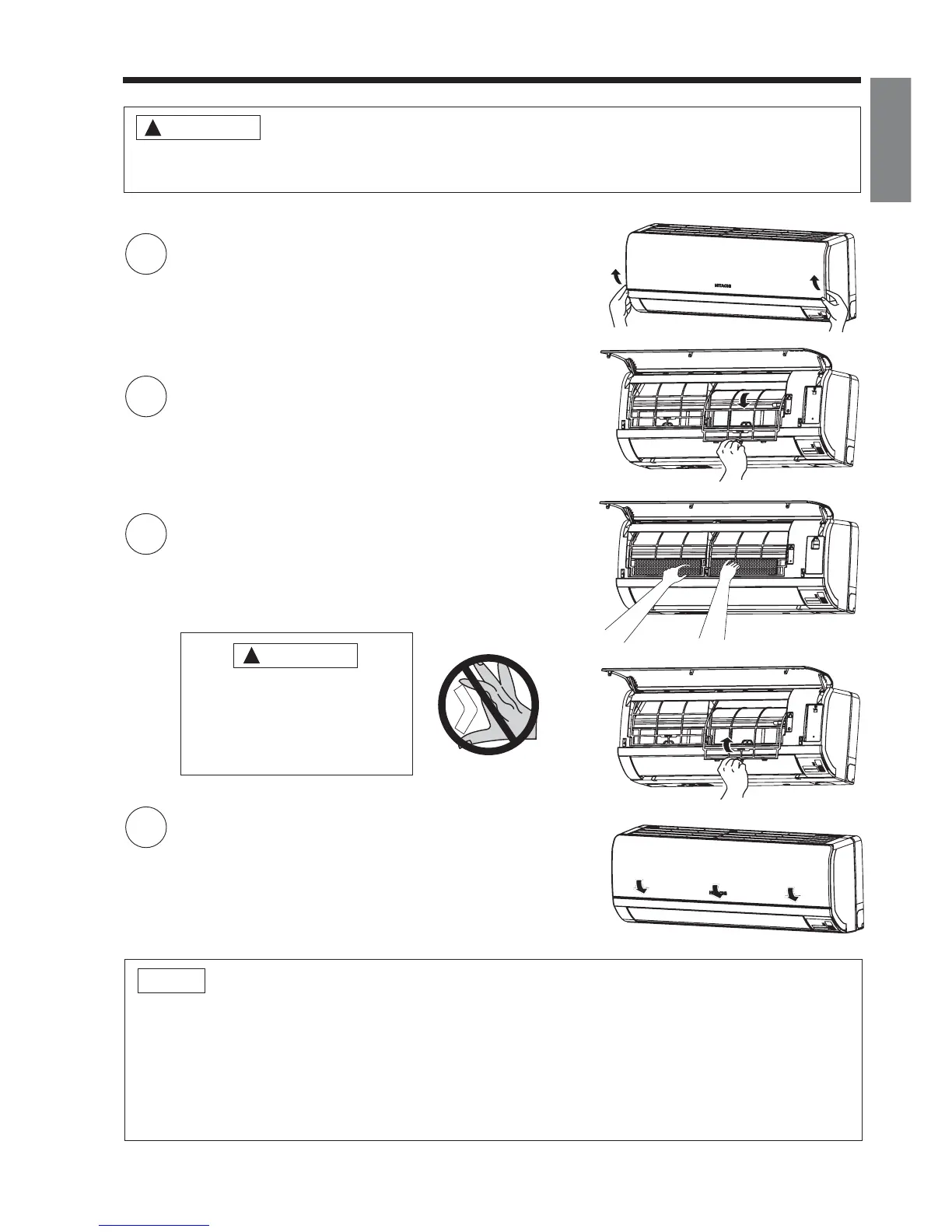
1
Open the front panel
● Pull up the front panel by holding it at both sides
with both hands.
2
Remove the Pre- lter
● Push upward to release the claws and pull out the
Pre- lter.
3
Attaching the air purifying lters
● Attach the air purifying lters to the frame by gently
compress its both sides and release after insertion
into Pre- lter frame.
4
Attach the Pre- lters
● Attach the Pre- lters by ensuring that the surface
written “FRONT” is facing front.
● After attaching the Pre- lters, push the front panel
at three arrow portions as shown in gure and close
it.
Cleaning and maintenance must be carried out when lter lamp lights. Before cleaning, stop
operation and switch off the power supply.
CAUTION
!
!
CAUTION
Do not bend the air purifying
lter as it may cause damage
to the structure.
Please do not smell direct from
source of lter.
NOTE
● In case of removing the air purifying lters, please follow the above procedures.
● The cooling capacity is slightly weakened and the cooling speed becomes slower when the air
purifying lters are used. So, set the fan speed to "HIGH" when using it in this condition.
● Air purifying lters are washable and can be use in 1 year time. Type number for this air purifying
lter is <SPX-CFH22>. Please use this number for ordering when you want to renew it.
● Do not operate the air conditioner without Pre- lter. Dust may enter the air conditioner and fault
may occur.



 To Next Page