EasyManua.ls Logo

Hitachi V-211 - Page 19

Hitachi V-211
44 pages
Print Icon
To Next Page IconTo Next Page
To Previous Page IconTo Previous Page
Loading...
(6)
Check/adjust
ASTIGmatism and FOCUS.
a.
Set the
TIME/DIV
switch to the
X-Y
position, and
the
input coupling
switch to
GND
.
b.
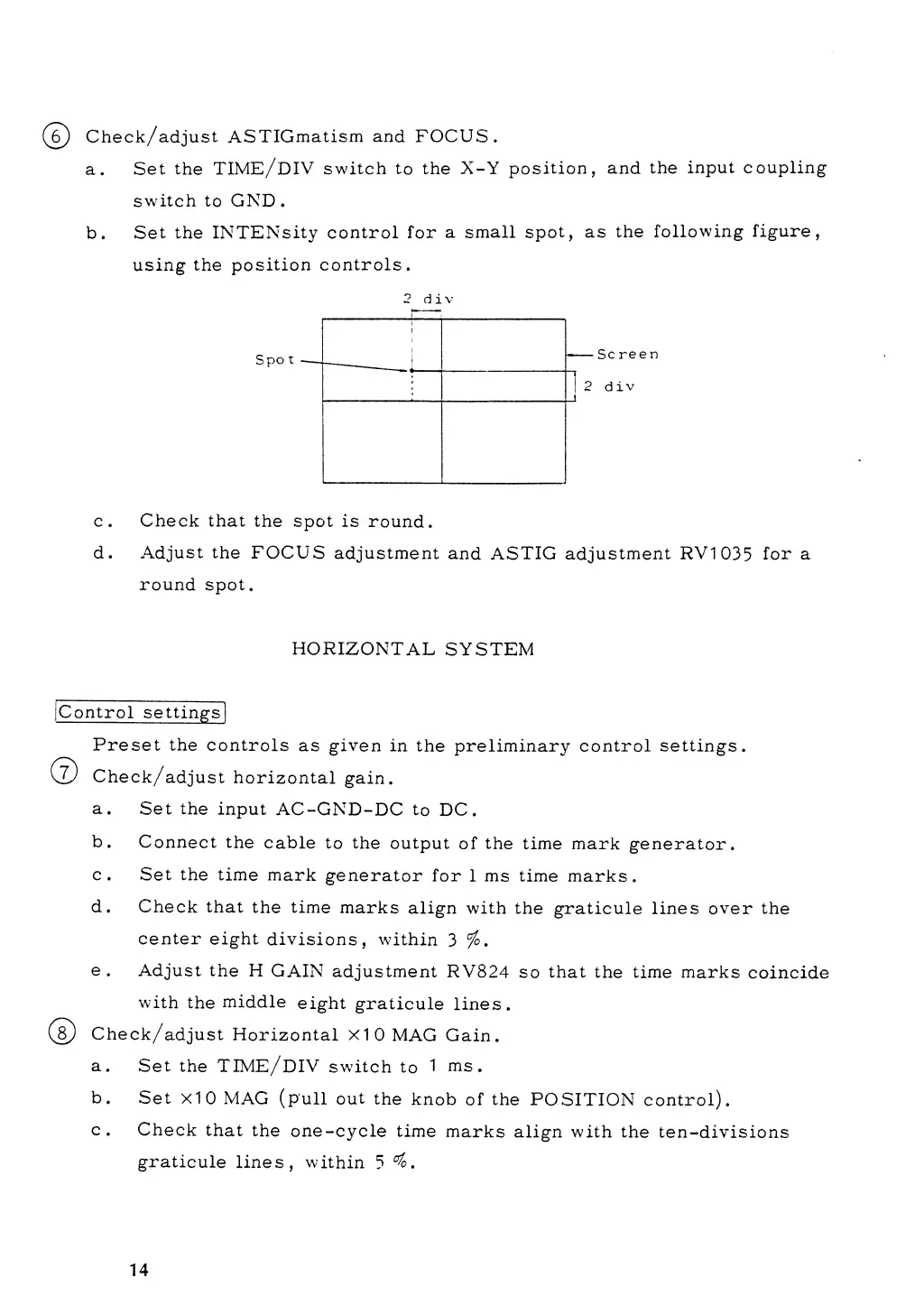
Set
the INTENsity
control for
a small
spot, as
the
following
figure,
using
the position
controls.
2
d
i
v
c. Check that
the spot is
round.
d.
Adjust
the
FOCUS
adjustment
and ASTIG adjustment RV1035
for a
round spot.
HORIZONTAL
SYSTEM
Control
settings
©
Preset the
controls
as given
in the
preliminary control
settings.
Check/adjust
horizontal
gain.
a.
Set the
input
AC-GND-DC
to
DC.
b.
Connect
the
cable
to the
output
of
the
time mark
generator.
c.
Set the
time
mark
generator
for
1 ms time
marks.
d.
Check
that
the time
marks
align with
the
graticule lines over the
center eight
divisions,
within
3
%.
e.
Adjust
the
H
GAIN
adjustment
RV824
so
that
the time marks
coincide
with
the
middle
eight
graticule
lines.
Check/adjust
Horizontal
X10
MAG Gain.
a.
Set the
TTME/DIV
switch
to
1 ms.
b.
Set
xIO
MAG
(pull
out
the
knob
of
the
POSITION control).
c.
Check
that
the
one-cycle
time
marks
align with
the
ten-divisions
graticule
lines,
within
5
°?o
m
14