EasyManua.ls Logo

Hitachi V-211 - Page 18

Hitachi V-211
44 pages
Print Icon
To Next Page IconTo Next Page
To Previous Page IconTo Previous Page
Loading...
d.
Adjust the
grid bias
adjustment
RV1021
for
the trace makes
a
just
appear
.
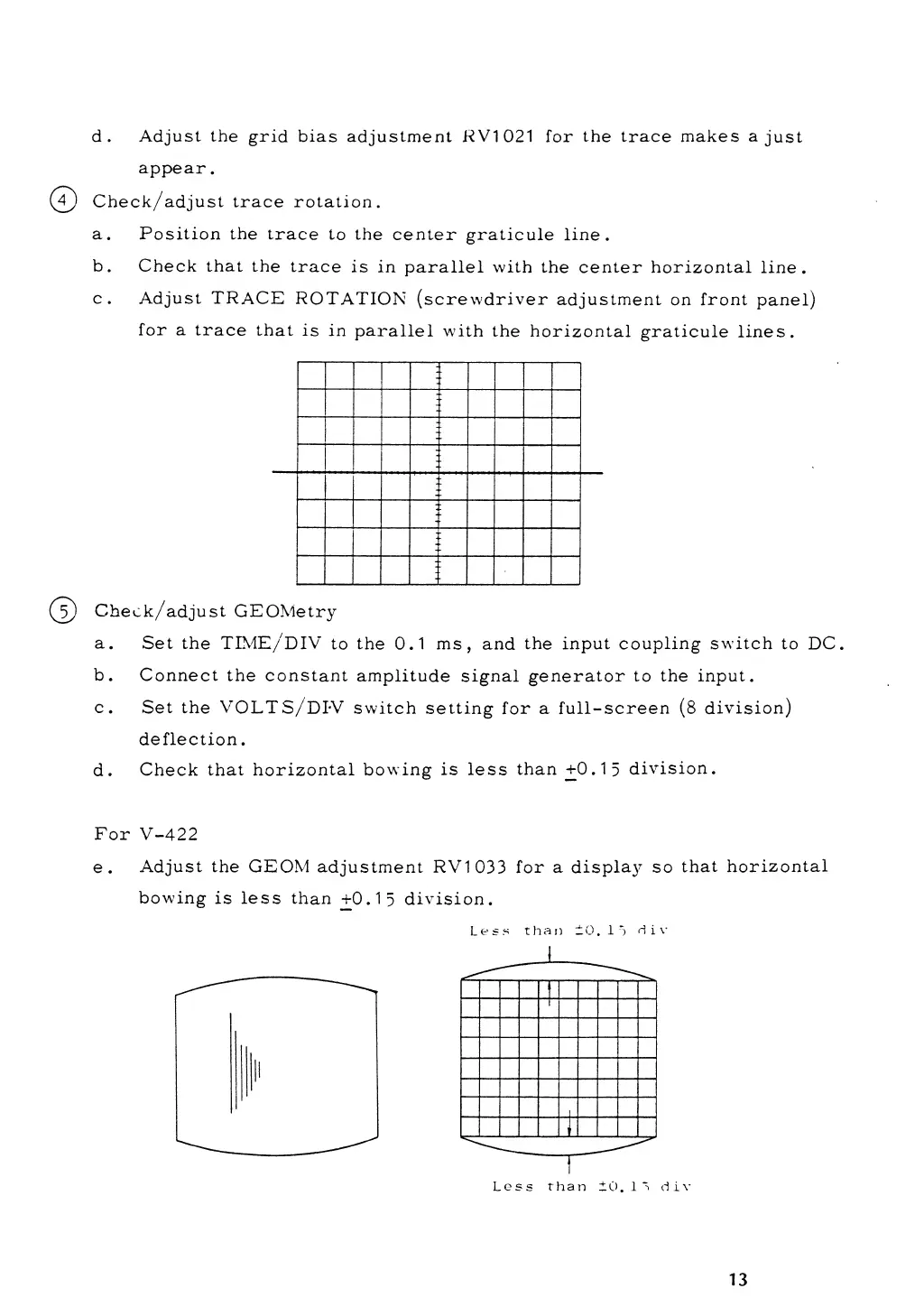
(7)
Check/adj
ust trace
rotation.
a. Position the
trace
to the center
graticule
line.
b.
Check
that
the
trace
is in
parallel
with
the center horizontal
line.
c. Adjust
TRACE
ROTATION
(screwdriver
adjustment
on front
panel)
for a
trace
that
is in
parallel
with
the
horizontal
graticule
lines.
(
5
)
Check/adjust
GEOMetry
a.
Set the
TIME/DIV
to
the
0.1
ms,
and the
input
coupling switch
to DC.
b.
Connect the
constant
amplitude
signal generator to
the input.
c.
Set
the
VOLT
S/DI-V switch
setting
for
a full-screen
(8
division)
deflection
.
d.
Check
that horizontal
bowing
is less
than
+0-15
division.
For
V-422
e.
Adjust the
GEOM
adjustment
RV1033
for
a
display so
that horizontal
bowing
is less
than +
0.15
division.
Less
than
±0.15
d
i
v
13