EasyManua.ls Logo

Hitachi V-211 - Page 17

Hitachi V-211
44 pages
Print Icon
To Next Page IconTo Next Page
To Previous Page IconTo Previous Page
Loading...
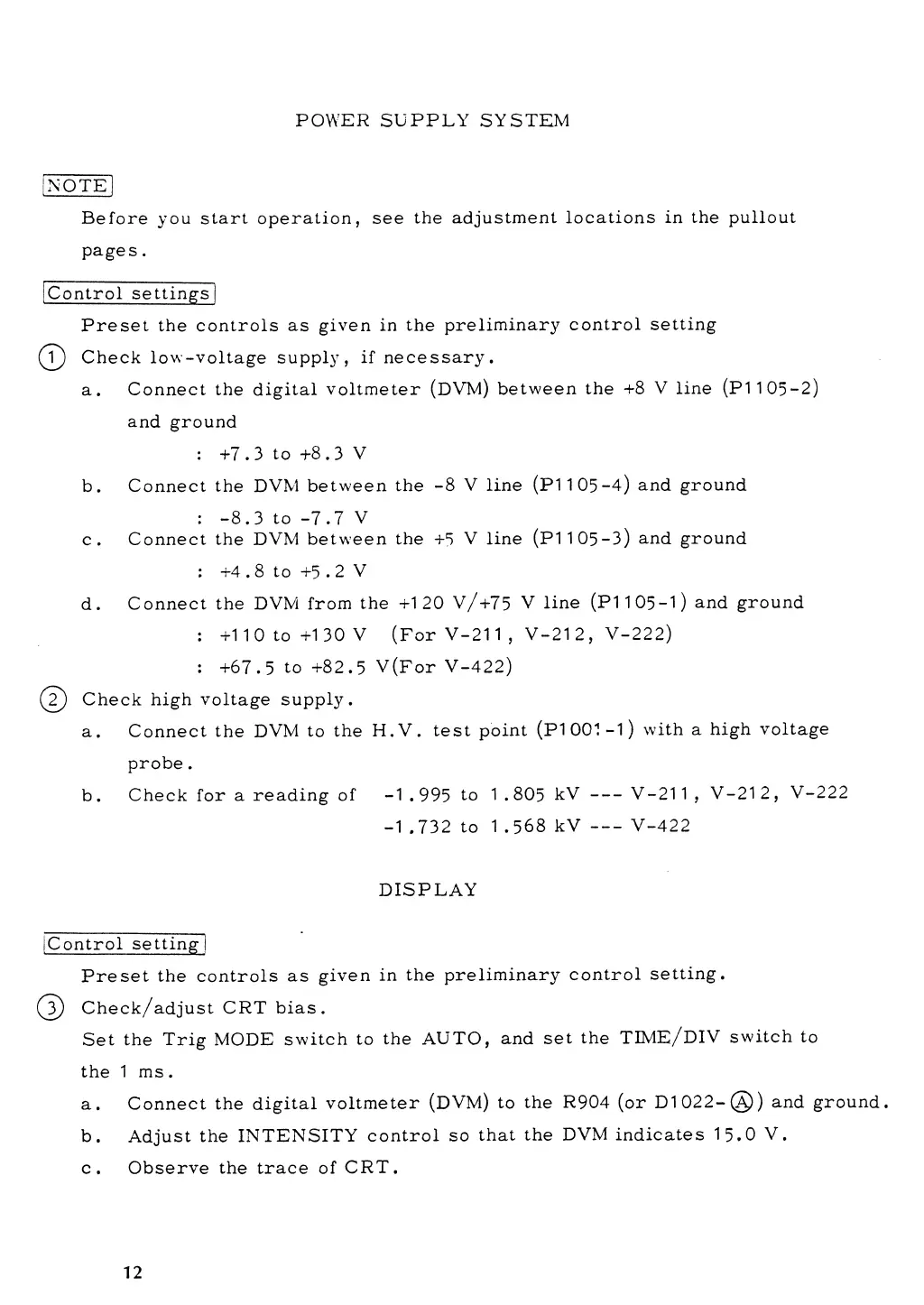
POWER SUPPLY SYSTEM
[NOTE
1
Before you
start
operation, see
the
adjustment
locations
in the pullout
pages
.
Control
settings
Preset the controls
as given
in the
preliminary
control
setting
(T)
Check
low-voltage
supply,
if
necessary.
a. Connect the
digital
voltmeter
(DVM)
between
the
+8 V line (PI
105-2)
and
ground
:
+7.3
to
4-8.3
V
b.
Connect the
DVM
between
the
-8
V
line
(PI
105-4)
and ground
:
-8.3
to
-7.7
V
c.
Connect
the DVM
between
the
+5
V line (PI
105-3)
and ground
: +4
. 8 to
+5
. 2
V
d.
Connect the
DVM from
the
+120 V/+75
V
line
(PI
105-1)
and ground
:
+110 to
+130
V
(For
V-211
,
V-212,
V-222)
:
+67.5
to
+82.5
V(For
V-422)
(
2)
Check high
voltage supply.
a. Connect the
DVM to
the
H.V. test
point
(PI
001-1)
with a high
voltage
probe
.
b.
Check
for
a
reading of
-1
.995
to 1
.805
kV
V-211
,
V-212,
V-222
-1
.732
to
1 .568
kV
V-422
DISPLAY
[Control
setting]
Preset
the controls
as
given
in the
preliminary
control
setting.
(
3
)
Check/adjust
CRT
bias.
Set
the
Trig
MODE
switch
to
the
AUTO,
and
set the
TIME/DIV
switch
to
the
1 ms.
a. Connect the
digital
voltmeter
(DVM)
to
the
R904
(or
D1022-(A))
and ground.
b.
Adjust
the
INTENSITY
control so
that
the
DVM indicates
15.0
V.
c.
Observe the
trace of
CRT.
12