59
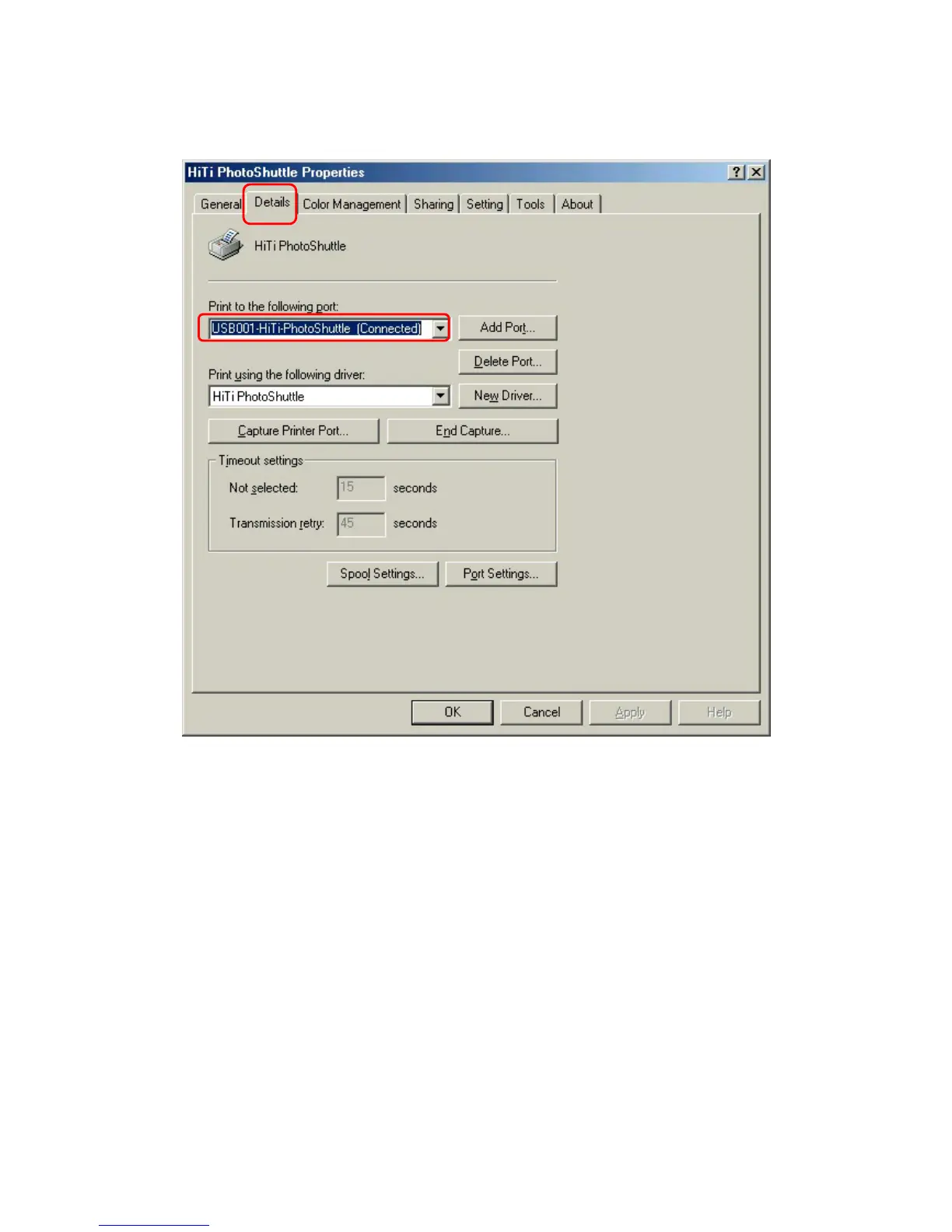
4-1-2 Details
Connect to the below printer icon gives you a selections of various different
printers or paths that have been preinstalled into the system. You can drag
down the right arrow to make your selection. Use the printer driver below for
printing icon provides a full range of driver that you could utilize for printing.
Again drag down the arrow on the right to make your selection. After you
have made your selection please click on connection Icon below
"New connection": Gives you the flexibility to install a new printer or device for
printing.
"Delete": Gives you an option of deleting excess printer.
"New Driver": With this icon you can add additional printer driver on to your
existing setup.











 To Next Page