70
4-3 Preview function in driver
In Windows 98 /2000, the preview part is the same.
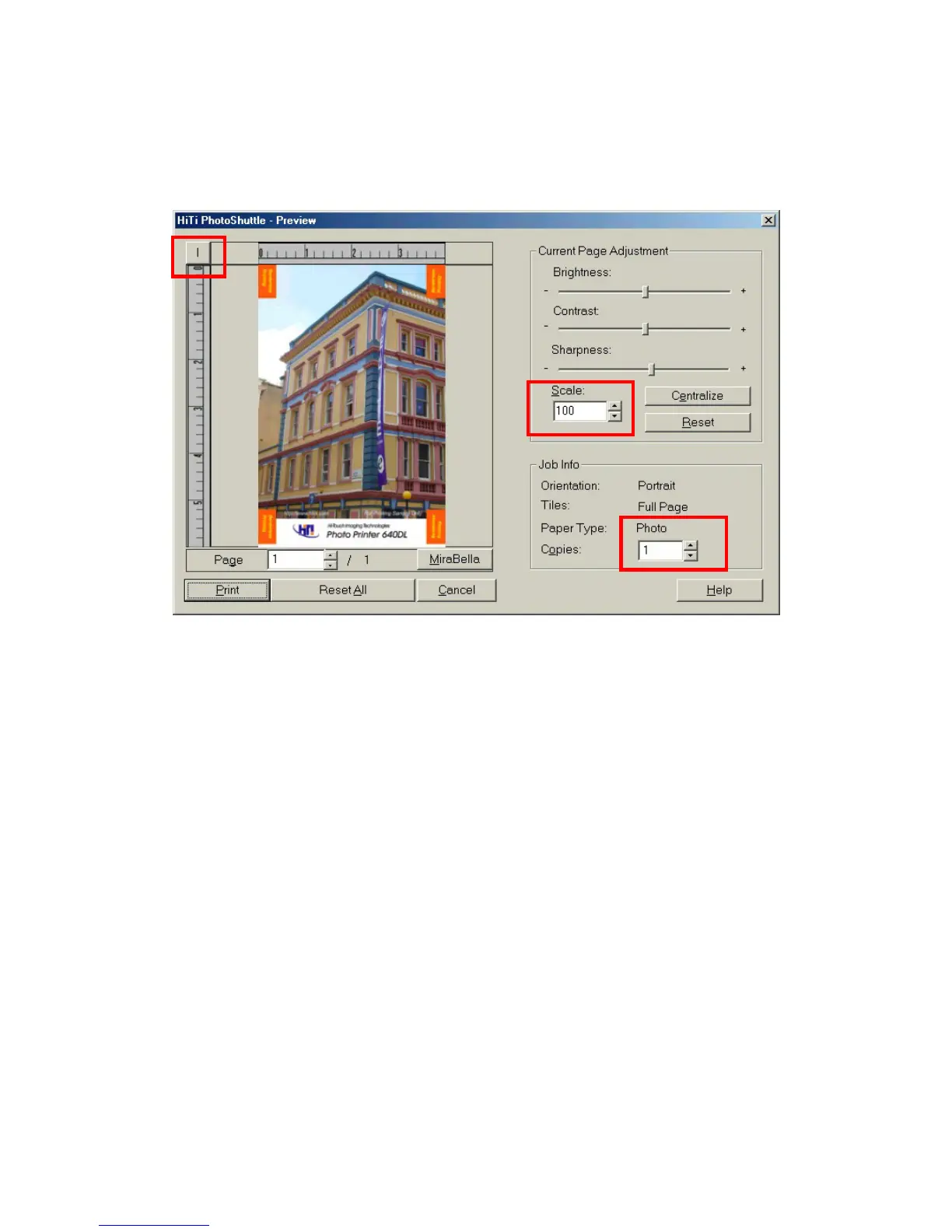
Function: Before you printing, if you have checked the box of “Run preview”
from the contents of “Setting” tab, preview application will run for the final
checking. You will have the final chance to change and check everything.
1. Adjust Brightness, contrast, sharpness and in page format.
2. Control scaling factor, if not satisfied for the printing size.
3. Check the actual pages printed in specified pages.
4. Change the measurements unit in “mm” or “inches”.











 To Next Page